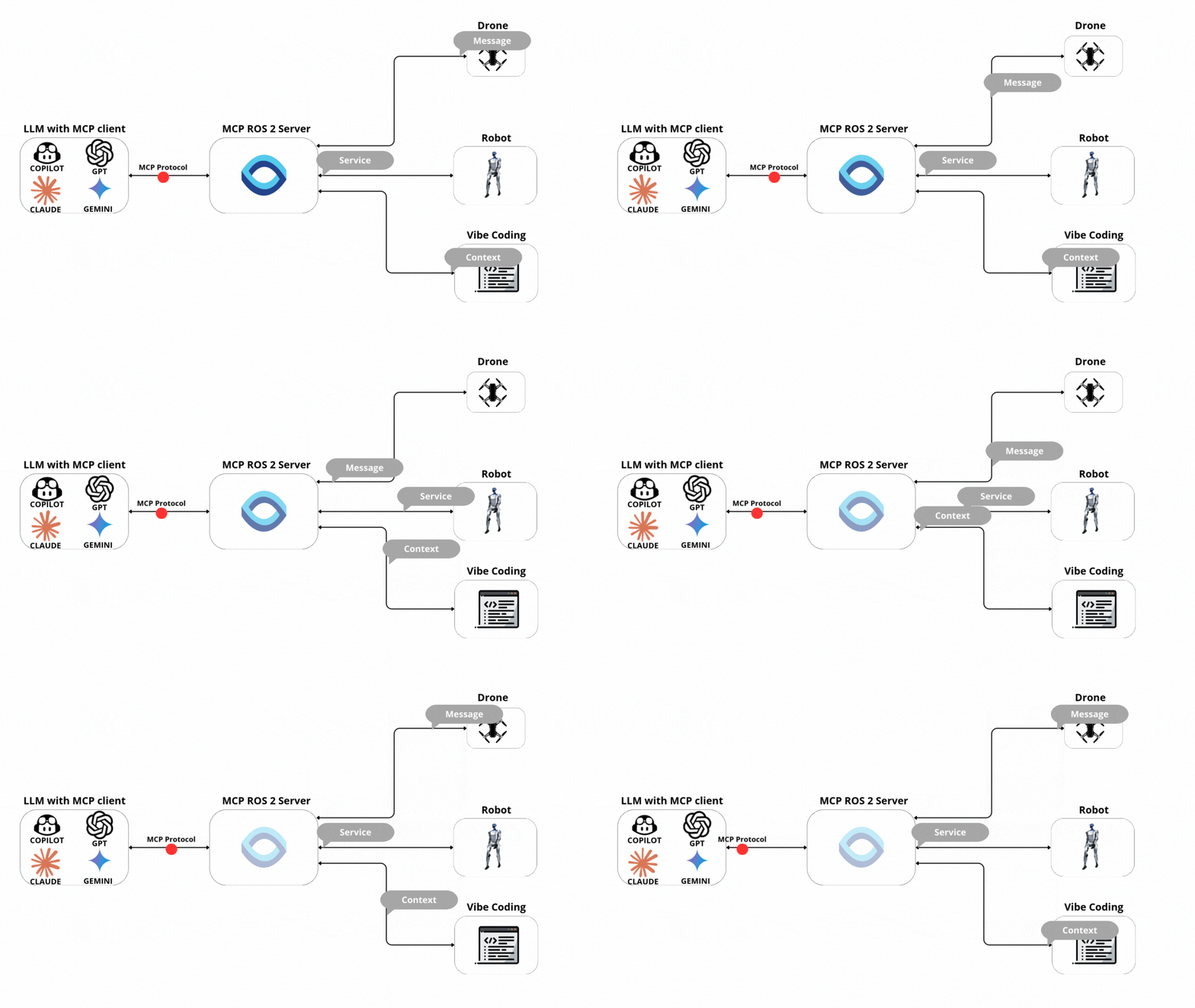
ros2_mcp
by wise-vision·★ 77·Score 48
Python MCP server bridging AI agents with ROS 2 robotics, enabling topic pub/sub, service calls, and action control.
Overview
ros2_mcp is a comprehensive Python implementation of the Model Context Protocol for ROS 2, designed to seamlessly integrate AI agents with robotics systems. The server exposes numerous tools for interacting with ROS 2 nodes, topics, services, and actions, enabling AI systems to control robots, analyze sensor data, and debug systems through natural language interfaces. With features like auto type discovery, nested field support, and built-in data analysis capabilities, it significantly reduces the complexity of AI-robot interactions.
Try asking AI
After installing, here are 5 things you can ask your AI assistant:
When to choose this
Choose this MCP server when working with ROS 2 robotics and need AI integration for development, debugging, or real-time control without deep ROS expertise.
When NOT to choose this
Not suitable for production environments requiring robust security or for non-ROS 2 robotics systems where the extensive ROS tooling would be unnecessary overhead.
Tools this server exposes
12 tools extracted from the READMEros2_topic_listReturns list of available topics with their names and message types
ros2_topic_subscribeSubscribes to a ROS 2 topic and collects messages for a duration or message limit
ros2_get_messagesRetrieves past messages from a topic (from data black box)
ros2_get_message_fieldsGets field names and types for a message type
ros2_topic_publishPublishes message to a topic
ros2_service_listReturns list of available services with their names, types, and request fields
ros2_service_callCalls a ROS 2 service with specified fields
ros2_list_actionsReturns list of available ROS 2 actions with their types and request fields
ros2_send_action_goalSends a goal to an action. Optionally waits for the result
ros2_cancel_action_goalCancels a specific goal or all goals for an action
ros2_action_subscribe_feedbackSubscribes to feedback messages for an action
ros2_action_subscribe_statusSubscribes to an action's status topic and returns collected status frames
Comparable tools
Installation
Installation
- Install the MCP server:
pip install mcp_ros2- Configure your MCP client. For Claude Desktop, add to
claude_desktop_config.json:
{
  "mcpServers": {
    "ros2": {
      "command": "python",
      "args": ["-m", "mcp_ros2.server"],
      "env": {
        "ROS_DOMAIN_ID": "0"
      }
    }
  }
}- For VS Code Copilot, follow the [installation guide](installation/README.md#configure-visual-studio-code-copilot)
FAQ
- What ROS 2 versions are supported?
- ROS 2 Humble and Jazzy are officially supported. The server is designed to work with standard ROS 2 installations.
- Can I use custom ROS 2 message types?
- Yes, source the package that defines your custom message type before starting the server, and it will be automatically discovered.
Compare ros2_mcp with
Last updated · Auto-generated from public README + GitHub signals.