open-computer-use
by Wide-Moat·★ 74·综合分 49
MCP 服务器为任何 LLM 提供包含浏览器、终端、代码执行和文档功能的 Docker 工作区。
概述
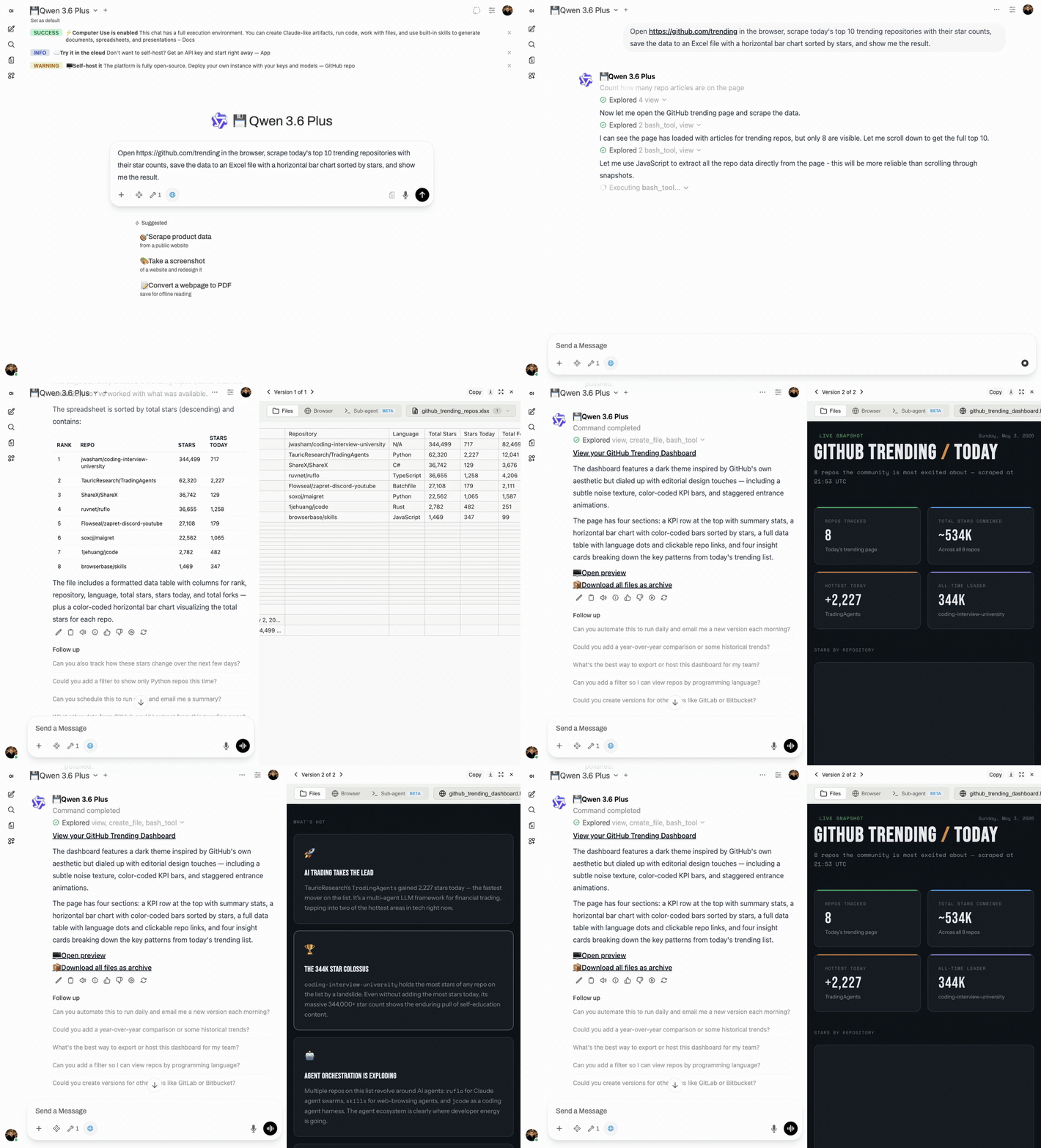
Open Computer Use 是一个全面的 MCP 服务器,为 LLM 提供在隔离 Docker 容器中运行的完整 Ubuntu 沙箱环境。它使 AI 代理能够执行代码、创建文档、使用实时流式浏览网页,并通过 Claude Code 运行自主子代理。该解决方案专为生产环境的多用户部署设计,在聊天会话之间提供适当的容器隔离。它可以与任何 MCP 兼容客户端无缝集成,包括 Open WebUI、Claude Desktop、LiteLLM 和 n8n。
试试问 AI
装完之后,这里有 6 个你可以让 AI 做的事:
什么时候选它
当你需要一个为任何 LLM 提供的、具有强大隔离、多用户支持和丰富文档创建能力的自托管生产级计算机环境时,选择它。
什么时候不要选它
如果你需要更简单的解决方案、资源使用最少,或者对基于 Docker 的架构和复杂的设置过程感到不适应,应避免使用。
此 server 暴露的工具
从 README 抽取出 12 个工具execute_commandExecute commands in the sandbox terminal
create_documentCreate documents using various document skills
create_spreadsheetCreate Excel spreadsheets with formulas
create_pdfCreate, fill forms, extract, or merge PDFs
playwright_cliBrowser automation and web scraping using Playwright
describe_imageAnalyze images using vision API
frontend_designBuild production-grade user interfaces
webapp_testingTest web applications with Playwright
sub_agentDelegate complex tasks to Claude Code sub-agent
skill_creatorCreate custom skills for repetitive tasks
gitlab_explorerExplore GitLab repositories
build_chartCreate data visualizations from datasets
可对比工具
安装
安装
git clone https://github.com/Wide-Moat/open-computer-use.git
cd open-computer-use
cp .env.example .env
# 编辑 .env — 设置 OPENAI_API_KEY(或任何 OpenAI 兼容的提供商)

# 1. 启动 Computer Use 服务器(首次运行构建工作区镜像,约 15 分钟)
docker compose up --build

# 2. 启动 Open WebUI(在另一个终端中)
docker compose -f docker-compose.webui.yml up --build
对于 MCP 客户端集成,自托管版本连接到 http://localhost:8081/mcp,托管版本使用 API key 连接到 https://api.yambr.com/mcp/computer_use。
FAQ
- 支持哪些 LLM 提供商?
- 任何 OpenAI 兼容的提供商,包括 OpenAI、Anthropic、OpenRouter、qwen、DeepSeek 和 70 多家其他提供商。
- 用户数据如何在会话之间隔离?
- 每个聊天会话都在自己独立的 Docker 容器中运行,用户之间没有数据泄露。
- 我可以在沙箱中自定义可用的工具吗?
- 是的,您可以自定义 Docker 镜像或使用内置的技能创建器创建自定义技能。
open-computer-use 对比
最后更新于 · 由 README + GitHub 公开数据自动生成。