OpenStudy
by OpenStudy-dev·★ 66·综合分 46
一个自托管的仪表盘应用,内置MCP服务器,能显著提升Claude在学术任务中的表现。
概述
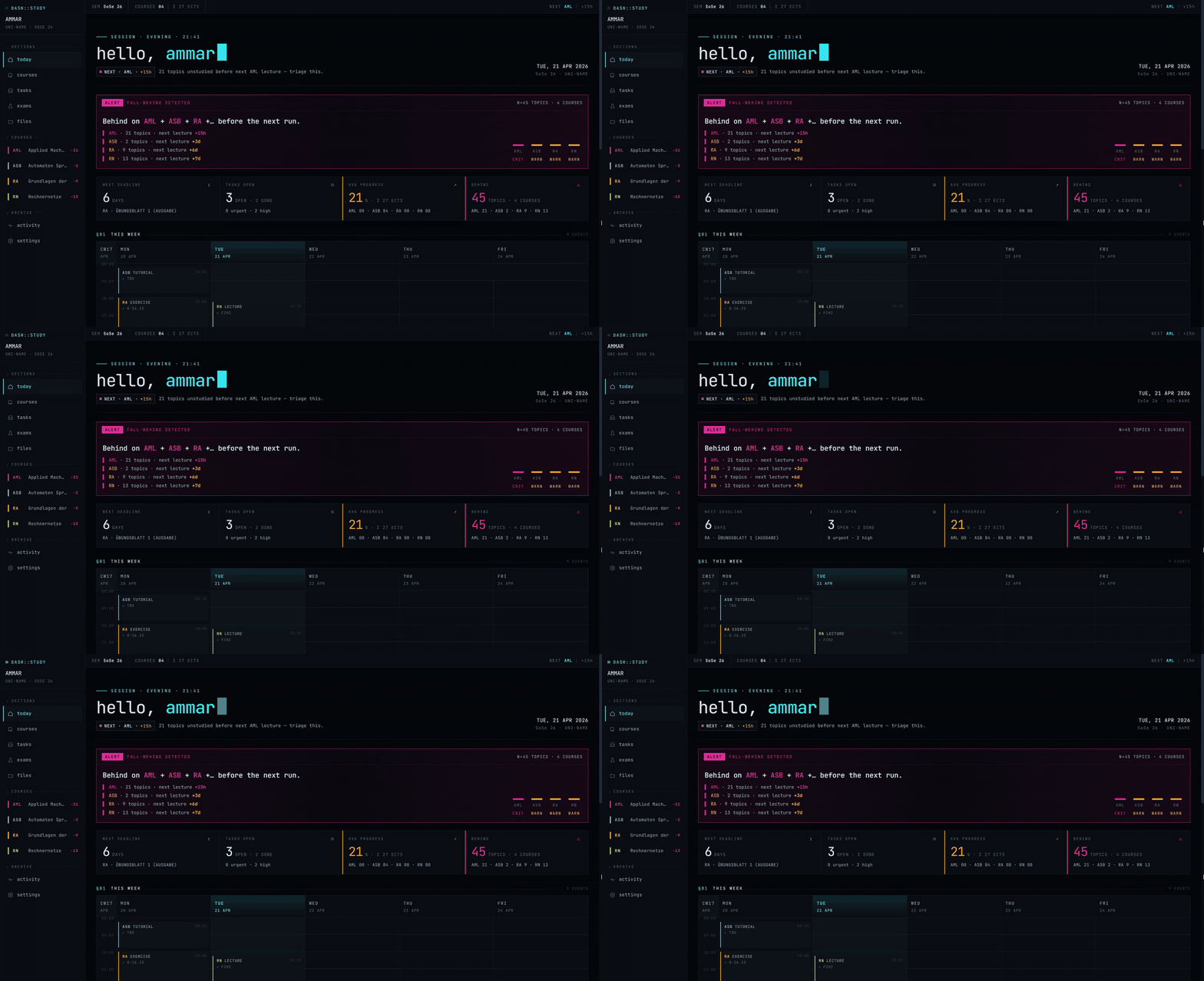
OpenStudy是一个完整的学习管理仪表盘,集成44个MCP工具,帮助学生管理课程、日程、讲座、学习主题和任务。它能直接作为Claude.ai的自定义连接器,让学生通过自然语言命令与学习材料互动。该应用采用多租户架构,支持多种主题设计,并在网页、移动端和桌面环境之间无缝集成。
试试问 AI
装完之后,这里有 5 个你可以让 AI 做的事:
什么时候选它
如果您是学生,希望将AI助手直接集成到学习工作流程中,并且偏好自托管解决方案,请选择此工具。
什么时候不要选它
如果您需要多用户协作功能,或者偏好无需自托管要求的云端学习管理工具,请不要选择此工具。
此 server 暴露的工具
从 README 抽取出 12 个工具list_course_filesList files in a course's file store
read_course_fileRead and render a course file as images
create_courseCreate a new course with metadata
create_schedule_slotCreate a recurring schedule slot for a course
update_examUpdate exam information for a course
create_deliverableCreate a new assignment or deadline
create_lectureCreate a new lecture entry for a course
create_study_topicCreate a new study topic linked to a lecture
mark_studiedMark a study topic as studied
list_study_topicsList study topics for a course
update_courseUpdate course information
list_falling_behindShow topics that are falling behind schedule
可对比工具
安装
安装步骤
- **先决条件**: Docker + Docker Compose v2.30+, Node 20+, pnpm
- **克隆仓库**:
git clone https://github.com/openstudy-dev/OpenStudy - **安装依赖**:
cd OpenStudy && cd web && pnpm install && cd .. - **设置环境**:
cp .env.example .env并填写所需值 - **部署**:
./deploy.sh
**Claude Desktop集成**: 添加到Claude Desktop配置:
{
  "mcpServers": {
    "openstudy": {
      "command": "uv",
      "args": ["run", "python", "-m", "app.server.mcp"],
      "env": {
        "OPENSTUDY_BASE_URL": "http://localhost:8000"
      }
    }
  }
}
FAQ
- 这个系统适合大学级别的课程吗?
- 是的,它专为学术用途设计,支持多门课程、时间表和考试跟踪。
- 我可以在其他AI助手上使用它,而不仅限于Claude?
- 目前它专门通过MCP与Claude.ai集成。
OpenStudy 对比
最后更新于 · 由 README + GitHub 公开数据自动生成。