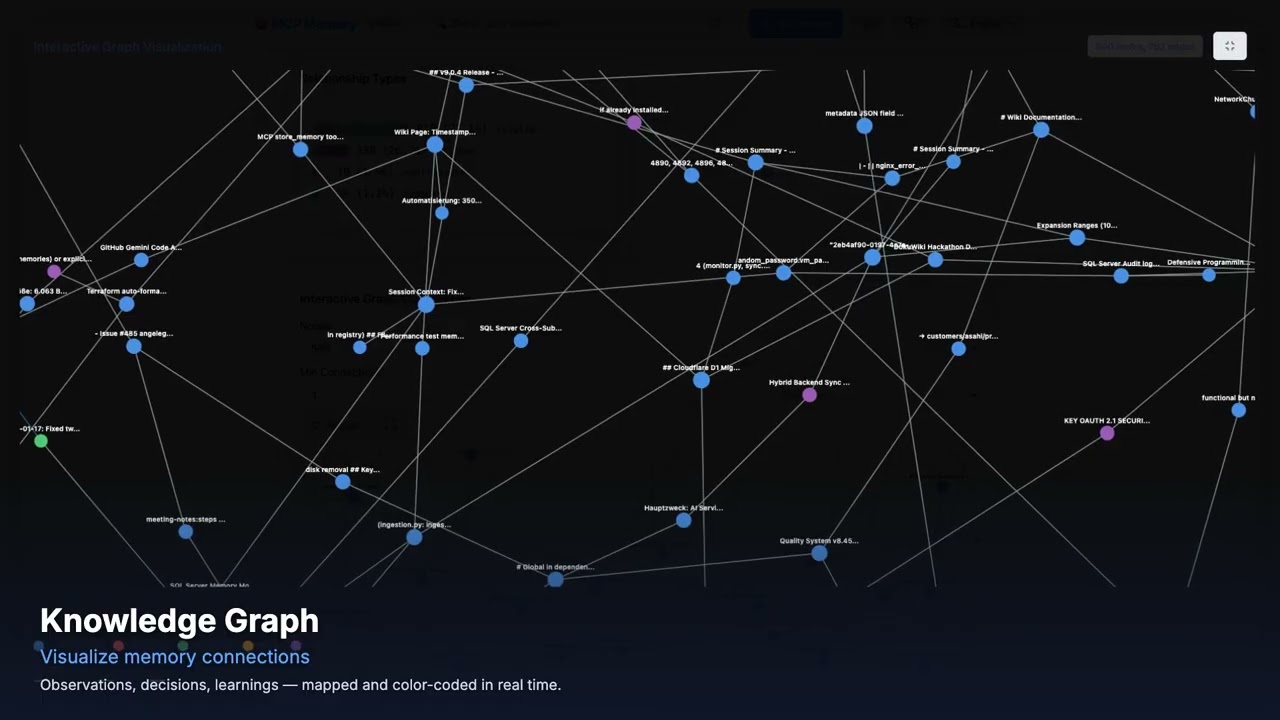
mcp-memory-service
by doobidoo·★ 1,848·综合分 56
为AI代理提供持久化内存服务,包含REST API、MCP、OAuth和知识图谱功能。
概述
mcp-memory-service是一个开源的内存后端,为LangGraph、CrewAI和AutoGen等AI代理管道提供持久化存储。它提供REST API和MCP协议访问,支持与claude.ai浏览器的Remote MCP集成。该服务具有带类型化边的知识图谱、自主内存合并和通过ONNX的本地嵌入功能。它可以自托管并支持OAuth 2.0身份验证,支持多代理场景下的内存共享和通过标签实现的代理间通信。
试试问 AI
装完之后,这里有 4 个你可以让 AI 做的事:
什么时候选它
当你需要为多个AI代理提供自托管内存解决方案,支持共享知识图谱和浏览器版Claude AI时,选择这个。
什么时候不要选它
如果你需要简单轻量级的解决方案,或者更倾向于云托管服务而非自托管基础设施,这个不适合你。
此 server 暴露的工具
从 README 抽取出 6 个工具store_memorymemory_store(content: string, tags: string[], conversation_id: string = null, agent_id: string = null)Store a memory entry with content and tags for later retrieval
search_memoriesmemory_search(query: string, tags: string[], agent_id: string = null, limit: int = 10)Search stored memories using semantic search and filtering
delete_memorymemory_delete(memory_id: string)Delete a specific memory entry by ID
get_memory_graphmemory_graph_get(agent_id: string = null)Retrieve the knowledge graph of memories with relationships
add_memory_edgememory_graph_add_edge(source_id: string, target_id: string, relation: string)Add a relationship between two memory entries
consolidate_memoriesmemory_consolidate(days_old: int = 30, compression: float = 0.5)Automatically consolidate old memories into compressed summaries
可对比工具
安装
# 基本安装
pip install mcp-memory-service

# 启动服务器
MCP_ALLOW_ANONYMOUS_ACCESS=true memory server --http
对于Claude Desktop集成,添加到claude_desktop_config.json:
{
  "mcpServers": {
    "mcp-memory": {
      "command": "python",
      "args": ["-m", "mcp_memory_service.server"],
      "env": {
        "MCP_ALLOW_ANONYMOUS_ACCESS": "true",
        "MCP_STREAMABLE_HTTP_MODE": "1"
      }
    }
  }
}
对于与claude.ai浏览器的远程MCP:
MCP_STREAMABLE_HTTP_MODE=1 MCP_SSE_HOST=0.0.0.0 MCP_SSE_PORT=8765 python -m mcp_memory_service.servermcp-memory-service 对比
最后更新于 · 由 README + GitHub 公开数据自动生成。