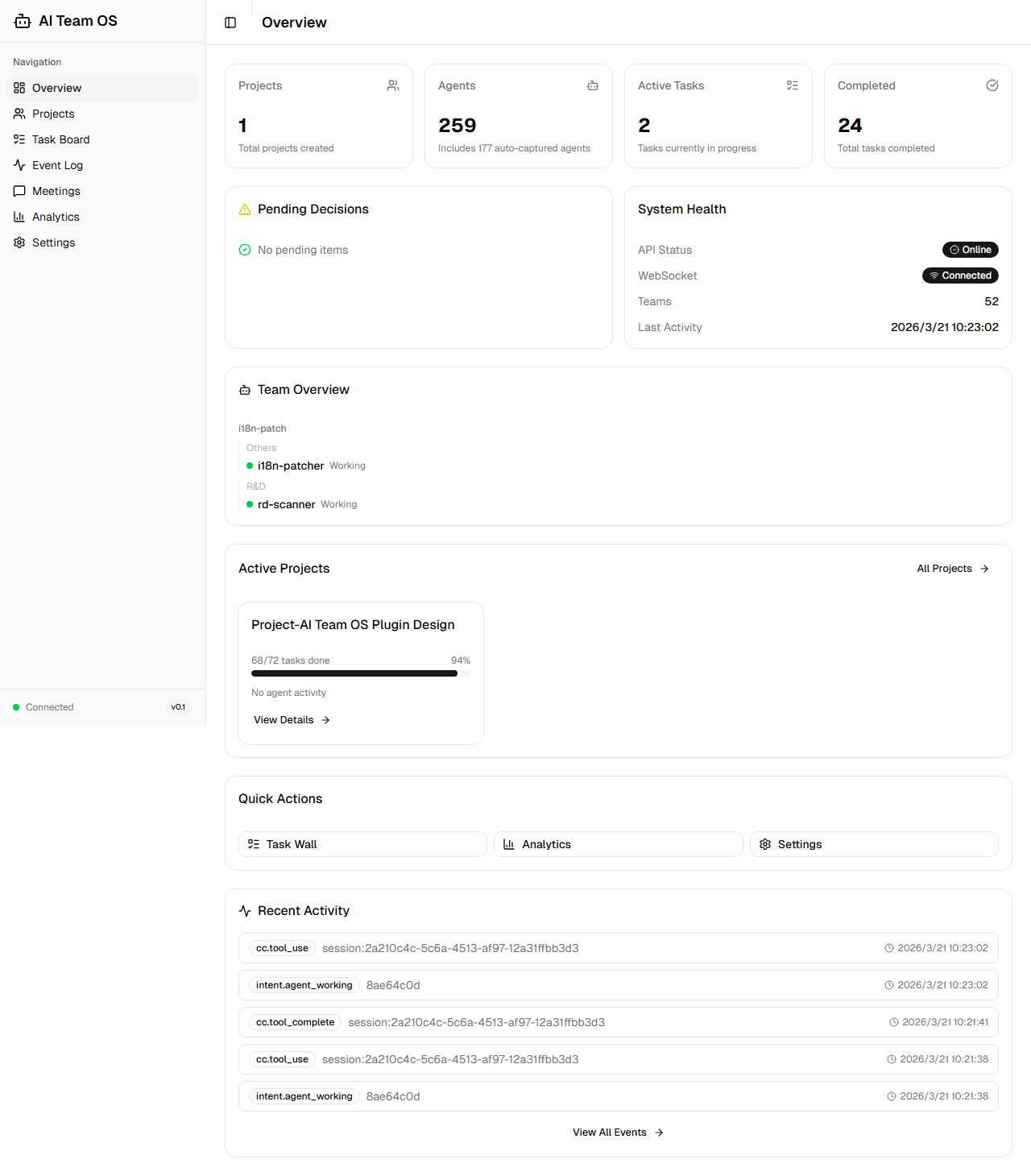
AI-company
by CronusL-1141·★ 175·综合分 50
Claude Code 的自主多智能体团队操作系统,拥有 108 个 MCP 工具和 40+ 智能体模板。
概述
AI Team OS 将 Claude Code 转变为一个自主驱动的 AI 公司,用户担任董事长,AI 担任 CEO。系统无需持续提示即可自主运行,检查任务墙、分配智能体并执行工作流。它包含 25 个专业智能体模板、8 种结构化会议形式和 7 种工作流模板,确保执行一致性。平台具备高级功能,如用于自我完善的故障炼金术、通过时间线追踪实现的决策透明度,以及带四层防御系统的安全机制。
试试问 AI
装完之后,这里有 6 个你可以让 AI 做的事:
什么时候选它
当您已经使用Claude Code并希望创建能够持续自主运行的AI团队,具有结构化工作流程和全面的智能体协作时,选择此系统。
什么时候不要选它
如果您需要能在Claude Code之外的其他AI平台上运行的解决方案,或者您更喜欢简单的工具而不希望处理多智能体操作系统的复杂性,请不要选择此系统。
此 server 暴露的工具
从 README 抽取出 12 个工具task_createCreate a new task on the task wall with priority and type
pipeline_advanceMove a task to the next stage in its workflow pipeline
debate_startInitiate a structured debate between agents for decision-making
git_create_prAutomatically create a pull request from staged changes
find_skillFind the right agent template based on skills needed
error_budget_statusCheck the current error budget status of the system
verify_completionVerify task completion status and required documentation
ecosystem_recipesGet preset ecosystem integration recipes for common tools
file_lock_acquireAcquire a lock on a file to prevent concurrent edits
mark_as_referenceMark a researched repository as a reference for future use
agent_heartbeatCheck if an agent is still active and working
pattern_searchSearch for recorded failure patterns to avoid mistakes
说明:Tool names inferred from the feature descriptions in the README, as there is no explicit 'Tools' section. The README mentions '108 MCP tools' but doesn't list them directly.
可对比工具
安装
pip install ai-team-os

# 添加到 Claude Desktop 配置
{
  "mcpServers": {
    "ai-team-os": {
      "command": "python",
      "args": ["-m", "ai_team_os.server"],
      "env": {
        "PYTHONPATH": "/path/to/ai-team-os"
      }
    }
  }
}
FAQ
- AI Team OS 如何与 Claude Code 集成?
- 它完全通过 MCP 协议在 Claude Code 内运行,不需要外部 API 调用或额外订阅。它增强了 Claude Code 的自主操作能力,同时使用相同的订阅。
- 它与其他 AI 智能体框架有何不同?
- 与 CrewAI、AutoGen 或 LangGraph 不同,AI Team OS 专门为 Claude Code 设计,具有深度 MCP 集成,提供无需持续提示的自主操作、结构化会议系统以及通过故障炼金术实现的自我完善能力。
AI-company 对比
最后更新于 · 由 README + GitHub 公开数据自动生成。