fullstack-langgraph-nextjs-agent
by agentailor·★ 106·综合分 47
具备 MCP 集成的生产级 Next.js 模板,用于 AI 动态工具加载。
概述
这是一个全面的 Next.js 模板,用于构建生产级的 LangGraph.js AI 代理。它完全集成了模型上下文协议(MCP),支持动态工具加载而无需更改代码。模板包含人工审批工具执行的循环系统,基于 PostgreSQL 的持久对话记忆,以及实时流式响应。使用 TypeScript、React、Prisma 和 Tailwind CSS 构建,提供现代技术栈,支持多模态文件上传和可观察性功能。
试试问 AI
装完之后,这里有 5 个你可以让 AI 做的事:
什么时候选它
当您需要构建具有 MCP 集成的生产就绪 LangGraph.js 代理,特别是需要人工工具审批和 PostgreSQL 持久化对话记忆时,选择此模板。
什么时候不要选它
如果您只需要一个简单的 MCP 服务器而不需要完整的 Next.js 堆栈,或者您喜欢使用除 Node.js 和 Prisma ORM 之外的其他后端技术,请不要选择此模板。
此 server 暴露的工具
从 README 抽取出 12 个工具dynamic_tool_loadingDynamically load tools from MCP servers configured in the database
approve_tool_executionApprove, deny, or modify tool execution before it happens
upload_fileUpload images, PDFs, and text files for multimodal processing
query_postgresExecute queries on the PostgreSQL database with conversation history
stream_agent_responseStream real-time responses from the AI agent using Server-Sent Events
configure_mcp_serverConfigure MCP servers with stdio or HTTP transport
save_model_settingsPersist model provider and selection settings in localStorage
check_tool_availabilityVerify if a tool is available and properly configured
create_conversation_threadCreate a new conversation thread with persistent memory
process_multimodal_inputProcess and analyze multimodal inputs including text, images, and PDFs
toggle_langfuse_loggingEnable or disable Langfuse observability for agent runs
restore_conversationRestore previous conversation state from the database
可对比工具
安装
安装步骤
- **克隆并安装**
git clone https://github.com/IBJunior/fullstack-langgraph-nextjs-agent.git
cd fullstack-langgraph-nextjs-agent
pnpm install- **环境设置**
cp .env.example .env.local编辑 .env.local 文件配置:
# 数据库
DATABASE_URL="postgresql://user:password@localhost:5434/agent_db"

# AI 模型
OPENAI_API_KEY="sk-..."
GOOGLE_API_KEY="..."
ANTHROPIC_API_KEY="sk-ant-..."- **启动服务**
docker compose up -d # 启动 PostgreSQL 和 MinIO- **数据库设置**
pnpm prisma:generate
pnpm prisma:migrate- **运行开发服务器**
pnpm devClaude Desktop 集成
要与 Claude Desktop 一起使用,请添加到 claude_desktop_config.json:
{"mcpServers": {"langgraph-agent": {"command": "node", "args": ["path/to/your/project/dist/server.js"]}}}FAQ
- 如何添加新的 MCP 服务器?
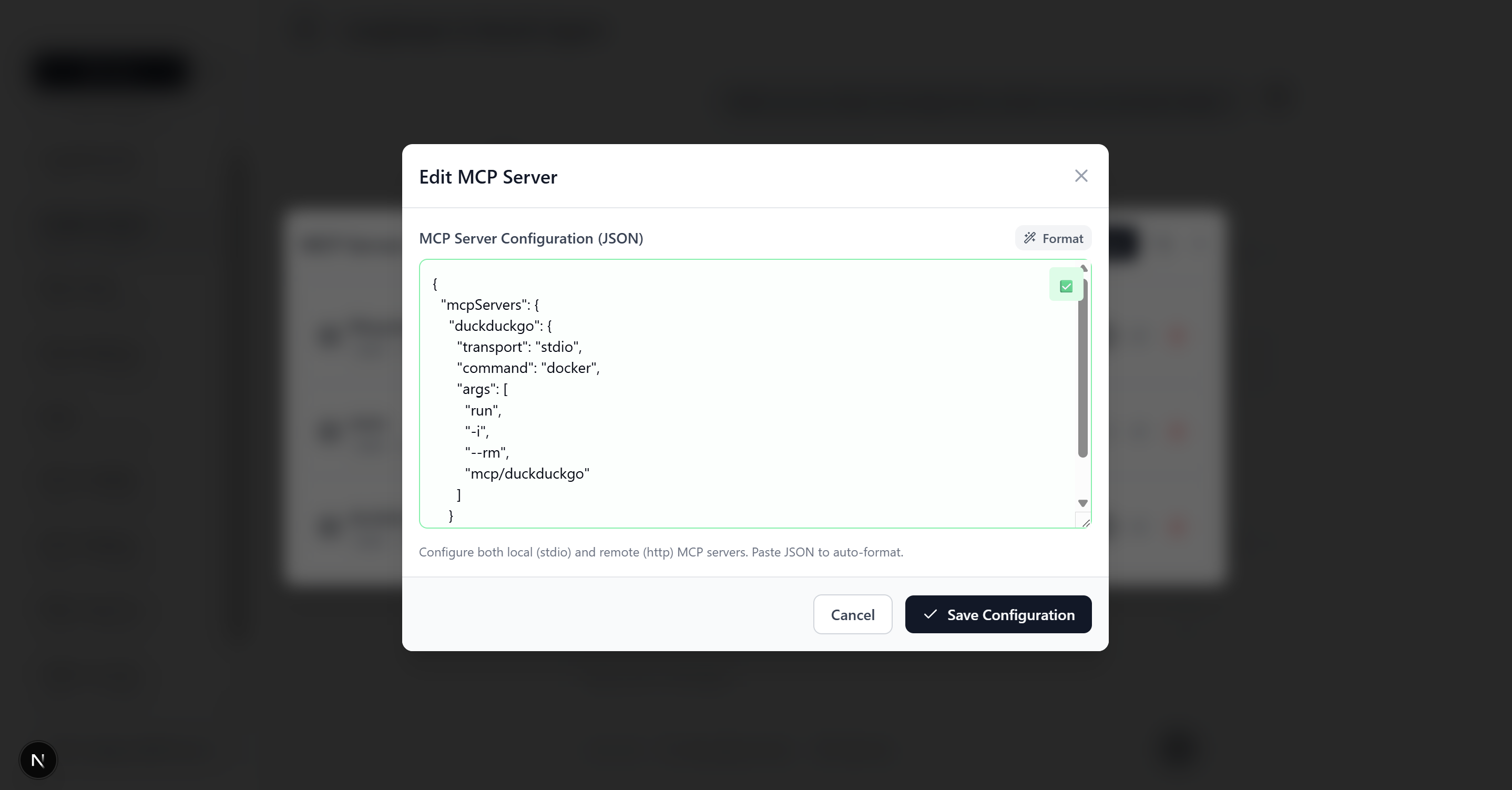
- 进入设置 > 添加 MCP 服务器。使用名称、类型(stdio 或 http)、stdio 服务器的命令/参数或 HTTP 服务器的 URL 来配置服务器。有关示例配置,请参阅 README。
- 我可以使用自定义 AI 模型吗?
- 是的,该模板支持 OpenAI、Google AI(Gemini)和 Anthropic 模型。只需将您的 API 密钥添加到 .env.local,然后在界面中选择您喜欢的模型即可。
fullstack-langgraph-nextjs-agent 对比
最后更新于 · 由 README + GitHub 公开数据自动生成。