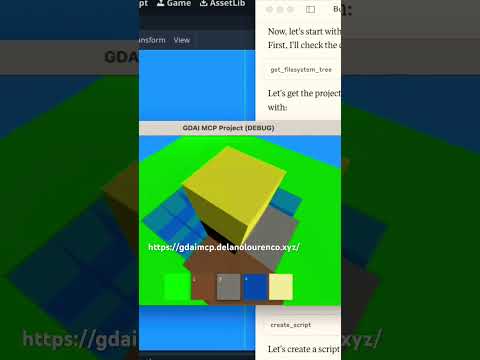
gdai-mcp-plugin-godot
by 3ddelano·★ 85·综合分 47
GDAI MCP 让AI助手能控制Godot引擎,自动化场景创建、调试和游戏开发流程。
概述
GDAI MCP是Godot引擎的全面MCP服务器插件,为AI助手提供直接的游戏开发环境控制。它支持程序化创建场景、节点、资源和脚本,集成调试工具以查看日志和错误,实现项目内文件和资源搜索,并允许动态属性更新。该插件兼容Claude Desktop、Cursor、Windsurf和VS Code扩展等热门MCP客户端。
试试问 AI
装完之后,这里有 5 个你可以让 AI 做的事:
什么时候选它
当您使用 Godot 引擎开发游戏并希望 AI 辅助自动化场景创建、调试脚本和管理游戏资源时,选择此服务器。
什么时候不要选它
如果您不使用 Godot 引擎或需要为其他引擎提供游戏开发功能,则应避免使用此服务器。
此 server 暴露的工具
从 README 抽取出 12 个工具get_open_scriptRetrieves the currently open script in Godot Editor
get_open_script_errorsGets script errors from the currently open script
create_sceneCreates a new scene in Godot Engine
add_nodeAdds a new node to the current scene
remove_nodeRemoves a node from the current scene
update_node_propertiesUpdates properties of a node in the scene
get_node_propertiesRetrieves properties of a specific node
search_filesSearches for files and resources in the Godot project
create_resourceCreates a new resource in Godot Engine
get_debugger_outputRetrieves debugger output and logs
take_screenshotTakes a screenshot of the Godot Editor or running game
write_gdscriptCreates or modifies GDScript files in the project
可对比工具
安装
安装步骤
- **在Godot项目中安装**
- 从[gdaimcp.com](https://gdaimcp.com)下载插件 - 将插件添加到Godot项目的addons/文件夹中 - 在Godot的Project Settings中启用插件
- **在MCP客户端中配置**
- 将以下内容添加到MCP客户端配置中: ``json { "mcpServers": { "gdai-godot": { "command": "godot", "args": ["--headless", "--script", "/path/to/gdaimcp_server.gd"] } } } ``
FAQ
- GDAI MCP Godot插件是什么?
- 一个插件,允许任何MCP客户端远程控制Godot编辑器,使其能够创建场景、节点、资源、脚本等。
- 它能通过一次提示就制作整个游戏吗?
- 可以,但取决于提示质量和使用的LLM。Claude Desktop通常能够一次性制作简单游戏。
gdai-mcp-plugin-godot 对比
最后更新于 · 由 README + GitHub 公开数据自动生成。