ableton-copilot-mcp
by xiaolaa2·★ 78·综合分 46
MCP服务器让AI助手能控制Ableton Live,包含歌曲管理、音轨控制、MIDI编辑和音频录制功能。
概述
这个MCP服务器通过ableton-js库提供与Ableton Live的实时交互。它全面控制编曲视图操作,包括歌曲信息检索、音轨管理、MIDI剪辑编辑、音频录制和设备参数调整。服务器维护操作历史并支持音符操作的回滚功能,使音乐制作人能够自动化繁琐的生产任务。
试试问 AI
装完之后,这里有 5 个你可以让 AI 做的事:
什么时候选它
希望自动化Ableton Live中重复性任务的音乐制作人,以及想要将AI助手集成到工作流中用于MIDI编辑、音轨管理和设备参数控制的用户。
什么时候不要选它
需要超出ableton-js库支持的Ableton Live功能的写入权限的用户,或者需要在不同Ableton版本间保持多版本兼容性的用户。
此 server 暴露的工具
从 README 抽取出 12 个工具get_song_infoGet basic song information like root note, scale name, tempo, and song length.
get_all_tracksRetrieve a list of all tracks in the current Ableton Live project.
create_midi_trackCreate a new MIDI track in the Ableton Live project.
get_track_clipsGet all clips in a specified track.
create_midi_clipCreate an empty MIDI clip in a specified track.
manage_notes_in_clipAdd, delete, or replace notes in a MIDI clip.
set_track_propertiesModify track properties such as mute, color, name, arm, and solo.
duplicate_midi_clipDuplicate a MIDI clip to a specified track.
record_track_contentRecord track content within a specified time range.
load_deviceLoad audio effects, instruments, or plugins onto a track.
modify_device_parametersAdjust parameters of loaded devices or effects.
rollback_note_operationsUndo or restore previous note operations in a clip.
可对比工具
安装
安装步骤
前置条件
- Node.js v20+
- Ableton Live
步骤
- **安装AbletonJS MIDI远程脚本**(选择以下任一方法):
``bash npx @xiaolaa2/ableton-copilot-mcp --install-scripts # 或者 npx @xiaolaa2/ableton-copilot-mcp -is ``
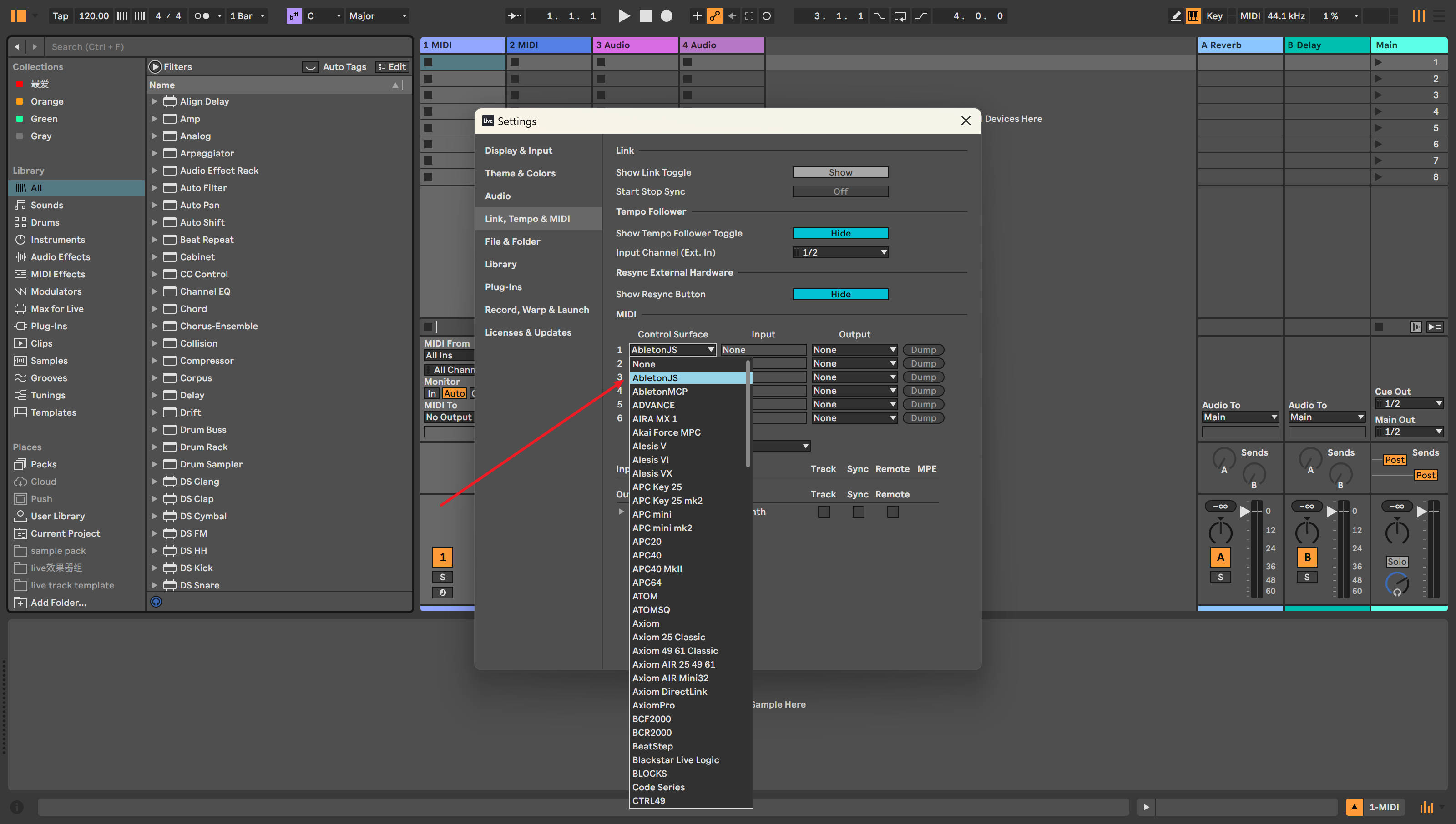
- **在Ableton Live中启用AbletonJS控制表面**:
- 打开首选项 → Link/MIDI - 从控制表面下拉菜单中选择"AbletonJS"
- **配置MCP客户端**(以Claude Desktop为例):
``json { "mcpServers": { "ableton-js-mcp": { "command": "npx", "args": ["-y", "@xiaolaa2/ableton-copilot-mcp"] } } } ``
FAQ
- 支持哪些版本的Ableton Live?
- 12.1.10版本已测试并确认可用。11.x和10.x版本尚未测试。
- 能否撤销AI执行的MIDI操作?
- 服务器支持音符操作的回滚功能。您可以要求AI帮助回滚音符操作,但请注意,直接对MIDI剪辑的操控可能导致原始音符丢失,无法通过Ctrl+Z撤销。
ableton-copilot-mcp 对比
最后更新于 · 由 README + GitHub 公开数据自动生成。