django-ai-boost
by vintasoftware·★ 88·综合分 48
Django AI Boost 是一个生产就绪的 MCP 服务器,用于 Django 应用程序的内省和分析。
概述
Django AI Boost 通过 MCP 工具暴露 Django 项目信息,使 AI 助手能够更好地理解和与 Django 代码库交互。它提供了项目发现、数据库内省、配置访问和日志读取等功能,并具有用于安全生产部署的强大身份验证功能。
试试问 AI
装完之后,这里有 5 个你可以让 AI 做的事:
什么时候选它
如果您使用 Django 应用程序并希望 AI 助手了解您的项目结构、模型和配置,请选择 Django AI Boost。
什么时候不要选它
如果您需要写入 Django 项目或使用非 Django Python 框架,请不要选择它。
此 server 暴露的工具
从 README 抽取出 10 个工具application_infoGet Django and Python versions, installed apps, middleware, database engine, and debug mode status.
get_settingRetrieve any Django setting using dot notation.
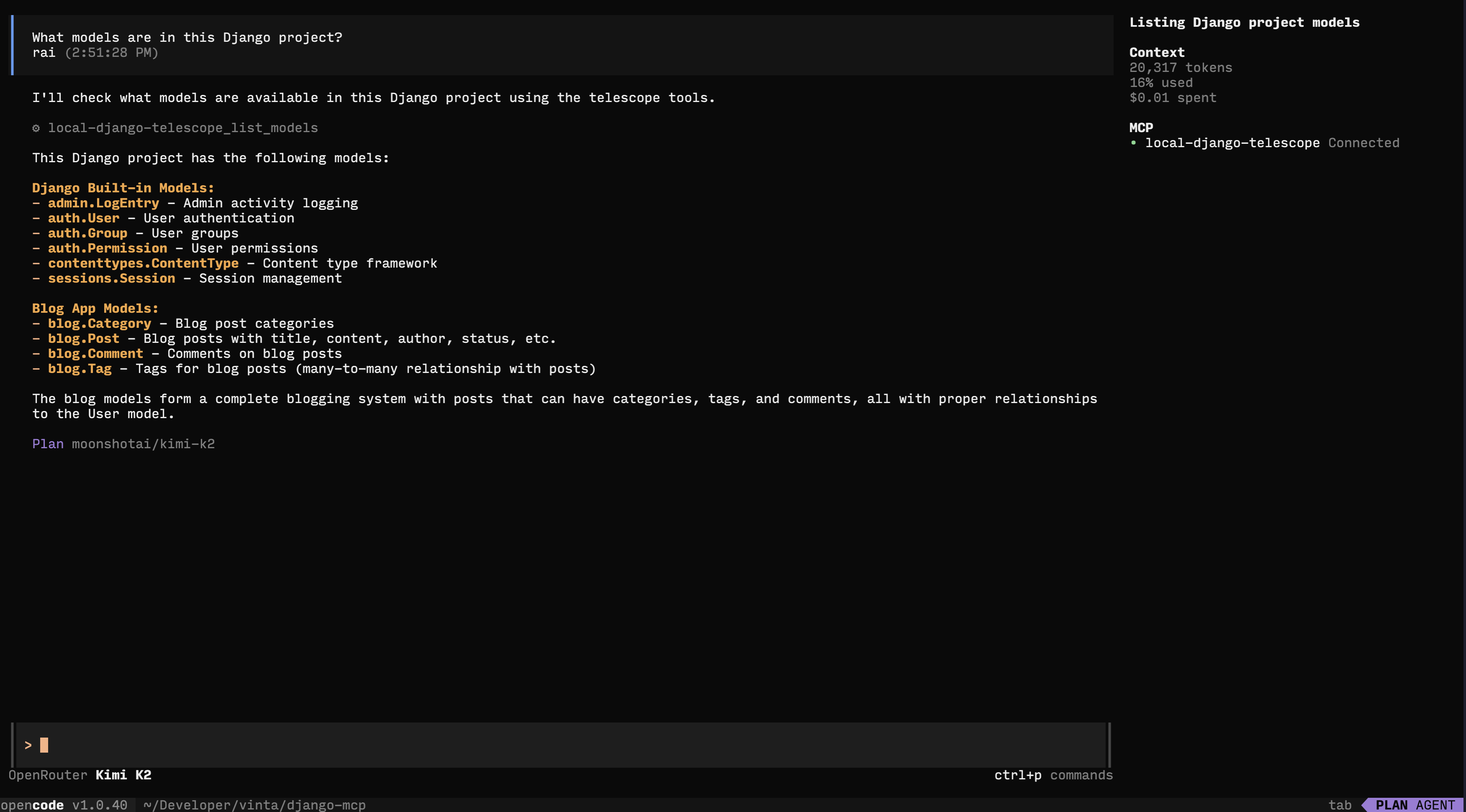
list_modelsList all Django models with fields, types, max_length, null/blank status, and relationships.
list_urlsShow all URL patterns with names, patterns, and view handlers.
database_schemaGet complete database schema including tables, columns, types, indexes, and foreign keys.
list_migrationsView all migrations per app with their applied/unapplied status.
list_management_commandsList all available manage.py commands with their source apps.
get_absolute_urlGet the absolute URL for a specific model instance.
reverse_urlReverse a named URL pattern to get its actual URL path.
query_modelQuery a Django model with read-only operations using the Django ORM manager.
可对比工具
安装
安装
# 使用 uv(推荐)
uv pip install django-ai-boost

# 或使用 pip
pip install django-ai-boost
Claude Desktop 配置
添加到您的 Claude Desktop 配置中:
- **macOS**:
~/Library/Application Support/Claude/claude_desktop_config.json - **Windows**:
%APPDATA%\Claude\claude_desktop_config.json - **Linux**:
~/.config/claude/claude_desktop_config.json
{
  "mcpServers": {
    "django": {
      "command": "django-ai-boost",
      "args": ["--settings", "myproject.settings"],
      "env": {
        "DJANGO_SETTINGS_MODULE": "myproject.settings"
      }
    }
  }
}
FAQ
- 如何在生产模式下进行身份验证?
- 设置 DJANGO_MCP_AUTH_TOKEN 环境变量或使用 --auth-token 参数(当使用 SSE 传输时)。
- 有哪些可用的传输模式?
- Django AI Boost 支持 stdio 传输(默认)和 SSE 传输。SSE 传输用于身份验证和生产部署。
django-ai-boost 对比
最后更新于 · 由 README + GitHub 公开数据自动生成。