streamdeck-mcp
by verygoodplugins·★ 13·综合分 44
MCP 服务器控制 Elgato Stream Deck,让 AI 创建包含按钮、图标和脚本的个性化配置。
概述
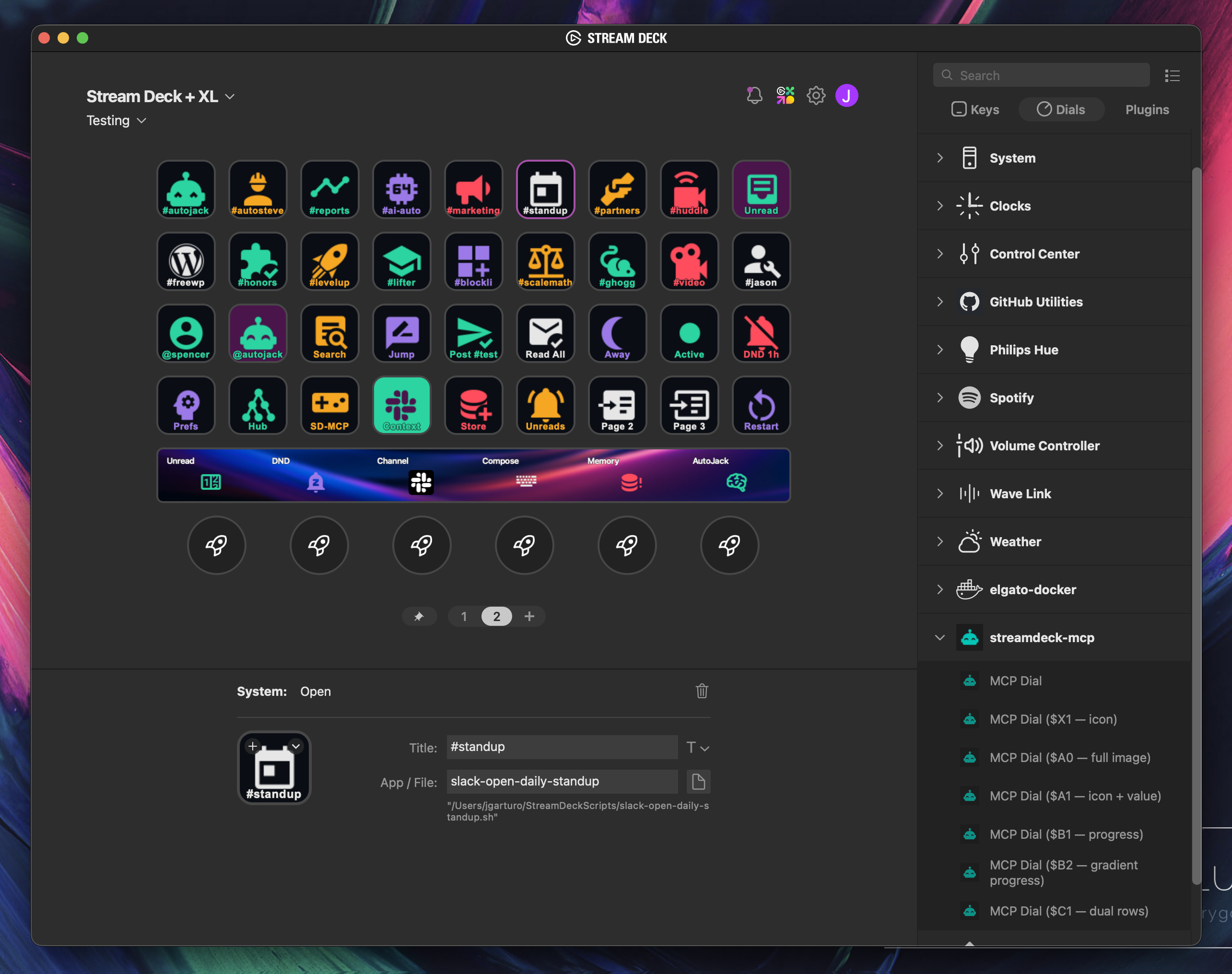
StreamDeck MCP 是一个专门的 MCP 服务器,将 AI 能力与 Elgato Stream Deck 硬件连接起来。它直接读写 Stream Deck 配置文件,使用自然语言提示生成完整的键盘配置。服务器与 Slack、Home Assistant、OBS 和 GitHub 等 MCP 工具集成,创建符合实际硬件和软件环境的个性化控制面板。安装简单,通过 uvx 配置,支持 Claude Desktop、Claude Code、Cursor 等 MCP 客户端。
试试问 AI
装完之后,这里有 5 个你可以让 AI 做的事:
什么时候选它
如果您想通过AI自动化Stream Deck配置,并需要与其他MCP服务(如Slack或Home Assistant)集成,请选择此方案。
什么时候不要选它
如果您需要在没有Elgato桌面应用程序的情况下直接控制硬件,或者您在Linux上并偏好遗留的USB模式,请不要选择此方案。
此 server 暴露的工具
从 README 抽取出 8 个工具streamdeck_read_profilesLists desktop profiles and page directories from the active ProfilesV3 or ProfilesV2 store
streamdeck_read_pageReads a page manifest and returns simplified button details plus the raw manifest
streamdeck_write_pageCreates a new page or rewrites an existing page manifest
streamdeck_create_iconGenerates a PNG icon from a Material Design Icons name or from text
streamdeck_create_actionCreates an executable shell script in ~/StreamDeckScripts/ and returns an Open action block
streamdeck_restart_appRestarts the Stream Deck desktop app after profile changes (macOS only)
streamdeck_install_mcp_pluginInstalls the bundled streamdeck-mcp Stream Deck plugin into the Elgato Plugins directory
design_streamdeck_deckCreates a complete Stream Deck profile with buttons, icons, and actions based on user intent
可对比工具
安装
安装
使用 uvx 安装并在 MCP 客户端中配置:
Claude Desktop
添加到 ~/Library/Application Support/Claude/claude_desktop_config.json (macOS) 或 %APPDATA%\Claude\claude_desktop_config.json (Windows):
{
  "mcpServers": {
    "streamdeck": {
      "command": "uvx",
      "args": ["streamdeck-mcp"]
    }
  }
}
Claude Code
claude mcp add streamdeck -- uvx streamdeck-mcp其他客户端
添加到您的 MCP 配置中:
{
  "mcpServers": {
    "streamdeck": {
      "command": "uvx",
      "args": ["streamdeck-mcp"]
    }
  }
}
FAQ
- 支持哪些 MCP 客户端?
- StreamDeck MCP 支持 Claude Desktop、Claude Code、Cursor、Codex 以及任何可通过 stdio 运行的兼容 MCP 客户端。
- Linux 兼容性如何?
- 在 Linux 上,使用传统 USB 模式,命令为 'uvx --from streamdeck-mcp streamdeck-mcp-usb',因为 Elgato 桌面应用仅支持 macOS 和 Windows。
streamdeck-mcp 对比
最后更新于 · 由 README + GitHub 公开数据自动生成。