ontosphere
by ThHanke·★ 59·综合分 46
基于浏览器的 RDF 知识图谱编辑器,内置 MCP 服务器供 AI 代理集成。
概述
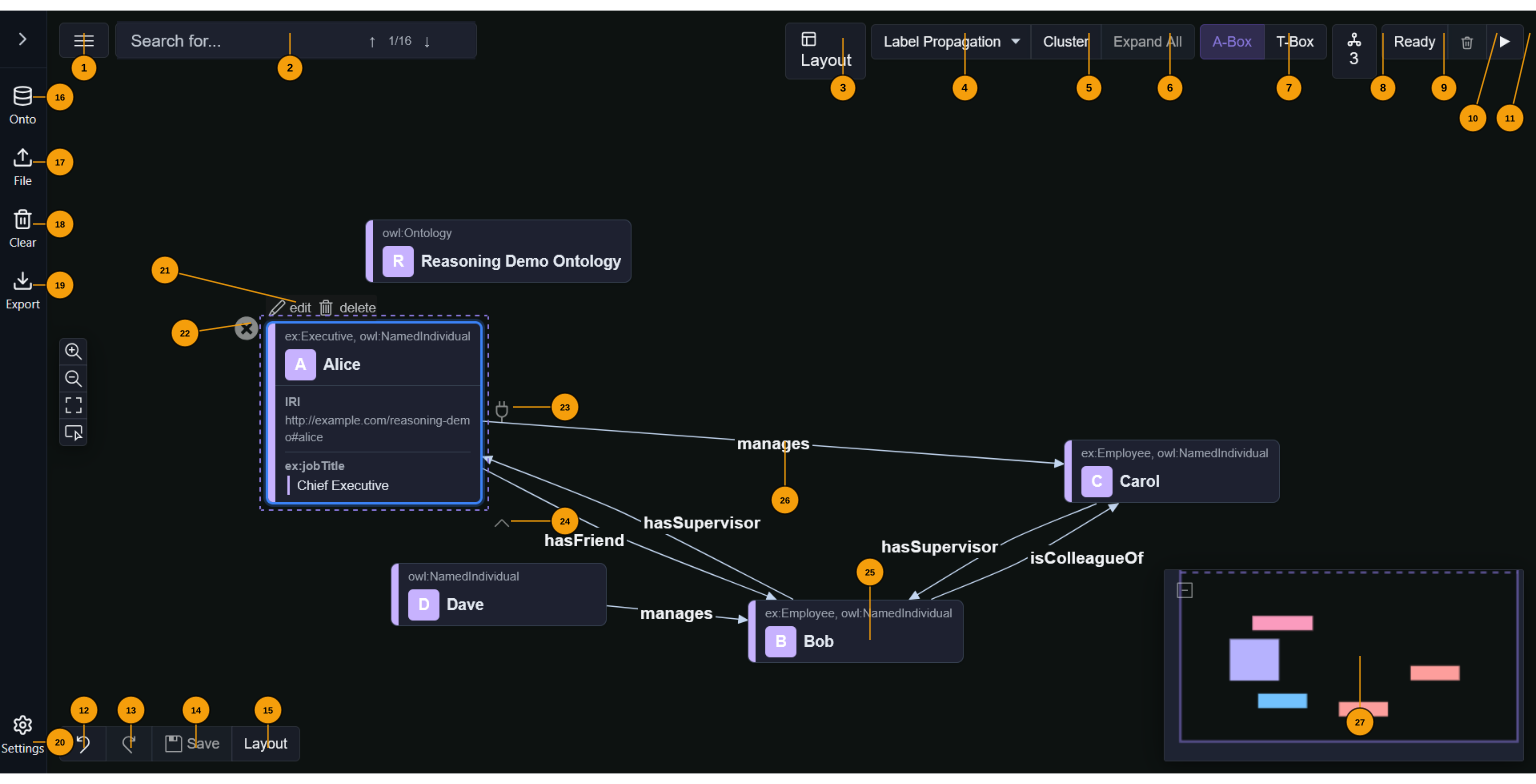
Ontosphere 是一个基于浏览器的 RDF/ontology 知识图谱编辑器,可以从文件、URL 或 SPARQL 端点加载数据。它提供可视化画布来创建和编辑节点与边,执行 OWL-RL 推理,并应用多种布局算法。MCP 服务器集成为 AI 代理提供了与知识图谱交互的工具,包括加载数据、查询图谱、更新节点和链接以及运行推理操作。所有计算都在浏览器中使用 Web Workers 在客户端完成。
试试问 AI
装完之后,这里有 5 个你可以让 AI 做的事:
什么时候选它
当你需要一个基于浏览器的 RDF/ontology 编辑器且具有 AI 集成功能,且完全在客户端运行无需服务器基础设施时,选择 Ontosphere。
什么时候不要选它
如果你的知识图谱非常大,超出浏览器内存限制,或者需要服务器端处理能力,应避免使用 Ontosphere。
此 server 暴露的工具
从 README 抽取出 12 个工具loadRdfLoad RDF data from files, URLs, or SPARQL endpoints
loadOntologyLoad a specific ontology into the knowledge graph
queryGraphQuery the loaded knowledge graph with SPARQL
exportGraphExport the current graph in various RDF formats
addNodeAdd a new node to the knowledge graph
removeNodeRemove a node from the knowledge graph
addLinkAdd a relationship between two nodes
runReasoningRun OWL-RL reasoning on the knowledge graph
runLayoutApply layout algorithms to organize the graph visualization
clusterNodesAutomatically cluster nodes in the graph based on algorithms
getNodeDetailsRetrieve detailed information about a specific node
findPathFind a path between two nodes in the knowledge graph
可对比工具
安装
安装
Ontosphere 是一个客户端浏览器应用程序,无需后端:
- 克隆仓库:
``sh git clone https://github.com/ThHanke/ontosphere.git cd ontosphere ``
- 安装依赖:
``sh npm install ``
- 启动开发服务器:
``sh npm run dev ``
- 在浏览器中打开 http://localhost:8080
Claude Desktop 集成
将以下内容添加到 Claude Desktop 配置 (claude_desktop_config.json):
"mcpServers": {
  "ontosphere": {
    "command": "npx",
    "args": ["@thhanke/ontosphere-mcp"]
  }
}
FAQ
- 如何将 AI 代理连接到 Ontosphere?
- Ontosphere 通过浏览器的 navigator.modelContext API 暴露 MCP 工具。您可以使用 Claude Code 与 Playwright 进行完全自动化连接,或使用 AI Relay Bridge 连接 ChatGPT、Gemini 和 Claude.ai。
- Ontosphere 支持哪些推理功能?
- 它使用 N3.js BGP-only Reasoner 在浏览器中运行 OWL-RL 推理。支持 rdfs:subClassOf 传递性、owl:equivalentClass、owl:someValuesFrom 限制、owl:inverseOf 等 OWL 构造,但不支持需要 EYE 推理器的完整 OWL-RL 功能。
ontosphere 对比
最后更新于 · 由 README + GitHub 公开数据自动生成。