ToolsForMCPServer
by tanaikech·★ 105·综合分 46
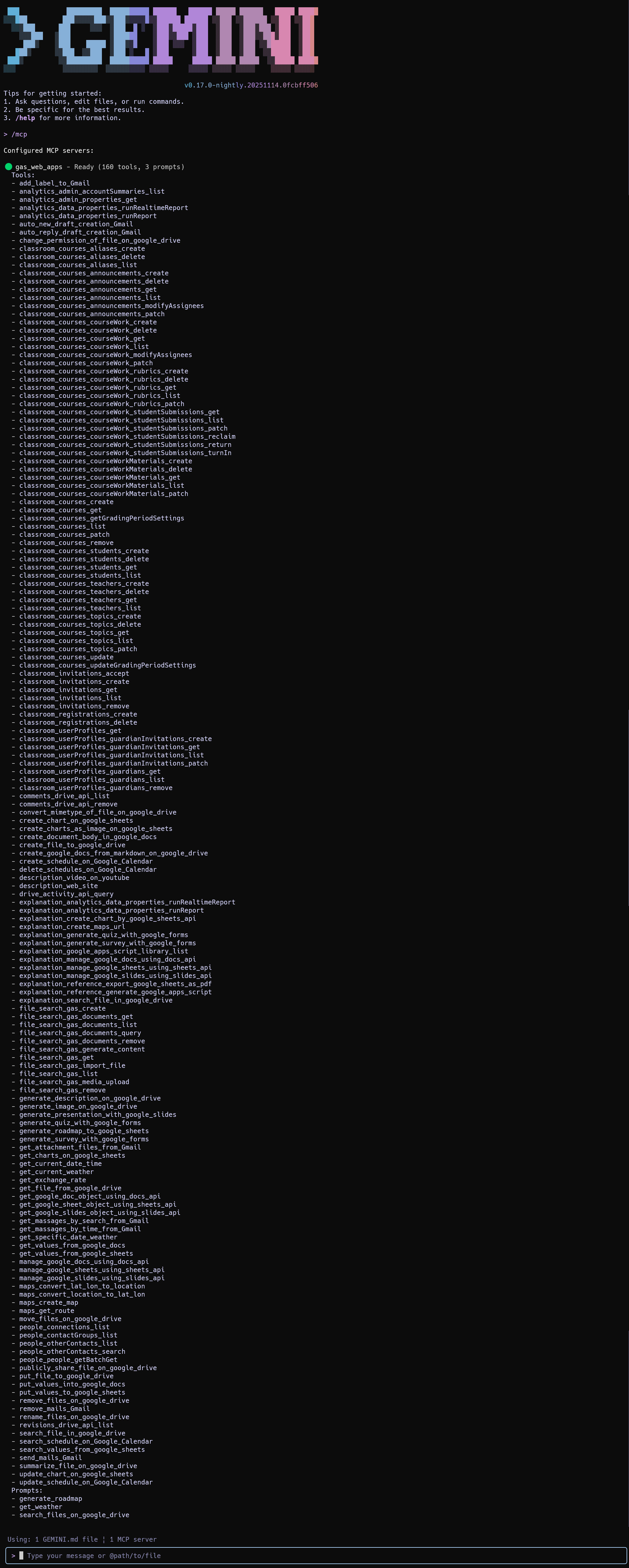
使用 Google Apps Script 构建的 MCP 服务器,提供 160+ 种 Google Workspace 集成工具。
概述
ToolsForMCPServer 是一个使用 Google Apps Script Web Apps 实现的复杂 MCP 服务器,可无缝集成 Google Workspace API。它提供 160+ 种预构建工具,适用于 Gmail、Drive、Calendar 和其他 Google 服务。该服务器简化了 Google API 的授权,大大降低了与 Google Workspace 服务交互的应用程序的开发开销。实现使用了两个库:MCPApp 用于管理服务器生命周期和通信协议,ToolsForMCPServer 用于实际的工具实现。
试试问 AI
装完之后,这里有 5 个你可以让 AI 做的事:
什么时候选它
如果您已经在使用 Google Workspace 并希望使用自定义工具扩展 AI 功能,同时不想构建复杂的身份验证系统,请选择它。
什么时候不要选它
如果您需要 Google Workspace 生态系统之外的工具,或者偏爱自托管解决方案而不依赖 Google 基础设施,请不要选择它。
此 server 暴露的工具
从 README 抽取出 12 个工具get_exchange_rateRetrieves current exchange rates between currencies
generate_roadmap_to_google_sheetsCreates a roadmap in Google Sheets
generate_description_on_google_driveGenerates and sets a description for a file on Google Drive
generate_image_on_google_driveGenerates an image from a prompt and saves it to Google Drive
summarize_file_on_google_driveSummarizes a file stored on Google Drive
description_web_siteProvides descriptions of websites given their URLs
send_emailSends an email through Gmail
create_calendar_eventCreates an event in Google Calendar
search_drive_filesSearches for files in Google Drive
get_gmail_messagesRetrieves messages from Gmail
create_google_docCreates a new Google Document
get_calendar_eventsRetrieves events from Google Calendar
可对比工具
安装
安装步骤
- 在 [script.google.com](https://script.google.com/home/projects/create) 创建新的 Google Apps Script 项目
- 安装所需库:
- MCPApp(项目密钥:1TlX_L9COAriBlAYvrMLiRFQ5WVf1n0jChB6zHamq2TNwuSbVlI5sBUzh) - ToolsForMCPServer(项目密钥:1lnE7UL1jQgPDbTB9yjhiwZM0SaS9MObhzvWUWb_t8FisO6A3bLepvM2j)
- 将提供的脚本添加到您的项目中
- 部署为 Web 应用,设置'执行身份:我'和'访问权限:任何人'
- 通过将以下内容添加到您的 settings.json 配置 Gemini CLI:
{
  "mcpServers": {
    "gas_web_apps": {
      "command": "npx",
      "args": [
        "mcp-remote",
        "https://script.google.com/macros/s/###/exec?accessKey=sample"
      ],
      "env": {}
    }
  }
}
FAQ
- 脚本中的 API 密钥有什么用途?
- API 密钥是用于与 Gemini API 交互的特定工具所必需的,例如生成内容或摘要。
- 如何启用其他 Google API?
- 您需要在 Apps Script 项目的'高级 Google 服务'部分中启用它们。
ToolsForMCPServer 对比
最后更新于 · 由 README + GitHub 公开数据自动生成。