mcp-reticle
by soth-ai·★ 110·综合分 48
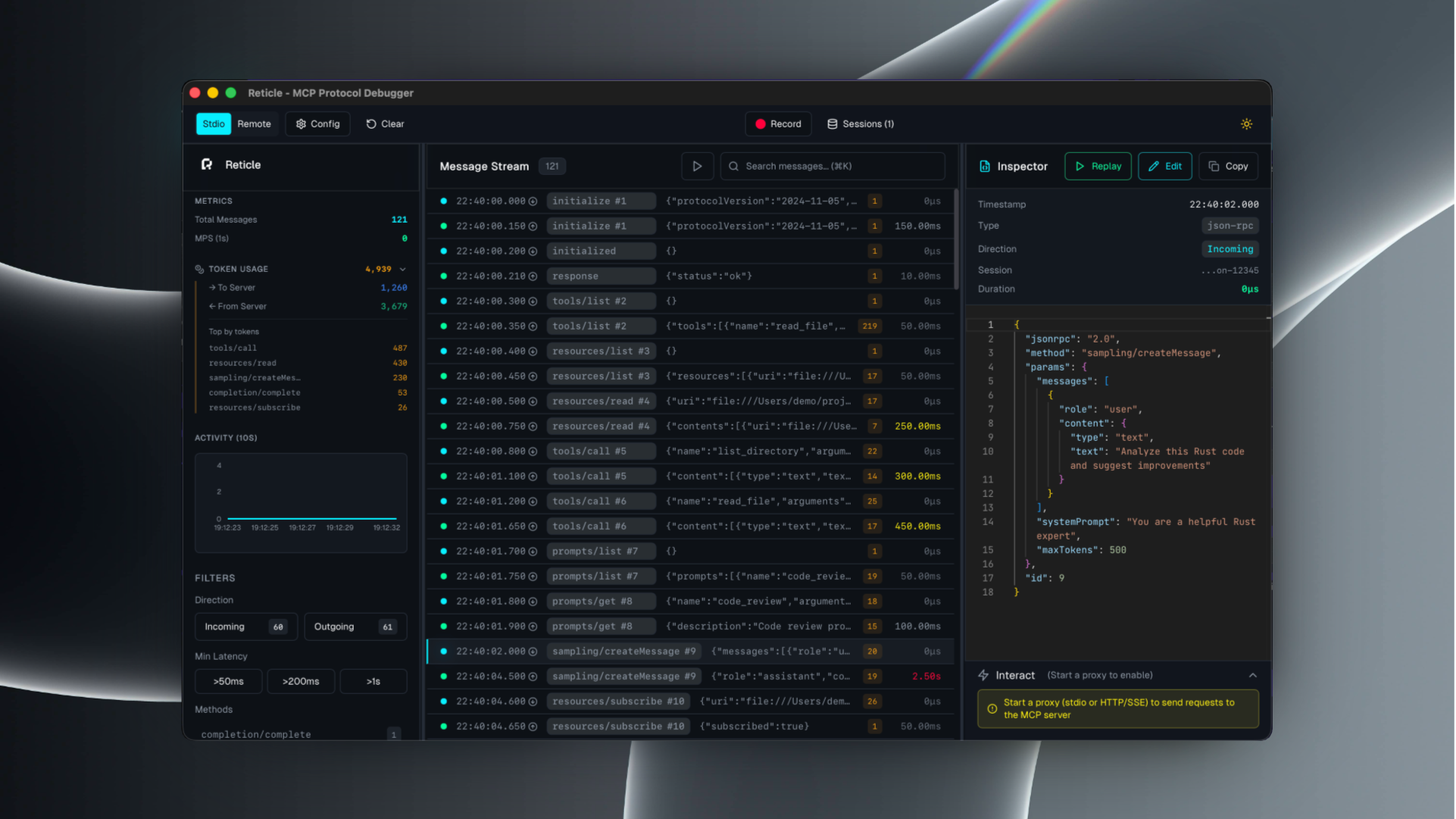
Reticle 是一个用于 MCP 服务器的调试工具,可实时拦截、可视化和分析 JSON-RPC 流量,且零延迟开销。
概述
Reticle 作为 MCP 服务器的代理,允许开发人员检查原始 JSON-RPC 消息、关联请求与响应、分析延迟并捕获服务器错误。它支持多种传输协议,包括 stdio、Streamable HTTP、WebSocket 和 HTTP/SSE。该工具提供 UI 界面和仅日志模式,使其能够满足不同的调试需求。
试试问 AI
装完之后,这里有 5 个你可以让 AI 做的事:
什么时候选它
当你需要调试 MCP 通信问题、分析工具性能或可视化 LLM 和 MCP 服务器之间的请求-响应流时,选择 Reticle。
什么时候不要选它
如果你需要带有警报的生产级监控,或者需要基本流量检查和分析之外的更高级分析功能,请避免使用 Reticle。
此 server 暴露的工具
从 README 抽取出 4 个工具runWrap stdio MCP servers and inspect traffic
proxyReverse proxy HTTP/SSE/WebSocket transports
uiLaunch the desktop UI
daemonHeadless telemetry hub
说明:Inferred tool names from CLI commands in the documentation. These appear to be commands of the mcp-reticle tool itself rather than MCP tools exposed by a server.
可对比工具
安装
使用以下方法之一安装 Reticle:
# npm
npm install -g mcp-reticle

# pip
pip install mcp-reticle

# Homebrew
brew install labterminal/mcp-reticle/mcp-reticle
用 Reticle 包装您的 MCP 服务器:
{
  "mcpServers": {
    "filesystem": {
      "command": "mcp-reticle",
      "args": ["run", "--name", "filesystem", "--", "npx", "-y", "@modelcontextprotocol/server-filesystem", "/Users/me/work"]
    }
  }
}
启动 UI:
mcp-reticle uiFAQ
- Reticle 支持哪些传输协议?
- Reticle 支持 stdio、Streamable HTTP、WebSocket 和 HTTP/SSE 传输协议。
- Reticle 会不会给 MCP 通信增加延迟?
- Reticle 设计为微秒级开销,基本上对 MCP 通信没有延迟影响。
mcp-reticle 对比
最后更新于 · 由 README + GitHub 公开数据自动生成。