Overture
by SixHq·★ 621·综合分 53
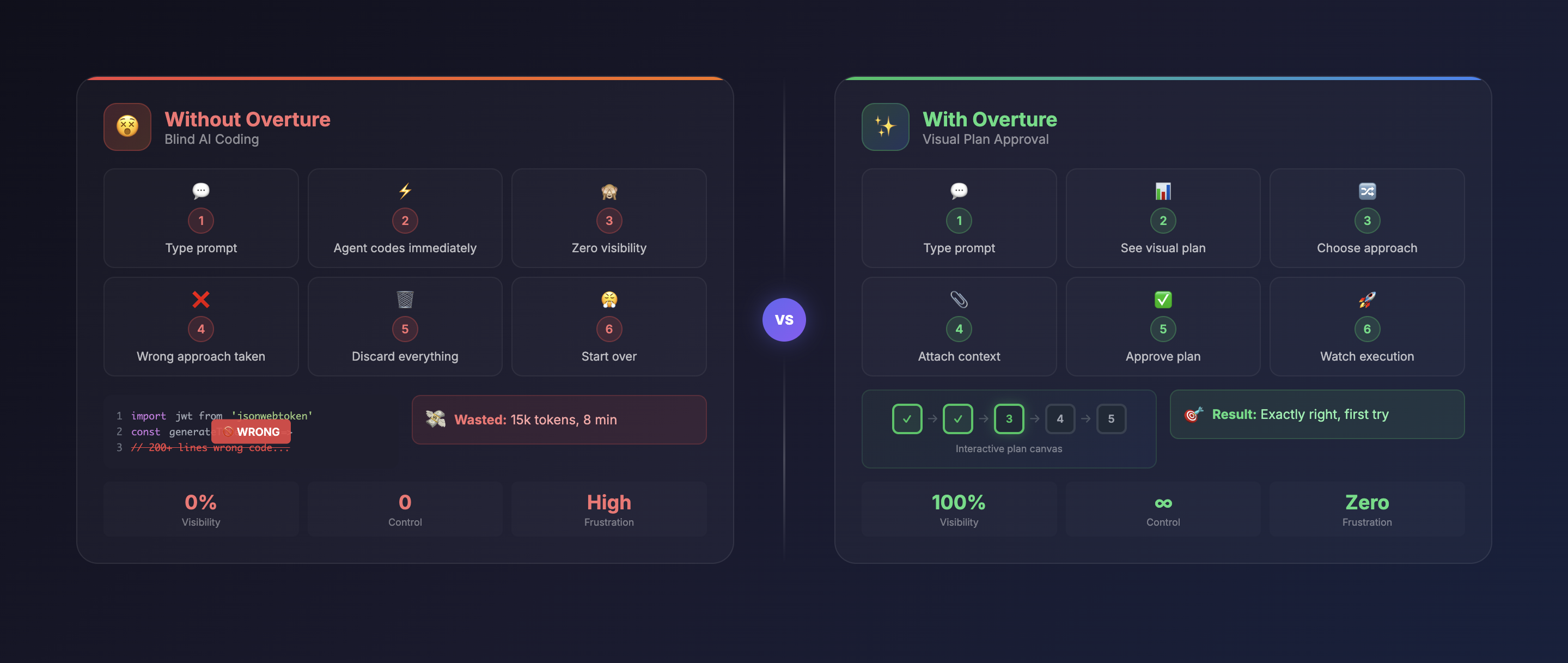
Overture 是一个 MCP 服务器,可在编写代码前将 AI 编程代理的执行计划可视化为交互式流程图。
概述
Overture 作为 MCP 服务器,在 AI 编程代理的规划阶段拦截其计划,并将其渲染为交互式视觉流程图。这使开发人员能够在生成任何代码之前检查、批准和修改整个执行工作流程。该工具提供代理规划过程的实时可视化,包括节点详情、动态字段、文件附件和分支选择等功能。用户可以在执行过程中暂停、恢复或修改计划,为 AI 辅助编程工作流程提供前所未有的控制力。
试试问 AI
装完之后,这里有 7 个你可以让 AI 做的事:
什么时候选它
当您需要了解和控制 AI 编码器工作流时,特别是对于复杂项目,在代码生成前理解执行计划非常有价值,应该选择 Overture。
什么时候不要选它
如果您更喜欢直接 AI 编码而不需要可视化规划,或者您使用的是不支持 MCP 协议的非兼容 AI 代理,则应避免使用 Overture。
此 server 暴露的工具
从 README 抽取出 12 个工具approve_planApprove the AI agent's execution plan to begin code writing
pause_executionPause the AI agent's code execution mid-process
resume_executionResume a previously paused AI agent's code execution
re_run_nodeRe-run a specific node that failed or needs to be repeated
re_run_from_hereRe-execute the plan from a specific node to the end
attach_fileAttach a file to a specific node for context
add_instructionAdd custom instructions to a specific node before execution
select_branchChoose between different execution branches proposed by the AI
provide_inputFill in required dynamic fields for a node before execution
view_node_outputView the detailed output of a completed node
insert_nodeInsert a new node into the plan between existing nodes
browse_mcp_serversBrowse and discover MCP servers in the marketplace
说明:Tools were inferred from the UI descriptions and functionality sections of the README, as there wasn't a dedicated 'Tools' section. The server appears to expose UI interaction tools rather than traditional MCP API tools.
可对比工具
安装
Overture 是一个 MCP 服务器,可以通过各种 AI 编程代理安装:
# Claude Code
claude mcp add overture-mcp -- npx overture-mcp

# Cursor (添加到 ~/.cursor/mcp.json)
{
  "mcpServers": {
    "overture": {
      "command": "npx",
      "args": ["overture-mcp"]
    }
  }
}

# GitHub Copilot (创建 .vscode/mcp.json)
{
  "servers": {
    "overture": {
      "command": "npx",
      "args": ["overture-mcp"]
    }
  }
}

# 全局安装(可选)
npm install -g overture-mcp
FAQ
- Overture 如何拦截 AI 代理的规划?
- Overture 作为 MCP 服务器,在兼容的 AI 编程代理开始编写代码之前捕获其规划阶段,将计划渲染为交互式流程图。
- 我可以在 Overture 中修改 AI 的计划吗?
- 是的,您可以在批准执行前添加文件、说明、动态字段、选择不同的分支并修改计划。
- 哪些 AI 编程代理支持 Overture?
- Overture 支持 Claude Code、Cursor、Cline、Copilot 和其他兼容 MCP 的编程代理。
Hacker News 讨论
开发者社区最近的相关讨论。
- 帖子 by AdewoleJasper · 2026-02-27
- 帖子 by PreciousH · 2026-03-09
- 帖子 by AdewoleJasper · 2026-02-22
Overture 对比
最后更新于 · 由 README + GitHub 公开数据自动生成。