scrapegraph-mcp
by ScrapeGraphAI·★ 72·综合分 48
ScrapeGraph MCP 服务器提供 AI 驱动的网页抓取工具,包括提取、搜索、爬取、模式生成和监控功能。
概述
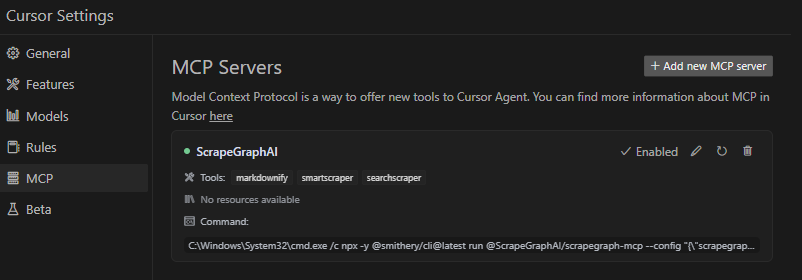
ScrapeGraph MCP 服务器是 Model Context Protocol 的生产级实现,连接语言模型与 ScrapeGraph AI API。它使 AI 助手能够执行复杂的网页抓取任务,从网站提取结构化数据,爬取多个页面,并根据自然语言提示生成模式。服务器提供本地和远程部署选项,并包含 Claude Desktop 和 Cursor 的完整集成指南。
试试问 AI
装完之后,这里有 3 个你可以让 AI 做的事:
什么时候选它
当您需要通过 MCP 获取可靠、AI 驱动的网页抓取能力,并且已经使用或愿意集成 ScrapeGraph AI API 时,选择此 server。
什么时候不要选它
如果您需要无 API 依赖的开源抓取方案,希望对抓取过程有更多控制权,或担心对 ScrapeGraph 服务的厂商锁定,请不要选择它。
此 server 暴露的工具
从 README 抽取出 12 个工具scrapeScrape content from web pages with various output formats
extractExtract specific information from a website using AI
searchSearch the web with customizable parameters
crawl_startStart an async multi-page crawl
crawl_get_statusCheck the status of a running crawl job
crawl_stopStop a running crawl job
crawl_resumeResume a paused crawl job
schemaGenerate or augment a JSON Schema from a prompt
creditsCheck remaining API credits
historyView historical usage of API services
monitor_createCreate a scheduled monitoring job
monitor_listList all monitoring jobs
可对比工具
安装
安装
通过 Smithery(推荐)
npx -y @smithery/cli install @ScrapeGraphAI/scrapegraph-mcp --client claudeClaude Desktop 配置
{
    "mcpServers": {
        "@ScrapeGraphAI-scrapegraph-mcp": {
            "command": "npx",
            "args": [
                "-y",
                "@smithery/cli@latest",
                "run",
                "@ScrapeGraphAI/scrapegraph-mcp",
                "--config",
                "\"{\\\"scrapegraphApiKey\\\":\\\"YOUR-SGAI-API-KEY\\\"}\""
            ]
        }
    }
}
远程服务器
{
  "mcpServers": {
    "scrapegraph-mcp": {
      "command": "npx",
      "args": [
        "mcp-remote@0.1.25",
        "https://scrapegraph-mcp.onrender.com/mcp",
        "--header",
        "X-API-Key:YOUR_API_KEY"
      ]
    }
  }
}
scrapegraph-mcp 对比
最后更新于 · 由 README + GitHub 公开数据自动生成。