kubectl-mcp-server
by rohitg00·★ 888·综合分 54
一个通过自然语言管理 Kubernetes 基础设施的综合性 MCP 服务器。
概述
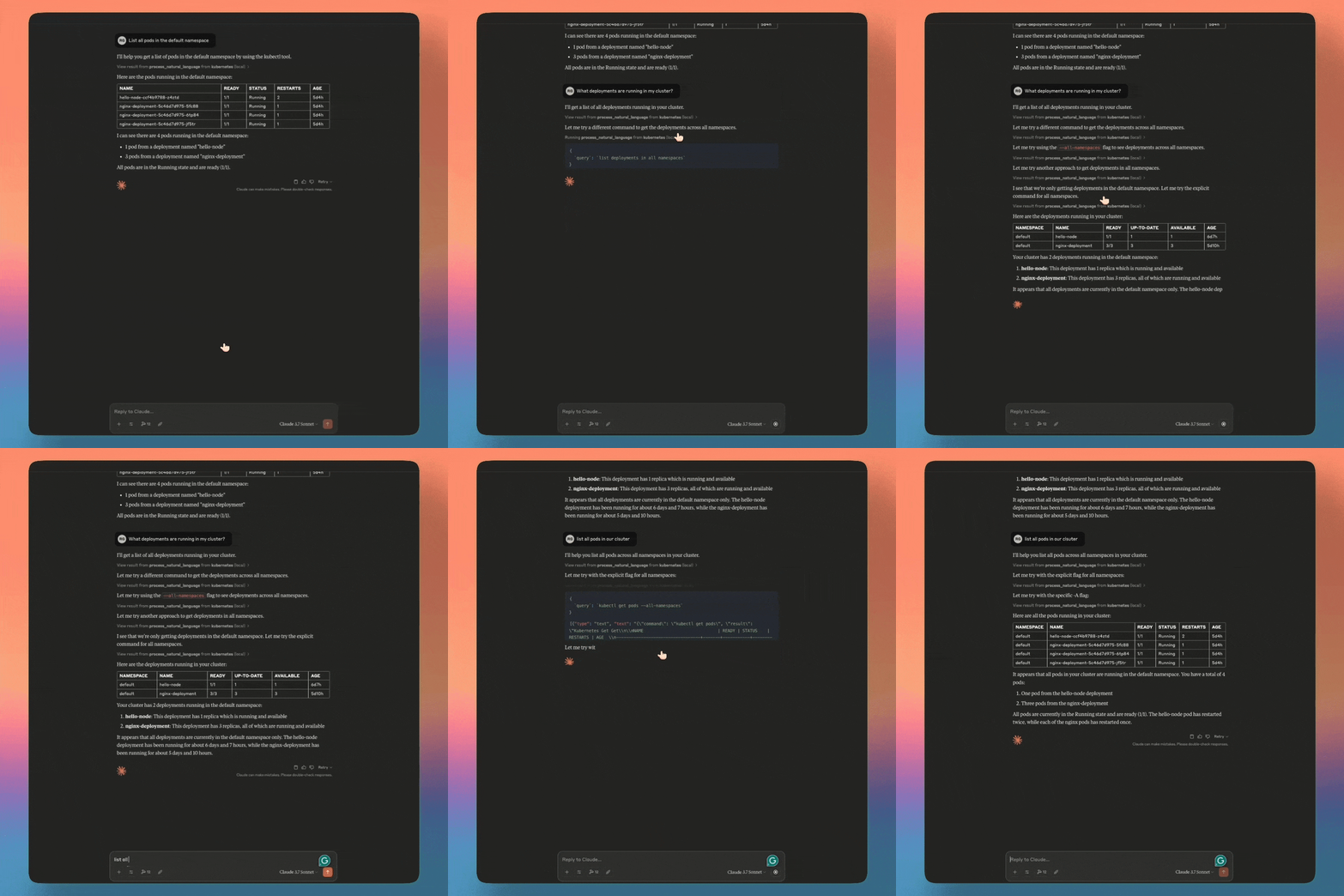
kubectl-mcp-server 提供 253 个强大工具,通过自然语言与 AI 助手交互来管理 Kubernetes 集群。用户无需记忆 kubectl 命令即可调试 Pod、部署应用、优化成本、审计安全、管理 Helm 图表和可视化仪表板。服务器支持 Claude、Cursor、Windsurf 和 Copilot 等多个 AI 助手,并提供 npx 和 Python 两种安装选项。
试试问 AI
装完之后,这里有 5 个你可以让 AI 做的事:
什么时候选它
当您需要通过自然语言管理 Kubernetes 并且已经在使用 Claude 或 Cursor 等 AI 助手进行开发工作时,选择此工具。
什么时候不要选它
如果您需要对 kubectl 命令进行细粒度控制,或者需要超出 MCP 协议可暴露范围的功能,请避免使用。
此 server 暴露的工具
从 README 抽取出 12 个工具get_podsRetrieves information about pods in the Kubernetes cluster
get_logsRetrieves logs from specified pods
create_deploymentCreates a new deployment in the Kubernetes cluster
scale_deploymentScales an existing deployment to a specified replica count
get_servicesRetrieves information about services in the cluster
diagnose_network_connectivityDiagnoses network connectivity issues between services
audit_rbac_permissionsAudits RBAC permissions across the cluster
check_secrets_securityChecks for insecure secrets and configurations
get_cluster_infoRetrieves general information about the Kubernetes cluster
get_deploymentsRetrieves information about deployments in the cluster
get_ingressRetrieves information about Ingress resources in the cluster
exec_in_podExecutes commands inside a running pod
可对比工具
安装
使用 npx 快速开始(推荐)
npx -y kubectl-mcp-server使用 Python 安装
pip install kubectl-mcp-server[ui]Claude Desktop 配置
添加到 ~/Library/Application Support/Claude/claude_desktop_config.json:
{
  "mcpServers": {
    "kubernetes": {
      "command": "npx",
      "args": ["-y", "kubectl-mcp-server"]
    }
  }
}
FAQ
- 支持哪些 AI 助手?
- 该服务器支持 Claude Desktop/Claude Code、Cursor、Windsurf、GitHub Copilot 和 15+ 其他兼容 MCP 的 AI 助手。
- 可以在生产环境中使用吗?
- 是的,该服务器包含 OAuth 2.1 身份验证、RBAC 验证、非破坏模式、秘密掩码功能,并可以使用 kMCP 在集群内部署。
Hacker News 讨论
开发者社区最近的相关讨论。
- 帖子 by rohitghumare · 2025-03-26
kubectl-mcp-server 对比
最后更新于 · 由 README + GitHub 公开数据自动生成。