OmniMCP
by OpenAdaptAI·★ 71·综合分 37
OmniMCP 通过视觉感知和精确控制,使 AI 模型能够理解并与 UI 交互。
概述
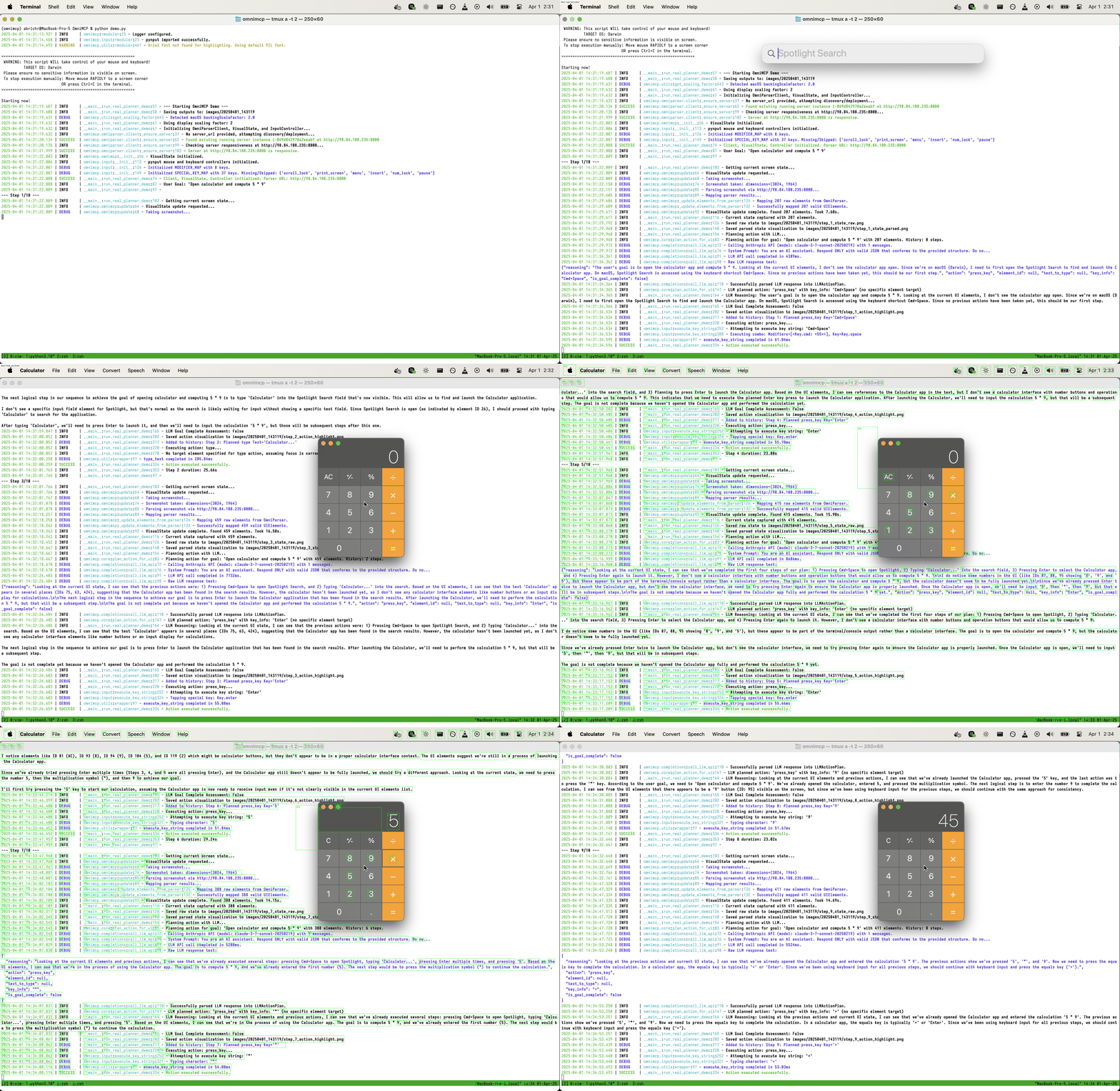
OmniMCP 是一个 MCP 服务器,通过微软 OmniParser 进行视觉分析,将 AI 模型与用户界面连接起来。它实现了感知-规划-行动循环,系统捕获屏幕截图,使用 LLM 规划行动,并执行精确的鼠标/键盘输入。该服务器支持真实 UI 交互和合成 UI 模拟,可选择自动部署到 AWS EC2,并提供全面的调试功能。
试试问 AI
装完之后,这里有 5 个你可以让 AI 做的事:
什么时候选它
当您需要 AI 智能体通过视觉 UI 理解和自动化操作来与桌面应用程序交互时,选择 OmniMCP。
什么时候不要选它
如果您需要网页自动化(它专注于桌面 UI)、如果您使用 Windows,或者您需要生产就绪的稳定性,不要选择 OmniMCP。
此 server 暴露的工具
从 README 抽取出 6 个工具capture_screenCaptures the current screen state for UI analysis
parse_uiAnalyzes UI elements using OmniParser to understand the interface
execute_actionPerforms mouse or keyboard actions on UI elements
deploy_omniparserDeploys OmniParser server on AWS EC2 with auto-shutdown
stop_omniparserStops the deployed OmniParser server and cleans up AWS resources
ui_interactionPerforms a complete perceive-plan-act cycle for UI interaction
说明:Tools were inferred from code architecture descriptions and functionality mentions rather than an explicit MCP tools section. The experimental MCP server exists but no specific MCP tools are documented in the README.
可对比工具
安装
# 克隆并安装
git clone https://github.com/OpenAdaptAI/OmniMCP.git
cd OmniMCP
./install.sh

# 配置环境
cp .env.example .env
# 编辑 .env 文件添加您的 API 密钥

# 激活环境
source .venv/bin/activate
FAQ
- 支持哪些操作系统?
- 当前支持带有 X11/Wayland 图形会话的 Linux。macOS 支持部分实现,显示缩放依赖关系会自动处理。文档中未明确提及 Windows 支持。
- MCP 服务器与主 CLI 功能有何关系?
- MCP 服务器(位于 omnimcp/mcp_server.py 中的 OmniMCP 类)是实验性的,与主 cli.py/AgentExecutor 工作流分离。主 CLI 提供完整的感知-规划-行动循环,而 MCP 服务器旨在与其他兼容 MCP 的系统集成。
OmniMCP 对比
最后更新于 · 由 README + GitHub 公开数据自动生成。