env-doctor
by mitulgarg·★ 142·综合分 48
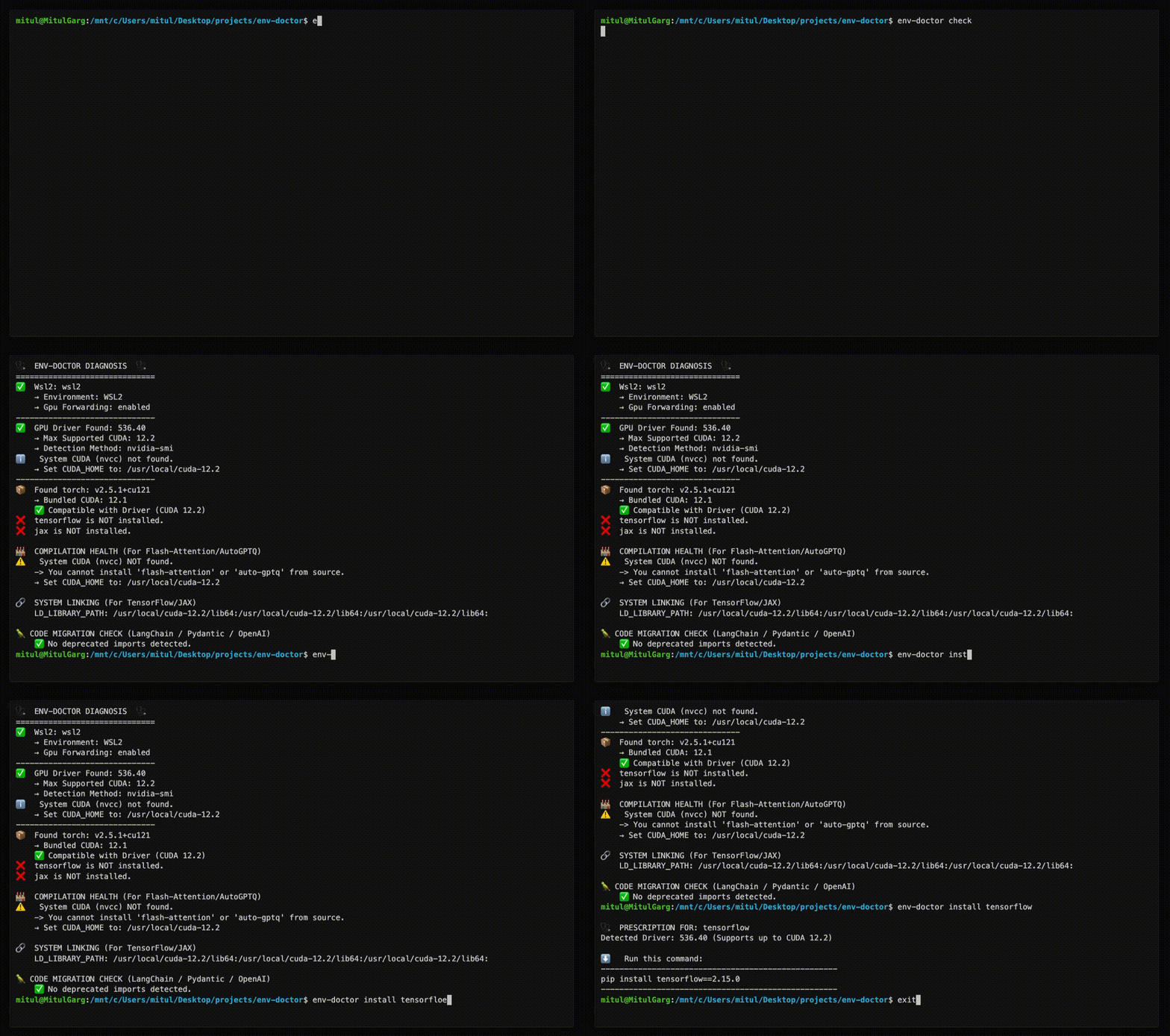
Env-Doctor MCP 服务器为 AI 助手提供工具,用于诊断和修复 CUDA/GPU 环境兼容性问题。
概述
Env-Doctor 是一个全面的工具,用于诊断和修复 GPU 环境兼容性问题,特别关注 NVIDIA 驱动程序、系统工具包、cuDNN 和 Python AI 库之间的 CUDA 版本不匹配问题。MCP 服务器向 Claude Desktop 等 AI 助手暴露 11 个诊断工具,使它们能够检查 GPU 环境、验证 Dockerfile、确定模型兼容性并提供修复方案。它在本地系统、Docker 容器和 CI/CD 流水线中均可使用,支持 WSL2 和多个云平台。
试试问 AI
装完之后,这里有 5 个你可以让 AI 做的事:
什么时候选它
当您需要诊断或修复GPU/CUDA兼容性问题,特别是AI/ML工作流程时,或者通过MCP将GPU诊断集成到AI助手时,选择Env-Doctor。
什么时候不要选它
如果您只需要基本的GPU信息(它过于复杂),或者寻找超出所列支持系统的跨平台兼容性,应避免使用。
此 server 暴露的工具
从 README 抽取出 12 个工具checkPerform full environment compatibility diagnosis between GPU driver, CUDA toolkit, cuDNN, and Python libraries.
python-compatCheck Python version compatibility with AI libraries and detect dependency cascade issues.
cuda-installInstall CUDA Toolkit with automatic platform detection and verification.
installGet safe installation commands for AI libraries that match your CUDA version.
modelCheck if AI models fit in GPU memory and get cloud GPU recommendations.
dockerfileValidate Dockerfiles for GPU configuration and Python library compatibility.
docker-composeValidate docker-compose.yml files for GPU configuration issues.
cuda-infoProvide detailed analysis of CUDA toolkit installation and configuration.
cudnn-infoAnalyze cuDNN library installation and compatibility with CUDA.
scanScan code for deprecated CUDA-related imports.
debugProvide verbose diagnostic output for troubleshooting environment issues.
initGenerate CI/CD workflow files for GPU environment monitoring.
可对比工具
安装
安装
pip install env-doctorMCP 服务器配置
添加到 Claude Desktop 配置文件 (~/.config/Claude/claude_desktop_config.json):
{
  "mcpServers": {
    "env-doctor": {
      "command": "env-doctor-mcp"
    }
  }
}
FAQ
- Env-Doctor 解决什么问题?
- 它诊断并修复 GPU/CUDA 兼容性问题,特别是 NVIDIA 驱动程序、CUDA 工具包、cuDNN 和 PyTorch、TensorFlow 等 Python AI 库之间的版本不匹配问题。
- MCP 服务器如何与 AI 助手集成?
- 它通过模型上下文协议向 AI 助手暴露 11 个诊断工具,使它们能够检查 GPU 环境、验证配置并建议修复方案。
env-doctor 对比
最后更新于 · 由 README + GitHub 公开数据自动生成。