hormuz-strait-mcp
by mcp-use·★ 1·综合分 37
提供霍尔木兹海峡战术海事情况仪表板的MCP服务器,包含交互式地图和船舶追踪工具。
概述
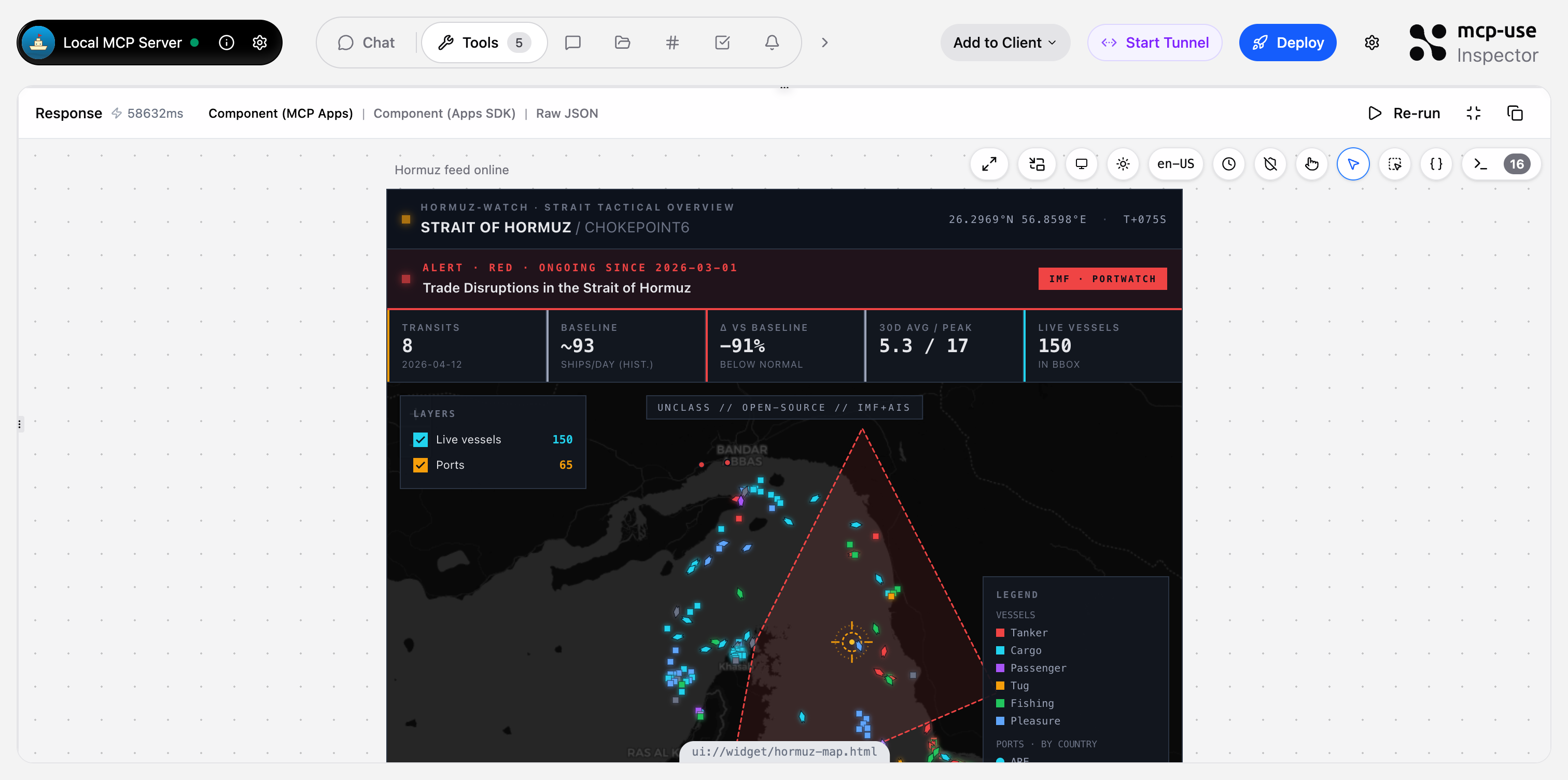
这个MCP服务器专为霍尔木兹海峡地区提供全面的海事情况仪表板。它包含两个交互式Leaflet地图小部件,显示实时AIS船舶位置、港口位置和干扰区域,以及三个用于查询详细海事数据的JSON工具。服务器将IMF PortWatch咽喉点统计数据与实时船舶位置相结合,创建可通过Claude或ChatGPT等自然语言界面查询的战术概览。
试试问 AI
装完之后,这里有 5 个你可以让 AI 做的事:
什么时候选它
选择 Hormuz Watch 用于霍尔木兹海峡的专业海事态势感知,带有可视化地图界面和实时 AIS 追踪功能。
什么时候不要选它
如果你需要霍尔木兹海峡以外的海事数据,或者需要商业级 AIS API(当前 VesselFinder 集成可能受到速率限制),请不要选择。
此 server 暴露的工具
从 README 抽取出 5 个工具show-hormuz-situationPrimary dashboard — full strait overview with live AIS, ports, disruptions, trend.
show-port-live-mapRadius-scan AIS map around one Gulf port (e.g. Fujairah, Jebel Ali, Dubai).
get-hormuz-disruptionsActive/recent IMF trade-disruption events affecting Hormuz with alert level, dates, description.
get-port-trafficDaily ship-call history for one Gulf port with per-vessel-type breakdown.
compare-chokepointsLatest daily transits across all 28 global chokepoints, rankable by total or by vessel type.
可对比工具
安装
# 安装依赖
npm install

# 开发模式运行
npm run dev

# 部署到生产环境
npm run deploy
要在Claude Desktop中使用,请添加到配置文件:
{
  "mcpServers": {
    "hormuz-strait": {
      "command": "npx",
      "args": ["hormuz-strait-mcp"]
    }
  }
}
对于ChatGPT,将MCP端点作为自定义连接器添加。
FAQ
- 这个MCP服务器使用哪些数据源?
- 服务器主要使用IMF PortWatch(通过ArcGIS FeatureServer)获取咽喉点统计数据和干扰数据,以及VesselFinder获取实时AIS船舶位置。数据会被缓存以提高性能。
- 是否适合商业使用?
- 当前实现使用了免费的、未公开的VesselFinder端点,可能会受到速率限制或中断。README建议,对于生产环境部署,应切换到商业AIS API,如Datalastic、Spire或VesselFinder的付费版本。
hormuz-strait-mcp 对比
最后更新于 · 由 README + GitHub 公开数据自动生成。