EDDI
by labsai·★ 353·综合分 50
EDDI 是基于Java的多智能体编排中间件,原生支持MCP,可构建生产级AI系统。
概述
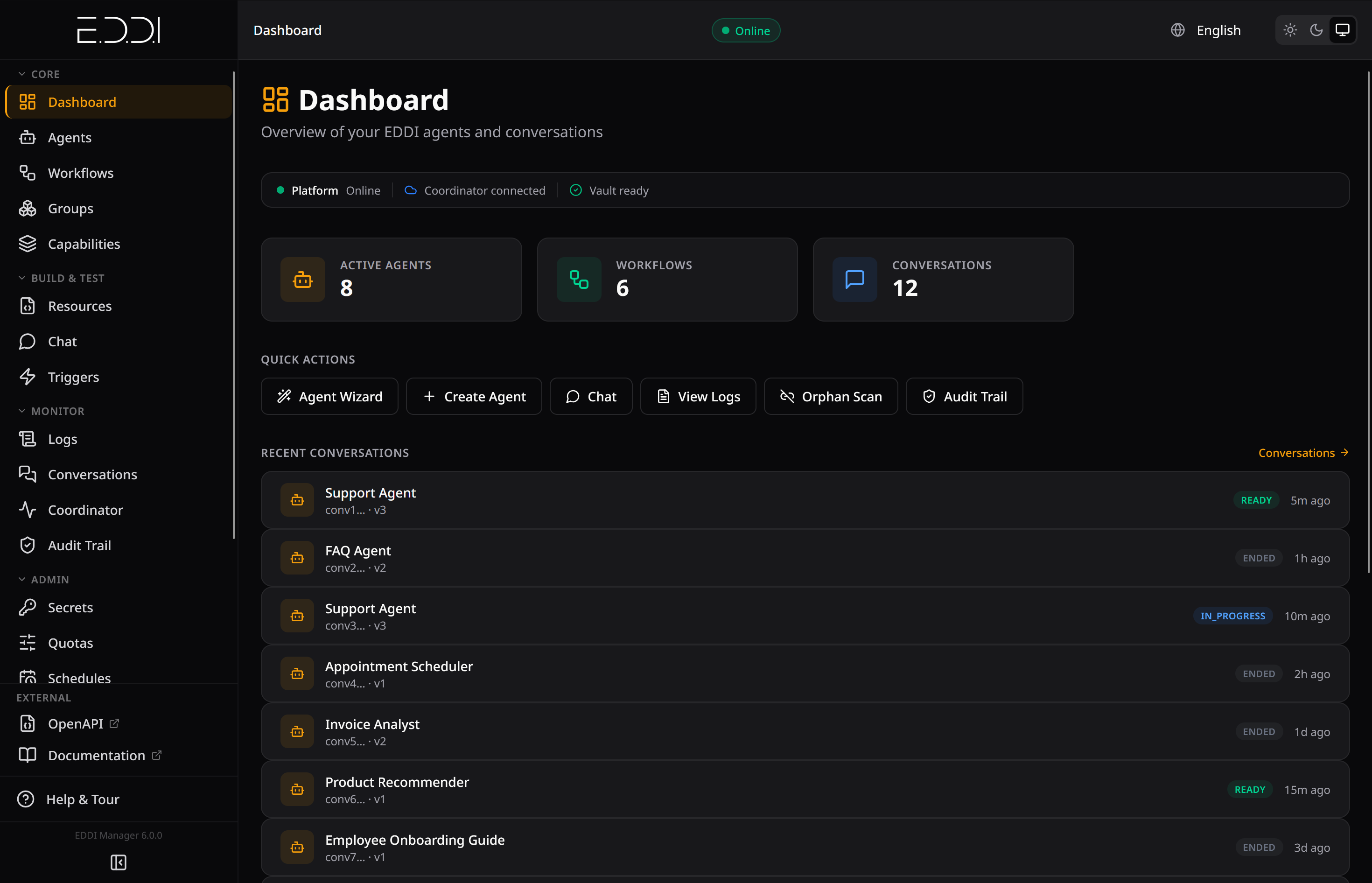
EDDI(增强型对话驱动接口)是一个配置驱动的引擎,可将JSON转换为生产就绪的AI智能体。基于Java 25和Quarkus构建,它提供多智能体编排,具有智能路由、持久化内存和API集成功能。该平台支持12+种LLM提供商,符合框架要求(欧盟AI法案、GDPR、HIPAA),并包含原生MCP支持,实现无缝工具集成。通过群组对话、智能体能力匹配和信封加密密钥等功能,EDDI为AI系统提供企业级安全性和治理。
试试问 AI
装完之后,这里有 5 个你可以让 AI 做的事:
什么时候选它
当您需要生产级多智能体编排、Java-based部署、企业合规功能或与现有Java/Quarkus生态系统集成时,选择EDDI。
什么时候不要选它
如果需要轻量级原型设计或更喜欢基于Python的多智能体框架(如LangGraph或CrewAI),则避免使用EDDI。
此 server 暴露的工具
从 README 抽取出 12 个工具agent_father_createCreate new AI agents through conversation using the meta-agent Agent Father
group_conversationFacilitate multi-agent debates with 5 built-in discussion styles
conversation_routingRoute conversations to different agents based on context, rules, and intent
persistent_memoryStore and retrieve user memory across conversations
llm_task_executionExecute LLM tasks with configurable parameters, RAG, and budget settings
schedule_executionRun scheduled tasks with cron jobs, heartbeats, and retry logic
secrets_managementManage envelope-encrypted secrets with rotation and access control
tenant_quota_monitoringMonitor rate limits, cost budgets, and usage per tenant
openapi_agent_generatorCreate API-calling agents from OpenAPI specifications
agent_capability_matchingDiscover and route to agents by skill, confidence score, and attributes
real_time_loggingAccess live log streams with cost tracking and token counts
slack_integrationDeploy agents to Slack channels and run conversations directly in threads
可对比工具
安装
快速安装
最快速运行EDDI的方式是使用一键安装程序:
# Linux / macOS / WSL2
curl -fsSL https://raw.githubusercontent.com/labsai/EDDI/main/install.sh | bash

# Windows (PowerShell)
Invoke-WebRequest -UseBasicParsing -Uri "https://raw.githubusercontent.com/labsai/EDDI/main/install.ps1" -OutFile "install.ps1"
Unblock-File .\install.ps1
.\install.ps1
MCP配置
要在Claude Desktop中使用EDDI,请将以下内容添加到您的claude_desktop_config.json文件中:
{
  "mcpServers": {
    "eddi": {
      "command": "docker",
      "args": ["run", "--rm", "-i", "labsai/eddi", "mcp"]
    }
  }
}
FAQ
- EDDI与其他多智能体框架有何不同?
- EDDI是基于Java 25和Quarkus构建的生产级中间件,提供AI智能体的确定性编排。与Python/Node框架不同,它提供版本化的JSON配置,无动态代码执行,内置合规功能(欧盟AI法案、GDPR、HIPAA),以及具有信封加密密钥的企业级安全性。
- EDDI如何与MCP集成?
- EDDI原生支持MCP,可通过模型上下文协议暴露工具和资源。它可以在Claude Desktop或其他兼容客户端中配置为MCP服务器,使用Docker容器实现与其他AI系统的无缝集成。
Hacker News 讨论
开发者社区最近的相关讨论。
- 帖子 by ginccc · 2026-04-16
EDDI 对比
最后更新于 · 由 README + GitHub 公开数据自动生成。