mcp-dashboards
by KyuRish·★ 22·综合分 45
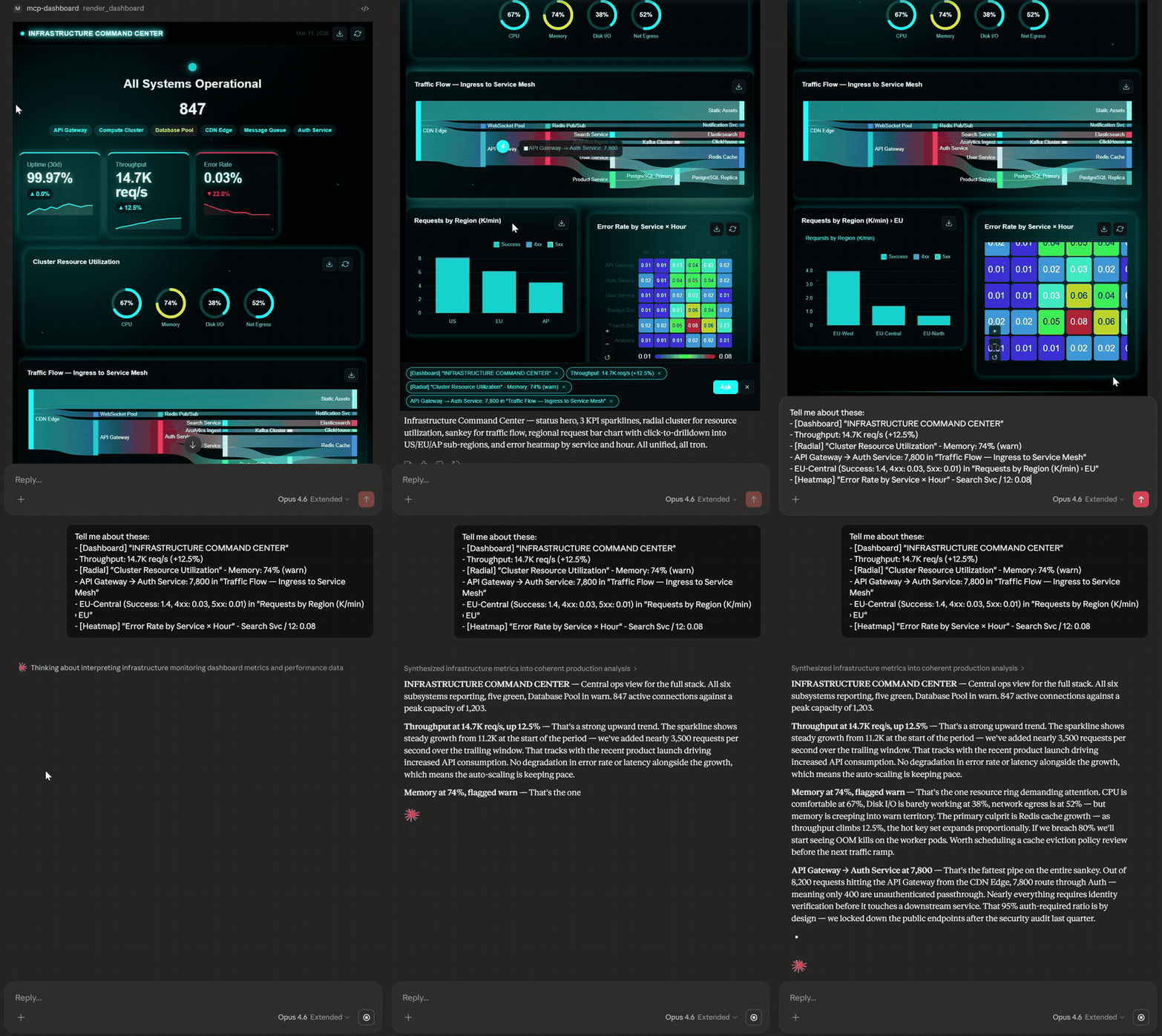
MCP 服务器在 AI 对话中渲染交互式数据可视化图表和仪表板。
概述
MCP Dashboards 是一个全面的 MCP 服务器,它将数据直接在 AI 对话中转换为交互式图表、仪表板和 KPI 小部件。它提供 31 个工具,涵盖 44+ 种图表子类型,并配备 21 种内置主题,使用户能够从简单的条形图到复杂的仪表板,无需离开 AI 环境即可创建各种可视化效果。该服务器支持从 API 实时轮询数据,可导出为多种格式(PPT、A4、PNG),并在 Claude Desktop、VS Code 等多个 AI 客户端中工作。
试试问 AI
装完之后,这里有 6 个你可以让 AI 做的事:
什么时候选它
当您需要在 AI 对话中进行丰富的数据可视化,而无需切换到单独的 BI 工具时,选择 MCP Dashboards。
什么时候不要选它
如果您需要具有高级数据转换功能的 BI 平台、数据库写入功能,或者需要为竞争性产品获得商业许可,请避免使用。
此 server 暴露的工具
从 README 抽取出 12 个工具render_pie_chartCreates pie/donut charts for composition data
render_bar_chartCreates bar charts for comparison data
render_line_chartCreates line/area charts for trends
render_dashboardCreates multi-chart dashboards with responsive grid
render_geo_chartCreates geographic/chloropleth maps
render_live_chartCreates real-time charts that auto-update from APIs
render_funnel_chartCreates conversion funnel charts
render_radar_chartCreates radar charts for multi-axis comparison
render_from_jsonAuto-detects best chart for JSON data
poll_httpFetches JSON from HTTP endpoints for data visualization
render_from_urlFetches and visualizes data directly from a URL
render_hero_metricCreates KPI widgets in 11 different styles
可对比工具
安装
安装
Claude Desktop
添加到您的 claude_desktop_config.json:
- **Windows:**
%APPDATA%\Claude\claude_desktop_config.json - **macOS:**
~/Library/Application Support/Claude/claude_desktop_config.json
{
  "mcpServers": {
    "dashboard": {
      "command": "npx",
      "args": ["-y", "mcp-dashboards", "--stdio"]
    }
  }
}
Claude Code / VS Code
claude mcp add dashboard -- npx -y mcp-dashboards --stdio远程 (HTTP)
npx mcp-dashboards
# 服务器启动于 http://localhost:3001/mcp
FAQ
- 哪些 AI 客户端支持 MCP Dashboards?
- 它支持 Claude Desktop、Claude Web、VS Code (GitHub Copilot)、Goose、Postman 和 MCPJam。ChatGPT 支持正在推出中。
- 我可以在可视化中使用自定义主题吗?
- 是的,有 21 种内置主题,可选择调色板、排版(8 种选项)和效果(5 种预设)。
- 有没有办法在 AI 客户端之外访问可视化效果?
- 是的,当服务器检测到您的客户端无法内联渲染时,它会提供一个本地主机 URL 和一个独立的 HTML 文件供离线访问。
mcp-dashboards 对比
最后更新于 · 由 README + GitHub 公开数据自动生成。