mie
by kraklabs·★ 42·综合分 46
MIE 是一个持久化记忆图谱 MCP 服务器,让 AI 智能体能够跨会话共享和回忆知识。
概述
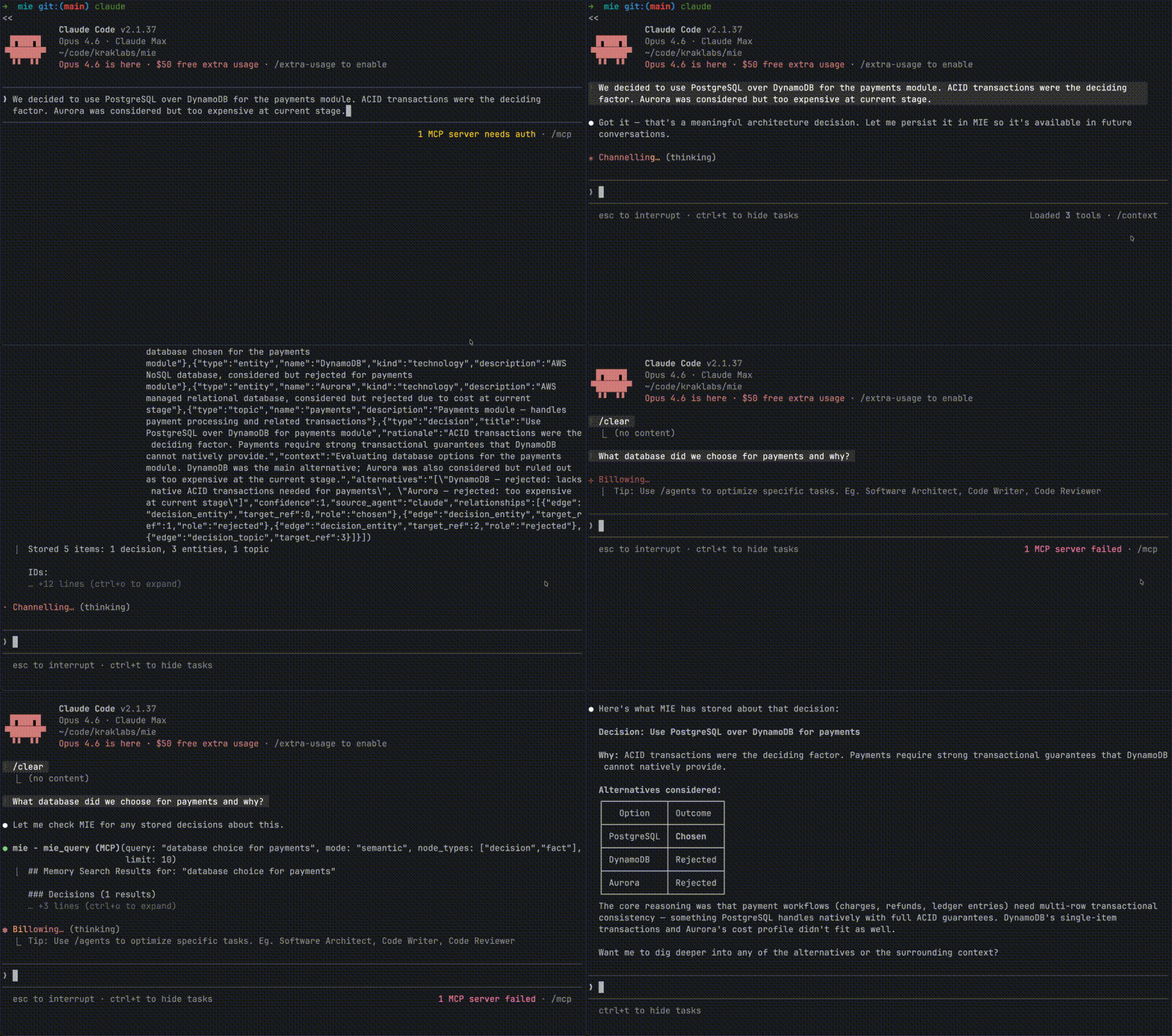
MIE(记忆智能引擎)创建了一个共享知识图谱,Claude、ChatGPT 和 Cursor 等 AI 智能体可以访问它。它将结构化信息存储为事实、决策、实体和事件,并带有它们之间的关系,而不是简单的聊天日志。该架构使用嵌入式 CozoDB 数据库,并通过 Ollama 嵌入进行可选的语义搜索。MCP 服务器暴露了 12 个工具用于存储、查询、更新和管理知识图谱,零服务器端推理成本,因为它依赖于客户端智能体来评估什么是重要的。
试试问 AI
装完之后,这里有 5 个你可以让 AI 做的事:
什么时候选它
当您需要在多个 AI 代理之间持久保存记忆并希望结构化存储知识并进行关系跟踪时,选择 MIE。
什么时候不要选它
如果您需要简单的聊天历史替代方案,或者需要具有多设备同步功能的云解决方案(尚未推出),请不要选择 MIE。
此 server 暴露的工具
从 README 抽取出 12 个工具mie_analyzeSurfaces related context before storing — the agent decides what's worth remembering
mie_storeWrites facts, decisions, entities, events, and relationships to the graph
mie_bulk_storeBatch store up to 50 nodes with cross-references — ideal for importing knowledge from files or git history
mie_getRetrieve a single memory node by ID with full details
mie_querySemantic search, exact lookup, or graph traversal across all node types
mie_listList and filter nodes with pagination
mie_updateInvalidate outdated facts, update statuses — with full history preserved
mie_deleteRemove nodes with cascade (embedding + edges) or remove individual relationships
mie_conflictsDetect contradictions in stored knowledge
mie_exportExport the full graph as JSON or Datalog
mie_repairRebuild HNSW indexes and clean orphaned embeddings
mie_statusGraph health, node counts, usage metrics
可对比工具
安装
使用 Homebrew 安装 MIE:
brew tap kraklabs/mie
brew install mie
初始化:
mie init                    # 快速设置默认值
mie init --interview        # 交互式设置
在 Claude Desktop 中配置为 MCP 服务器(.mcp.json):
{
  "mcpServers": {
    "mie": {
      "command": "mie",
      "args": ["--mcp"]
    }
  }
}
MCP 服务器将在需要时自动启动。
FAQ
- MIE 与平台特定的内存功能有何不同?
- MIE 适用于所有 AI 智能体(Claude、ChatGPT、Cursor 等),存储带有关系的数据而非纯文本,并且是可移植/可导出的。平台内存仅限于单个提供商,且知识项之间缺乏丰富的关系。
- 没有嵌入/Ollama 能否使用 MIE?
- 是的,MIE 没有嵌入也能工作。您仍然可以获得图遍历和精确匹配搜索功能。嵌入仅添加语义搜索功能。
Hacker News 讨论
开发者社区最近的相关讨论。
- 帖子 by kraklabs · 2026-02-06
mie 对比
最后更新于 · 由 README + GitHub 公开数据自动生成。