kernel-mcp-server
by kernel·★ 30·综合分 45
Kernel MCP 服务器通过 MCP 协议提供安全的云浏览器自动化和应用程序管理功能。
概述
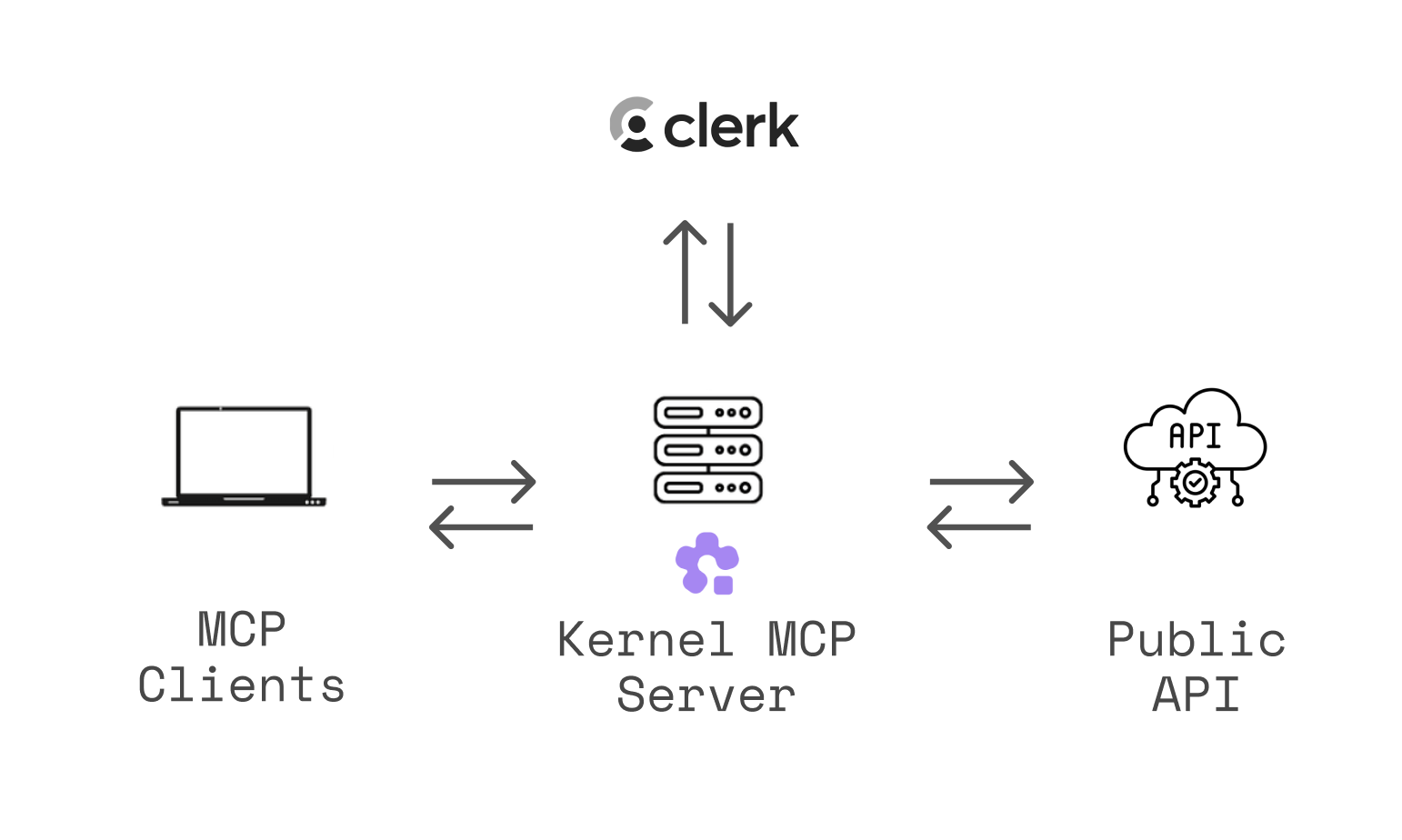
Kernel MCP 服务器将 AI 助手与 Kernel 平台连接,使其能够部署和管理云应用程序,控制无头浏览器会话,并执行 Playwright 代码。它使用 OAuth 2.0 认证确保安全访问,并提供工具用于监控部署、搜索文档和录制浏览器自动化回放。该服务器支持多种传输方式,并为 Claude Desktop、Cursor、VS Code 等流行客户端提供特定的集成说明。
试试问 AI
装完之后,这里有 5 个你可以让 AI 做的事:
什么时候选它
当您需要 AI 助手使用浏览器自动化功能时选择此 MCP 服务器,尤其是当您已经在使用或希望使用 Kernel 平台进行云浏览器会话时。
什么时候不要选它
如果您需要无云依赖的自托管浏览器自动化,或者偏好无供应商锁定的开源工具,则应避免使用此服务器。
此 server 暴露的工具
从 README 抽取出 10 个工具manage_browsersCreate, list, get, and delete browser sessions with support for various configurations.
manage_profilesSetup, list, and delete browser profiles for persisting cookies and logins.
manage_browser_poolsCreate, list, get, delete, and flush pools of pre-warmed browsers and acquire/release browsers.
manage_proxiesCreate, list, and delete proxy configurations for various types.
manage_extensionsList and delete uploaded browser extensions.
manage_appsList apps, invoke actions, get/list deployments, and get invocation results.
computer_actionMouse, keyboard, and screenshot controls for browser sessions.
execute_playwright_codeExecute Playwright/TypeScript code against a browser with automatic video replay.
exec_commandRun shell commands inside a browser VM and return stdout/stderr.
search_docsSearch Kernel platform documentation and guides.
可对比工具
安装
使用 Kernel CLI 快速设置
# 安装 CLI
brew install onkernel/tap/kernel
# 或: npm install -g @onkernel/cli

# 为您的工具安装 MCP
kernel mcp install --target <target>
Claude Desktop 手动设置
- 转到 **设置 → 连接器 → 添加自定义连接器**
- 输入: **集成名称:**
Kernel, **集成 URL:**https://mcp.onkernel.com/mcp - 点击 **添加**,然后在
Kernel旁点击 **连接** 以批准
JSON 配置
{
  "mcpServers": {
    "kernel": {
      "url": "https://mcp.onkernel.com/mcp"
    }
  }
}
FAQ
- Kernel MCP 服务器使用什么认证方法?
- 服务器通过 Clerk 使用 OAuth 2.0 认证,确保对您的 Kernel 资源的安全访问。
- 我可以在 Claude 免费版中使用 Kernel MCP 服务器吗?
- 不可以,远程 MCP 服务器不兼容 Claude 免费用户添加 MCP 服务器的方法。需要 Pro、Max、Team 和 Enterprise 计划。
kernel-mcp-server 对比
最后更新于 · 由 README + GitHub 公开数据自动生成。