context-sync
by Intina47·★ 124·综合分 50
为LLM应用提供本地持久化内存存储,通过MCP工具保持项目连续性。
概述
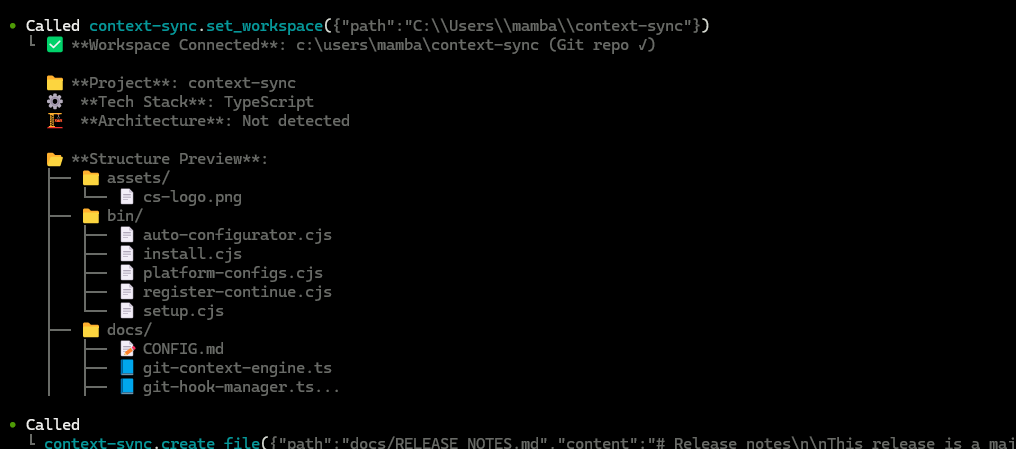
Context Sync是一个MCP服务器,为AI编码工具提供持久化内存层。它存储项目上下文,包括身份、技术栈、活跃工作、决策和约束,以保持会话连续性。服务器提供了set_project、recall、read_file、search和git等工具,帮助AI系统在对话之间保持上下文。
试试问 AI
装完之后,这里有 7 个你可以让 AI 做的事:
什么时候选它
当在同一个项目上进行多次编程会话,并且需要持久化存储项目上下文、决策和约束,而不依赖 LLM 的短期记忆时,选择 Context Sync。
什么时候不要选它
如果您需要向 Notion 写入数据,或需要在项目与外部系统之间进行双向数据同步,请避免使用。
此 server 暴露的工具
从 README 抽取出 8 个工具set_projectSets the project path for Context Sync to work with
rememberStores information about decisions, constraints, or caveats in the project memory
recallRetrieves previously stored context and memories for the current project
read_fileReads the content of a specific file in the project
searchSearches through files in the project for specific patterns or content
structureExplores and analyzes the project structure at a specified depth
gitProvides git-related analysis and context for the project
notionPerforms read-only searches and reads from Notion (if configured)
可对比工具
安装
安装
全局安装:
npm install -g @context-sync/server全局安装期间会自动运行配置。安装后,重启您的AI工具。
Claude Desktop配置
添加到claude_desktop_config.json:
{
  "mcpServers": {
    "context-sync": {
      "command": "context-sync",
      "args": []
    }
  }
}
VS Code (GitHub Copilot)
全局安装时Context Sync应自动被检测到。
FAQ
- Context Sync如何保持会话连续性?
- 它存储重要的项目上下文(决策、约束、工作进度)并通过'recall'和'remember'等MCP工具使其可检索。
- 哪些AI工具支持Context Sync?
- Context Sync支持Claude Desktop、Cursor、带有GitHub Copilot的VS Code、Continue.dev、Zed、Windsurf、Codeium、TabNine、Codex CLI、Claude Code和Antigravity。
- Notion集成是只读的吗?
- 是的,Notion支持在工具表面上是故意只读的,提供诸如'notion({ action: "search", query: "..." })'和'notion({ action: "read", pageId: "..." })'等工具。
Hacker News 讨论
开发者社区最近的相关讨论。
- 帖子 by mambacodes · 2025-10-23
- 帖子 by mambacodes · 2025-10-22
context-sync 对比
最后更新于 · 由 README + GitHub 公开数据自动生成。