eclipse-chatgpt-plugin
by gradusnikov·★ 148·综合分 48
Eclipse IDE插件,将整个开发环境作为MCP服务器,供AI代理进行代码编写、构建和调试。
概述
AssistAI将Eclipse IDE转变为MCP服务器,允许AI代理通过Eclipse API而非直接文件系统访问来交互Java项目。这确保了与Eclipse功能的适当集成,包括增量编译、重构引擎、本地历史记录和测试框架。该插件通过带有身份验证令牌的安全HTTP服务器,暴露多个MCP端点,用于代码分析、编辑、构建、运行、调试和Git操作。
试试问 AI
装完之后,这里有 5 个你可以让 AI 做的事:
什么时候选它
如果您已经在使用 Eclipse 进行 Java 开发,并希望将 AI 代理与 IDE 的完整功能集成,同时保持工作空间同步和本地历史记录,请选择此 MCP 服务器。
什么时候不要选它
如果您不使用 Eclipse 或 Java 开发,或者需要超出 Eclipse 生态系统之外的跨 IDE 支持,请不要选择它。
此 server 暴露的工具
从 README 抽取出 12 个工具createFileCreates a new file, adds it to the project, and opens it in the editor
replaceFileContentReplaces the entire content of a file
getClassOutlineGet compact class outline with method signatures and line numbers
findReferencesFind all references to a type, method, or field across the workspace
runTestMethodRun a specific test method
debugJavaApplicationLaunch in debug mode, stops at breakpoints
toggleBreakpointSet or remove a line breakpoint
fileSearchSubstring search in workspace files
gitStatusGet working tree status - staged, unstaged, untracked files
getFileHistoryLists Local History versions of a file with timestamps
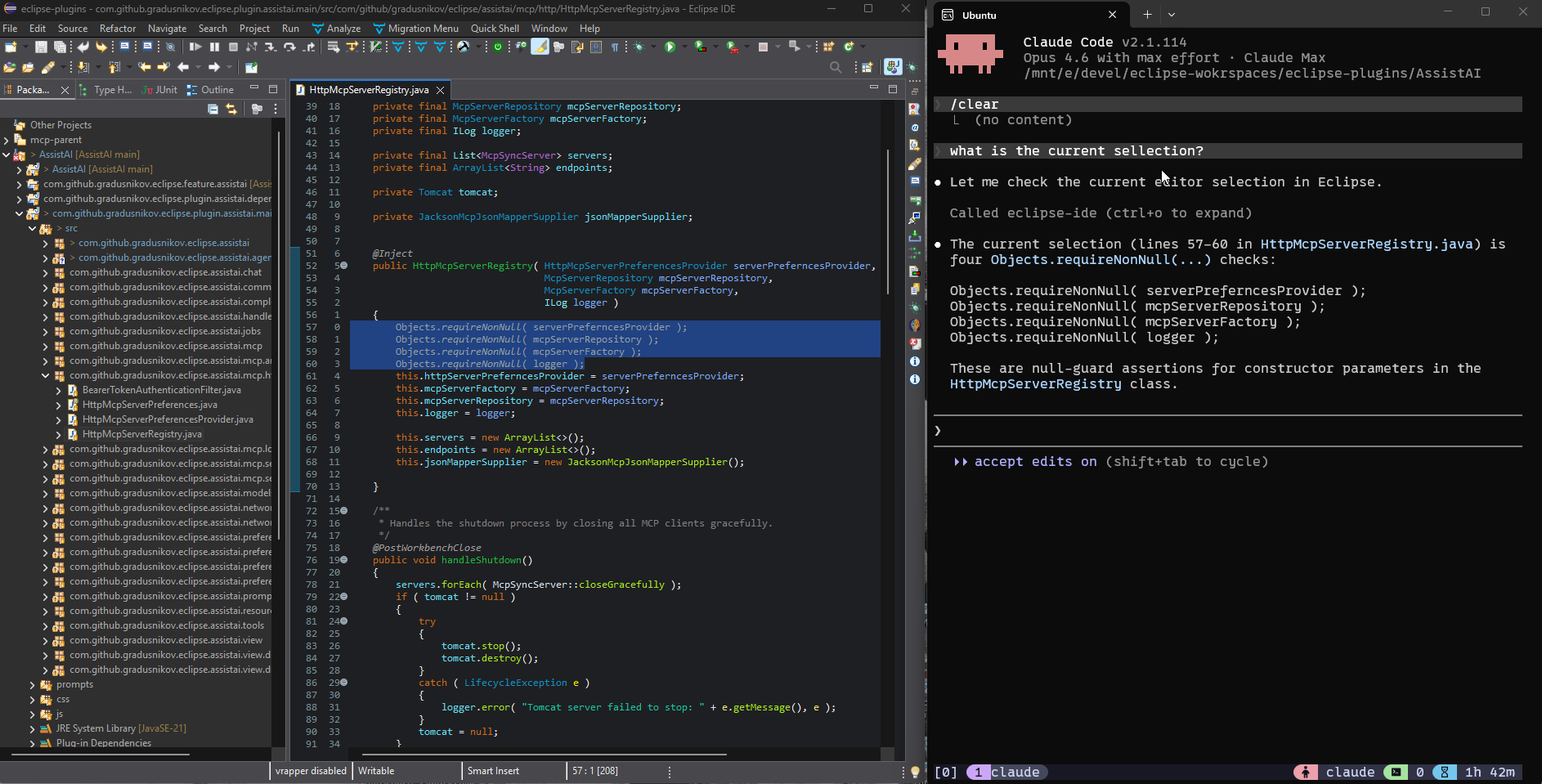
getCurrentlyOpenedFileGet the currently active file in the editor
getEditorSelectionGet selected text or lines in the active editor
可对比工具
安装
安装
- 从Eclipse Marketplace或更新站点安装AssistAI
- 启用HTTP MCP服务器:
- 打开Window > Preferences > Assist AI > HTTP MCP Server - 勾选'Enable HTTP MCP Server' - 设置主机名和端口(默认:localhost:8124) - 生成并保存身份验证令牌
连接Claude Desktop
添加到Claude Desktop配置:
{
  "mcpServers": {
    "eclipse-ide": {
      "command": "npx",
      "args": [
        "-y", "mcp-remote", "http://localhost:8124/mcp/eclipse-ide",
        "--allow-http",
        "--header", "Authorization: Bearer YOUR_TOKEN"
      ]
    }
  }
}
FAQ
- 支持哪些身份验证方法?
- 服务器使用Bearer令牌身份验证。通过Eclipse首选项UI生成令牌,并将其包含在'Authorization: Bearer YOUR_TOKEN'头中。
- 我能否将其与Eclipse以外的IDE一起使用?
- 不可以,这是一个专门通过MCP暴露Eclipse API的Eclipse插件。其他IDE需要有自己的MCP实现。
eclipse-chatgpt-plugin 对比
最后更新于 · 由 README + GitHub 公开数据自动生成。