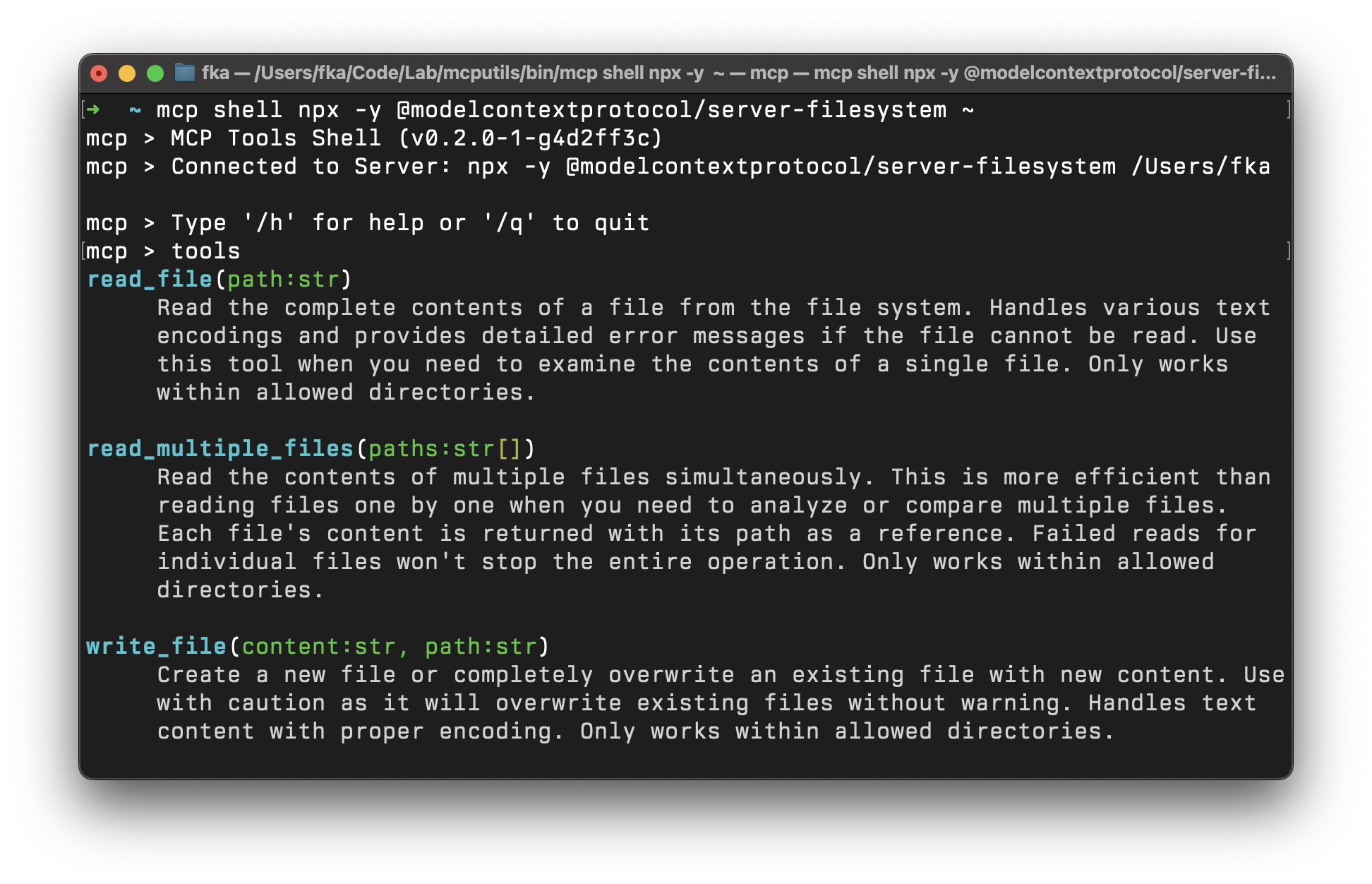
mcptools
by f·★ 1,584·综合分 55
全面的 MCP 服务器 CLI 工具,支持工具发现、模拟/代理功能和 Web 界面。
概述
MCP Tools 是一个多功能命令行界面,用于与 MCP (Model Context Protocol) 服务器交互。它支持通过多种传输方式(包括 stdio 和 HTTP)发现、调用和管理任何兼容 MCP 服务器的工具、资源和提示。该工具提供丰富的功能,包括交互式 shell 模式、Web 界面、项目脚手架功能和多种输出格式(表格、JSON、美化显示)。它还提供专门的 server 模式,用于模拟、代理和防护 MCP 请求。
试试问 AI
装完之后,这里有 6 个你可以让 AI 做的事:
什么时候选它
当您需要一个能跨不同传输方式管理 MCP 服务器、创建测试环境或通过 shell 脚本构建代理集成的全面 CLI 时,选择 MCP Tools。
什么时候不要选它
如果您只需要一个用于基本工具交互的简单 MCP 客户端,或者更喜欢用于服务器管理的 GUI 界面,不要选择 MCP Tools。
此 server 暴露的工具
从 README 抽取出 12 个工具toolsList available tools on the MCP server
callCall a tool, resource, or prompt on the MCP server
resourcesList available resources on the MCP server
promptsList available prompts on the MCP server
get-promptGet a prompt on the MCP server
read-resourceRead a resource on the MCP server
shellStart an interactive shell for MCP commands
webStart a web interface for MCP commands
mockCreate a mock MCP server with tools, prompts, and resources
proxyProxy MCP tool requests to shell scripts
aliasManage MCP server aliases
configsManage MCP server configurations
可对比工具
安装
安装
使用 Homebrew (适用于 macOS)
brew tap f/mcptools
brew install mcp
从源码安装 (适用于 Windows 和 GNU/Linux)
go install github.com/f/mcptools/cmd/mcptools@latestClaude Desktop 配置
添加到 claude_desktop_config.json:
{
  "mcpServers": {
    "mcptools": {
      "command": "mcp",
      "args": ["proxy"]
    }
  }
}
FAQ
- 如何连接到 MCP 服务器?
- 使用命令 `mcp tools [服务器命令] [服务器参数]`。例如:`mcp tools npx -y @modelcontextprotocol/server-filesystem ~`
- MCP Tools 可以与基于 HTTP 的 MCP 服务器一起使用吗?
- 是的,MCP Tools 支持 HTTP SSE 和流式 HTTP 传输。例如:`mcp tools http://localhost:3000` 或 `mcp tools https://api.example.com/mcp`
Hacker News 讨论
开发者社区最近的相关讨论。
- 帖子 by fka · 2025-03-26
mcptools 对比
最后更新于 · 由 README + GitHub 公开数据自动生成。