mcp-playground
by Elkhn·★ 45·综合分 45
一个基于 Streamlit 的聊天平台,支持即插即用的 MCP 服务器,适用于多种语言模型提供商。
ai-llmdeveloper-toolsproductivity
17
Forks
0
活跃 Issue
8 个月前
最近提交
162 天前
收录于
概述
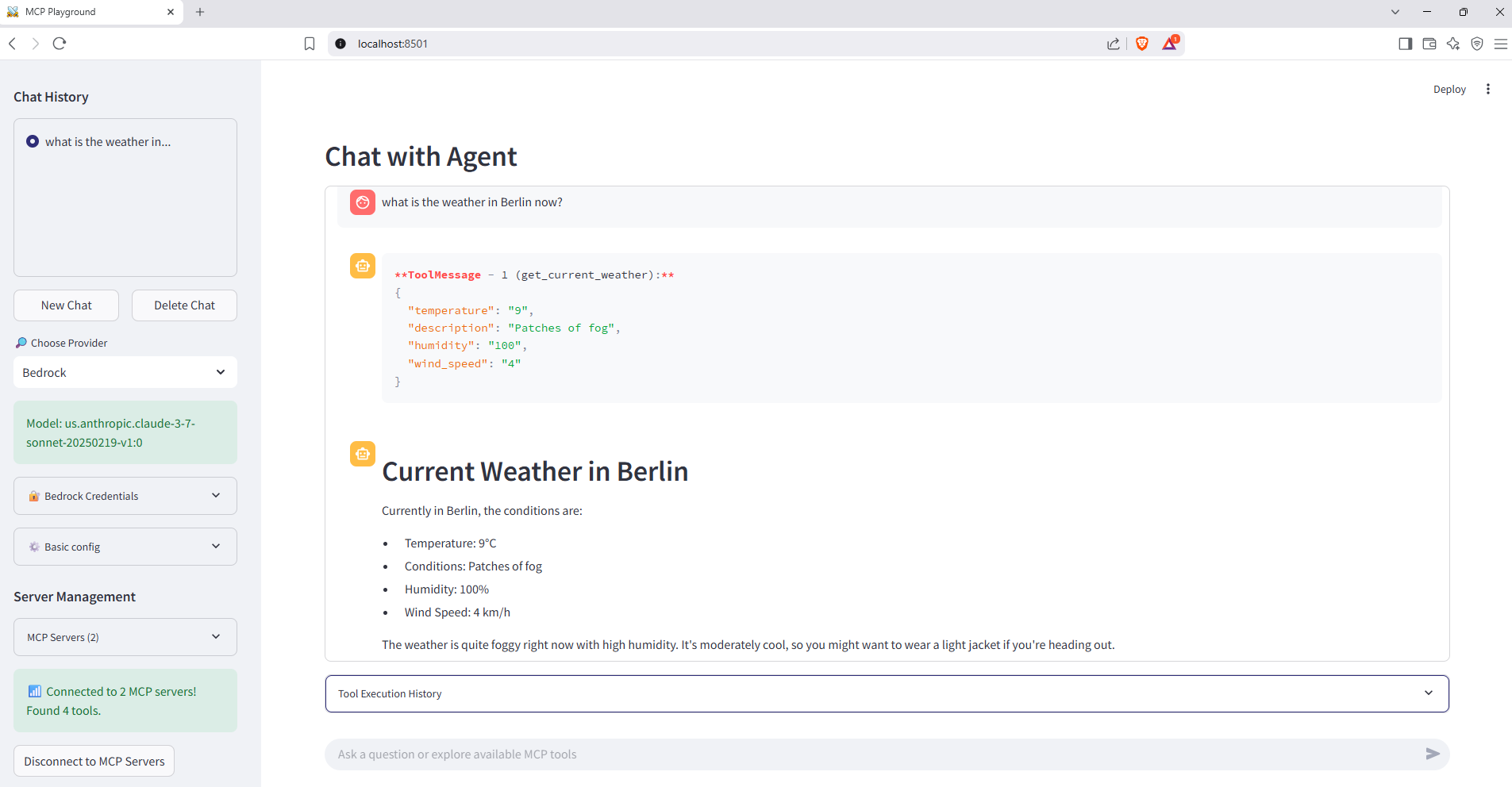
MCP Playground 是一个综合聊天应用,结合了 Streamlit UI 和 MCP 协议支持,用于外部工具集成。它展示了一个使用 Docker Compose 编排多个服务的生产就绪架构,包括天气和货币数据的 MCP 服务器。该应用与提供商无关,通过 LangChain 和 LangGraph 实现支持 OpenAI、Amazon Bedrock、Anthropic、Google Gemini 和 Groq。
试试问 AI
装完之后,这里有 3 个你可以让 AI 做的事:
你:创建具有专业工具的自定义 AI 智能平台
你:使用真实客户端界面开发和测试 MCP 服务器
你:演示多模型 LLM 与外部 API 的集成
什么时候选它
当您需要快速原型设计和测试多个 LLM 提供商的 MCP 工具集成,且希望设置简便时,应选择此平台。
什么时候不要选它
不要将其用于生产部署,因为它专为开发/测试目的设计,且缺乏强大的身份验证机制。
此 server 暴露的工具
从 README 抽取出 4 个工具get_current_weatherasync def get_current_weather(location: str) -> dictGet current weather information for a specific location
get_forecastasync def get_forecast(location: str, days: int = 3) -> dictGet weather forecast for a specified location and number of days
get_currency_ratesasync def get_currency_rates(date: str = None) -> dictGet current currency exchange rates
convert_currencyasync def convert_currency(amount: float, from_currency: str, to_currency: str, date: str = None) -> dictConvert an amount from one currency to another
可对比工具
langchain-playgroundmcp-server-starterfastmcpstreamlit-chat
安装
安装
先决条件:
- Docker ≥ 24
- Docker Compose
- 至少一个 LLM 提供商 API 密钥
快速开始:
git clone https://github.com/Elkhn/mcp-playground.git
cd mcp-playground
docker compose up --build
访问 http://localhost:8501 使用应用程序
要集成 Claude Desktop,添加到 claude_desktop_config.json:
{
  "mcpServers": {
    "weather": {
      "command": "docker",
      "args": ["run", "--rm", "-p", "8000:8000", "weather-server"]
    }
  }
}
mcp-playground 对比
最后更新于 · 由 README + GitHub 公开数据自动生成。