kept
by egroup-labs·★ 83·综合分 48
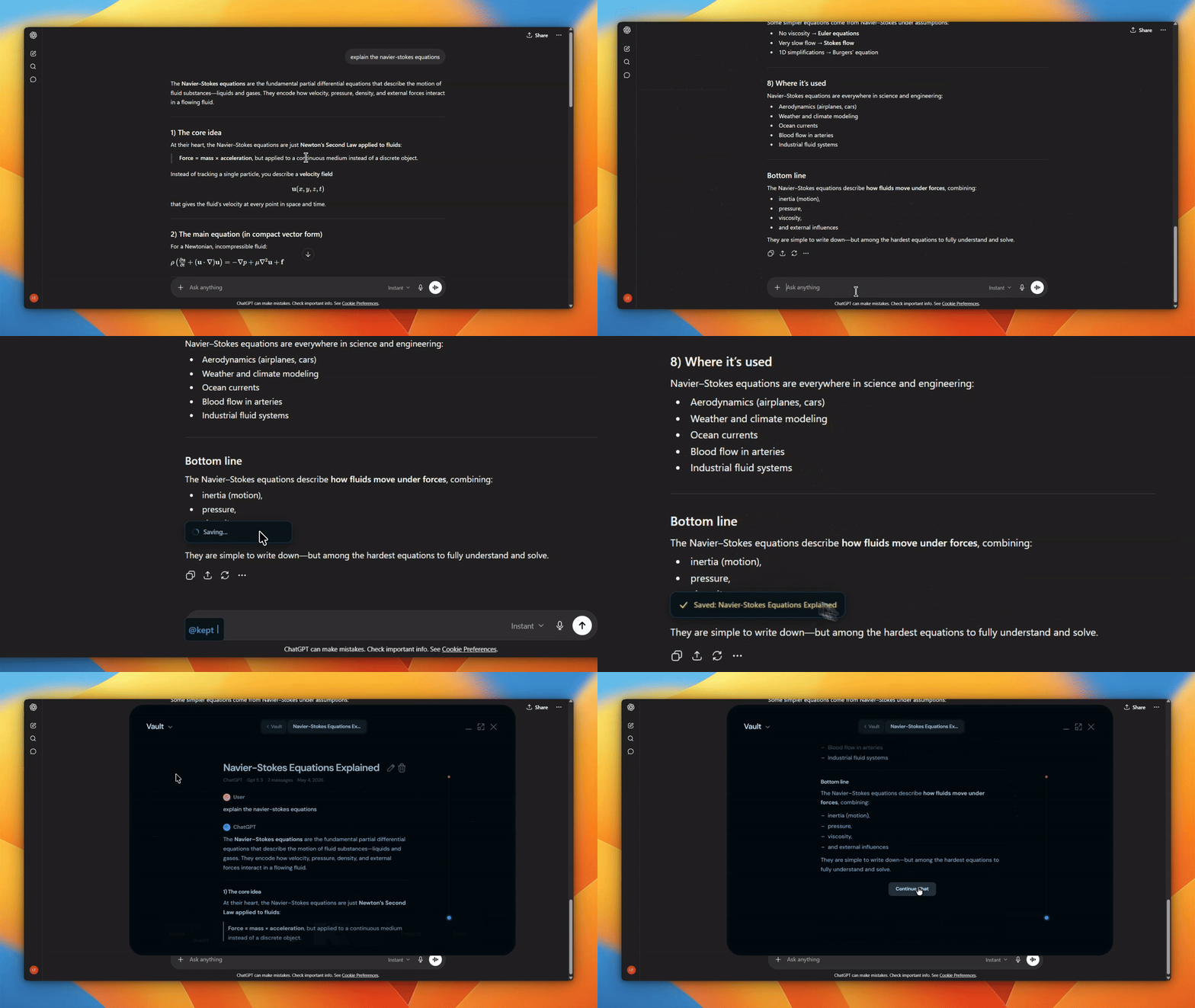
Kept 是一个 MCP 服务器,将 AI 对话管理为本地保险库中的可搜索 Markdown 文件。
概述
Kept 将来自 ChatGPT、Claude、Gemini、Grok 和 Kimi 的 AI 对话保存为本地 Markdown 文件。它提供桌面应用程序,用于搜索、浏览和连接对话,具有全文搜索、图形视图和主题组织功能。MCP 服务器提供工具,使代理能够读取、搜索和管理保险库,使编码代理能够直接处理归档对话。
试试问 AI
装完之后,这里有 6 个你可以让 AI 做的事:
什么时候选它
当您希望将 AI 对话历史作为本地文件拥有,并需要通过 MCP 集成让代理访问这些存档时,选择 Kept。
什么时候不要选它
如果您偏好云存储或需要多设备同步功能,不要选择 Kept,因为它完全是本地化的,没有云组件。
此 server 暴露的工具
从 README 抽取出 8 个工具list_vaultList all available providers and directories in the Kept vault
list_directoryList files in a specific directory in the vault
read_fileRead the content of a specific file in the vault
write_fileWrite a new file to the vault
update_fileUpdate an existing file in the vault
delete_fileDelete a file from the vault
move_fileMove a file to a different location in the vault
grep_vaultSearch for content across the entire vault
可对比工具
安装
安装
桌面应用
快速安装:
# macOS/Linux
curl -fsSL https://kept.work/install.sh | bash

# Windows PowerShell
irm https://github.com/egroup-labs/kept/releases/latest/download/install.ps1 | iex
MCP 服务器
# macOS/Linux
bash <(curl -fsSL https://raw.githubusercontent.com/egroup-labs/kept/main/scripts/install-kept-mcp.sh)

# Windows PowerShell
& ([scriptblock]::Create((irm https://raw.githubusercontent.com/egroup-labs/kept/main/scripts/install-kept-mcp.ps1)))
Claude Desktop
添加到 claude_desktop_config.json:
{
  "mcpServers": {
    "kept-vault": {
      "command": "npx",
      "args": ["@kept-plugins/kept-vault"]
    }
  }
}
如果您的保险库不在 ~/.kept/vault,请设置 KEPT_VAULT_PATH 环境变量。
FAQ
- Kept 如何处理隐私问题?
- 所有数据都保存在您本地的 ~/.kept/ 目录中,没有云同步或托管账户。
- 对话保存为什么文件格式?
- 对话保存为带有 YAML frontmatter 的纯 Markdown 文件,与 Obsidian 兼容。
- 我可以从其他工具访问我的保险库吗?
- 可以,保险库只是一个 Markdown 文件夹,可以直接在 VS Code、Obsidian 或任何编辑器中打开。
Hacker News 讨论
开发者社区最近的相关讨论。
- 帖子 by Mapika · 2026-05-08
kept 对比
最后更新于 · 由 README + GitHub 公开数据自动生成。