nocodb-mcp-server
by edwinbernadus·★ 70·综合分 46
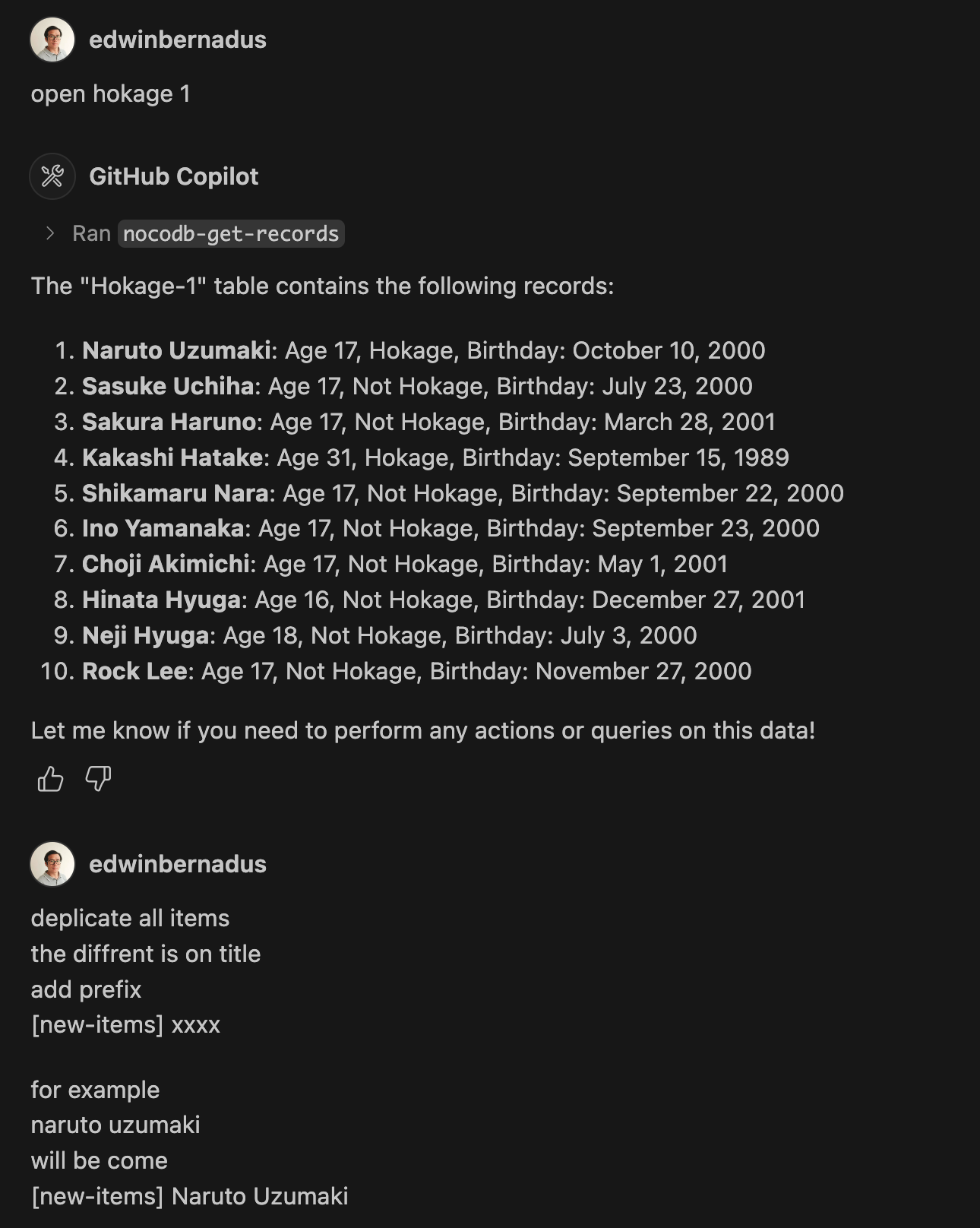
NocoDB MCP Server 通过自然语言命令实现对 NocoDB 数据库的 CRUD 操作。
概述
NocoDB MCP Server 为使用模型上下文协议 (MCP) 与 NocoDB 数据库交互提供了无缝接口。它允许用户通过自然语言提示执行全面的数据库操作,包括创建、读取、更新和删除记录,以及管理表结构。该服务器支持批量操作和文件上传,适合高效管理数据库内容。
试试问 AI
装完之后,这里有 5 个你可以让 AI 做的事:
什么时候选它
如果您已经在使用NocoDB并希望通过对话式AI界面或MCP启用工具与之交互,请选择此服务器。
什么时候不要选它
如果您需要访问NocoDB之外的其他数据库类型,或者需要超出基本CRUD操作的高级数据库功能,请避免使用。
此 server 暴露的工具
从 README 抽取出 9 个工具get_recordsRetrieve data from a NocoDB table
create_recordCreate a new record in a NocoDB table
update_recordUpdate existing records in a NocoDB table
delete_recordDelete records from a NocoDB table
add_columnAdd a new column to a NocoDB table
delete_columnDelete a column from a NocoDB table
create_tableCreate a new table in NocoDB from JSON files
bulk_create_recordsCreate multiple records in a NocoDB table at once
bulk_delete_recordsDelete multiple records in a NocoDB table at once
说明:Tool names were inferred from example prompts in the README, as there wasn't a dedicated 'Tools' section with formal definitions. The actual tool names might differ from the action phrases used in examples.
可对比工具
安装
安装
- 安装 Node.js 和 TypeScript
- 克隆仓库并安装依赖:
npm install
npm run build- 在
.env文件中设置环境变量:
NOCODB_URL=https://your-nocodb-instance.com
NOCODB_API_TOKEN=your_api_token_here
NOCODB_BASE_ID=your_base_id_here- 通过添加到
claude_desktop_config.json配置 Claude Desktop:
{
  "mcpServers": {
    "nocodb": {
      "command": "node",
      "args": ["{working_folder}/dist/start.js"],
      "env": {
        "NOCODB_URL": "https://your-nocodb-instance.com",
        "NOCODB_BASE_ID": "your_base_id_here",
        "NOCODB_API_TOKEN": "your_api_token_here"
      }
    }
  }
}
或者直接从 CLI 使用:
npx -y nocodb-mcp-server {NOCODB_URL} {NOCODB_BASE_ID} {NOCODB_API_TOKEN}FAQ
- 如何获取 NOCODB_BASE_ID?
- 检查您的 Nocodb 实例的 URL。格式为:https://app.nocodb.com/#/{USERNAME}/{NOCODB_BASE_ID}/{TABLE_ID}
- 我可以将此服务器与 NocoDB 云版本一起使用吗?
- 是的,对于云版本,使用 NOCODB_URL=https://app.nocodb.com
nocodb-mcp-server 对比
最后更新于 · 由 README + GitHub 公开数据自动生成。