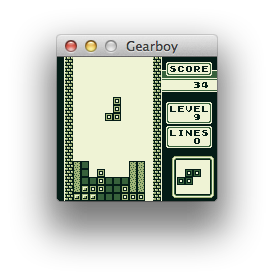
Gearboy
by drhelius·★ 1,130·综合分 53
Game Boy模拟器,内置MCP服务器,支持AI辅助调试和ROM分析。
概述
Gearboy是用C++编写的跨平台Game Boy/Game Boy Color/Super Game Boy模拟器,包含用于调试和工具的嵌入式MCP服务器。MCP服务器通过GitHub Copilot、Claude、Codex等AI代理实现辅助调试,提供执行控制、内存检查、断点、反汇编和硬件状态等工具。它还支持Agent技能,教AI助手如何有效使用模拟器进行调试和ROM破解等特定任务。
试试问 AI
装完之后,这里有 6 个你可以让 AI 做的事:
什么时候选它
当您需要AI辅助的Game Boy开发或ROM调试时,特别是如果您已经熟悉复古游戏开发工具,可以选择此服务器。
什么时候不要选它
如果您需要支持除Game Boy之外其他系统的MCP功能,或寻找具有更广泛AI能力的一般性模拟器,请不要选择它。
此 server 暴露的工具
从 README 抽取出 12 个工具step_instructionExecute a single CPU instruction and pause
runRun the emulator until interrupted
pausePause emulator execution
resetReset the emulator to initial state
load_romLoad a ROM file into the emulator
read_memoryRead memory from a specific address
write_memoryWrite a value to a specific memory address
set_breakpointSet a breakpoint at a specific address
clear_breakpointRemove a breakpoint at a specific address
list_breakpointsList all currently set breakpoints
disassembleDisassemble instructions at a specific address
get_registersGet current CPU register values
可对比工具
安装
安装
可以从[发布页面](https://github.com/drhelius/Gearboy/releases)下载Windows、macOS和Linux的预构建二进制文件。
要使用MCP服务器:
- 使用以下选项之一启动Gearboy:
- --mcp-stdio - 自动启动带有stdio传输的MCP服务器 - --mcp-http - 自动启动带有HTTP传输的MCP服务器 - --mcp-http-port N - 指定HTTP端口(默认:7777)
- 对于Claude Desktop集成,将以下内容添加到你的
claude_desktop_config.json中:
{
  "mcpServers": {
    "gearboy": {
      "command": "path/to/gearboy",
      "args": ["--mcp-stdio"]
    }
  }
}或者,使用--headless选项可以在使用MCP时无GUI运行。
FAQ
- Gearboy MCP服务器支持哪些平台?
- Gearboy在Windows、macOS、Linux、BSD和RetroArch上运行,MCP服务器通过stdio或HTTP传输在所有平台上都可用。
- 如何使用Agent Skills功能?
- 使用`npx skills add drhelius/gearboy`安装Agent技能,以教AI助手如何有效使用模拟器进行调试和ROM破解任务。
- MCP服务器提供哪些调试工具?
- 服务器为AI辅助调试提供了执行控制、内存检查、断点、反汇编、硬件状态、倒带等功能。
Hacker News 讨论
开发者社区最近的相关讨论。
- 帖子 by jfoucher · 2022-03-24
Gearboy 对比
最后更新于 · 由 README + GitHub 公开数据自动生成。