CoWork-OS
by CoWork-OS·★ 305·综合分 50
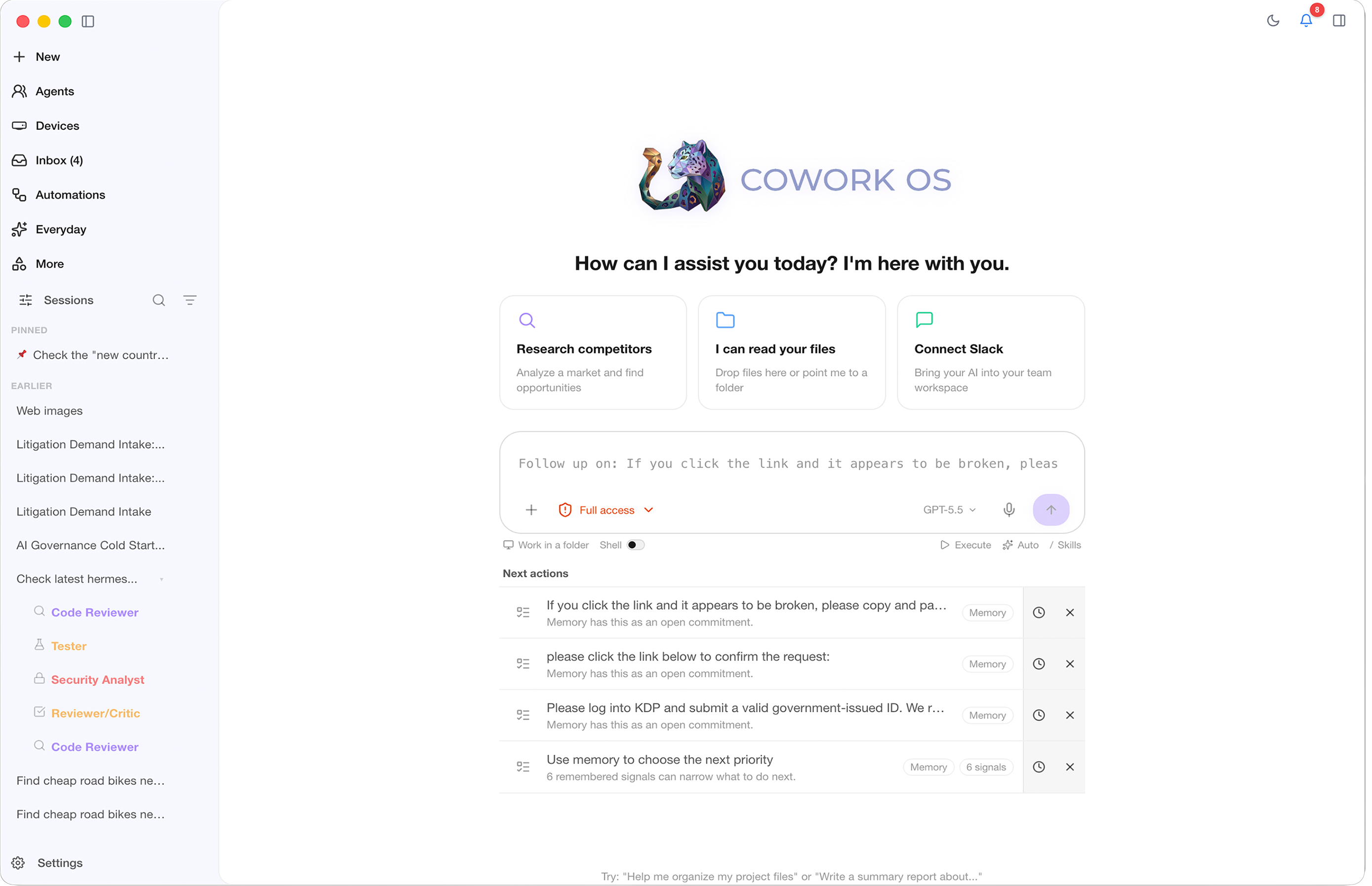
CoWork OS 是本地优先的个人智能操作系统,集成 44 个 MCP 连接器,提供全面的生产力、编程和知识工作支持。
概述
CoWork OS 是一个全面的本地优先个人智能操作系统,作为'全能应用'支持各种专业任务。它集成了 44 个 MCP 连接器,可连接企业系统、CRM、支持工具、生产力应用、分析平台和支付系统。该平台具有活动上下文侧边栏,实时显示可用的 MCP 连接器,并通过其治理模型支持代理编排、远程任务执行和多代理协作。系统提供 35 个捆绑包、147 个内置技能,支持 34 个 LLM 提供商,使其成为开发者、设计师、研究人员和知识工作者的多功能环境。
试试问 AI
装完之后,这里有 5 个你可以让 AI 做的事:
什么时候选它
如果你正在寻找一个集成了多种 MCP 服务的全能生产力平台,为各种任务提供统一工作空间,可以选择 CoWork OS。
什么时候不要选它
如果你专门寻找用于扩展 Claude 功能的 MCP 服务器,不要选择 CoWork OS,因为它是一个消费 MCP 服务的客户端应用程序,而非提供服务的服务器。
此 server 暴露的工具
从 README 抽取出 12 个工具browser_emulateEmulate different devices and viewports in the browser workbench
screenshotTake a screenshot of the desktop
clickSimulate mouse clicks on the desktop
type_textType text on the desktop
keypressSimulate keyboard key presses
llm-wikiCreate and manage research vaults
search_sessionsSearch through past sessions
memory_topics_loadLoad memory by topic
manim-videoCreate programmatic technical animations
kamiCreate editorial documents and slide decks
react-best-practicesApply React best practices to code
taste-skillProvide frontend design guidance
说明:Inferred tool names from feature descriptions throughout the README rather than a dedicated 'Tools' section. Some tools may have additional parameters not documented here.
可对比工具
安装
CoWork OS 可通过 npm 在 macOS 和 Windows 上安装:
npm install -g cowork-os
cowork-os
对于 MCP 集成,将以下内容添加到您的 Claude Desktop 配置中:
{
  "mcpServers": {
    "cowork-os": {
      "command": "node",
      "args": ["path/to/cowork-os/mcp-server.js"]
    }
  }
}
FAQ
- CoWork OS 包含哪些 MCP 连接器?
- CoWork OS 包含 44 个 MCP 连接器,用于 CRM、支持、生产力、分析和支付系统的企业集成,并支持自定义连接器。
- CoWork OS 如何处理 MCP 工具路由?
- 工具在活动上下文侧边栏中每 30 秒自动刷新,集成芯片在提示中保持图标和名称显示,同时将软路由元数据发送到运行时。
CoWork-OS 对比
最后更新于 · 由 README + GitHub 公开数据自动生成。