LitterBox
by BlackSnufkin·★ 1,422·综合分 53
红队载荷沙盒,集成EDR和MCP工具,支持自动化分析。
概述
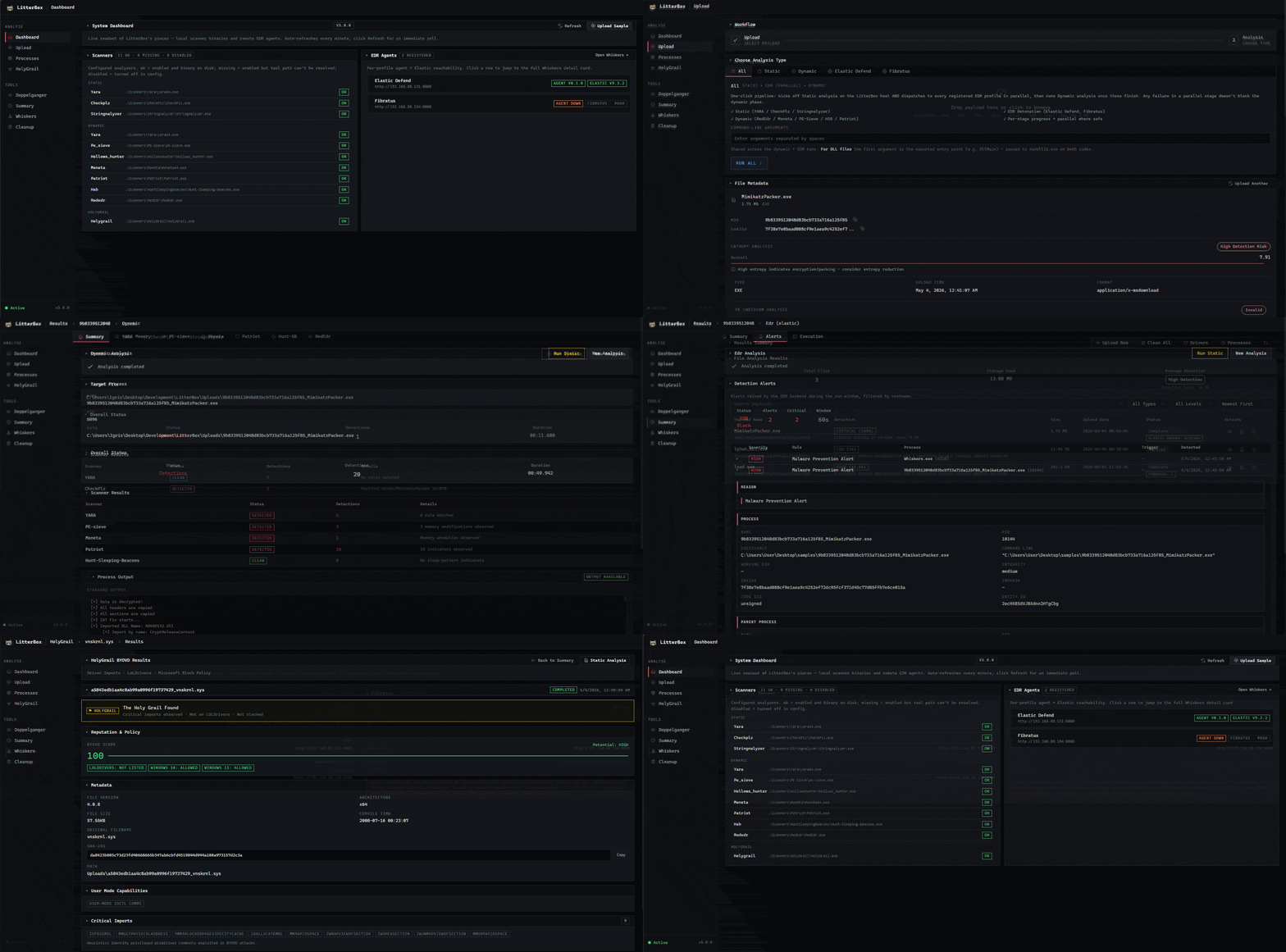
LitterBox是一个自托管的载荷分析沙盒,专为红队设计,用于在部署前测试恶意样本与现代检测系统。它集成了多种EDR解决方案,如Elastic Defend和Fibratus,提供静态和动态分析功能。通过MCP集成,AI代理能够端到端地驱动分析流程,从样本提交到检测分数和触发指标的评估。
试试问 AI
装完之后,这里有 5 个你可以让 AI 做的事:
什么时候选它
当您需要一个集成了 MCP 协议的全面恶意软件分析平台,用于自动化安全测试,特别是已经使用多种扫描器并希望获得统一评分的团队时,选择 LitterBox。
什么时候不要选它
如果您需要基于云的服务,需要对分析工作流进行超出扫描器集成的广泛自定义,或需要分析非恶意软件样本,则不应选择 LitterBox。
此 server 暴露的工具
从 README 抽取出 12 个工具upload_payloadUpload a payload file for analysis in the LitterBox sandbox
run_analysisRun static/dynamic/EDR analysis on an uploaded payload
get_detection_scoreRetrieve the detection score for an analyzed payload
get_detection_breakdownGet detailed breakdown of which indicators triggered detection
dispatch_to_edrSend payload to EDR-instrumented VM for real-world testing
list_scannersList all available scanners and their versions
update_scannerUpdate a specific scanner to the latest version
get_configRetrieve current LitterBox configuration
get_resultsRetrieve full results from a completed analysis
add_yara_ruleAdd a custom YARA rule to the analysis pipeline
list_filesList files in the sandbox environment
create_profileCreate a new EDR profile for testing environments
说明:Tool names inferred from documentation and functionality description. MCP documentation referenced in wiki but not explicitly listed in README.
可对比工具
安装
安装
**Windows:**
git clone https://github.com/BlackSnufkin/LitterBox.git
cd LitterBox
python -m venv venv
.\venv\Scripts\Activate.ps1
pip install -r requirements.txt
python litterbox.py
**Linux (Docker):**
git clone https://github.com/BlackSnufkin/LitterBox.git
cd LitterBox/Docker
chmod +x setup.sh
./setup.sh
**MCP 配置:** 添加到 Claude Desktop 配置:
{
  "mcpServers": {
    "litterbox": {
      "command": "python",
      "args": ["/path/to/LitterBox/litterbox.py"],
      "env": {}
    }
  }
}
FAQ
- LitterBox支持哪些EDR解决方案?
- LitterBox支持与Elastic Defend和Fibratus集成,可以将载荷分发到配置好的Windows虚拟机进行动态分析。
- 检测分数如何计算?
- 检测分数基于静态分析结果、动态行为观察和EDR警报相关性计算得出。具体方法记录在检测分数解释的Wiki页面中。
LitterBox 对比
最后更新于 · 由 README + GitHub 公开数据自动生成。