remote-mcp-functions-python
by Azure-Samples·★ 121·综合分 49
Azure Functions 模板,用于在云中部署 MCP 服务器,具有 Python 认证选项。
developer-toolsops-infraai-llm
71
Forks
13
活跃 Issue
6 个月前
最近提交
162 天前
收录于
概述
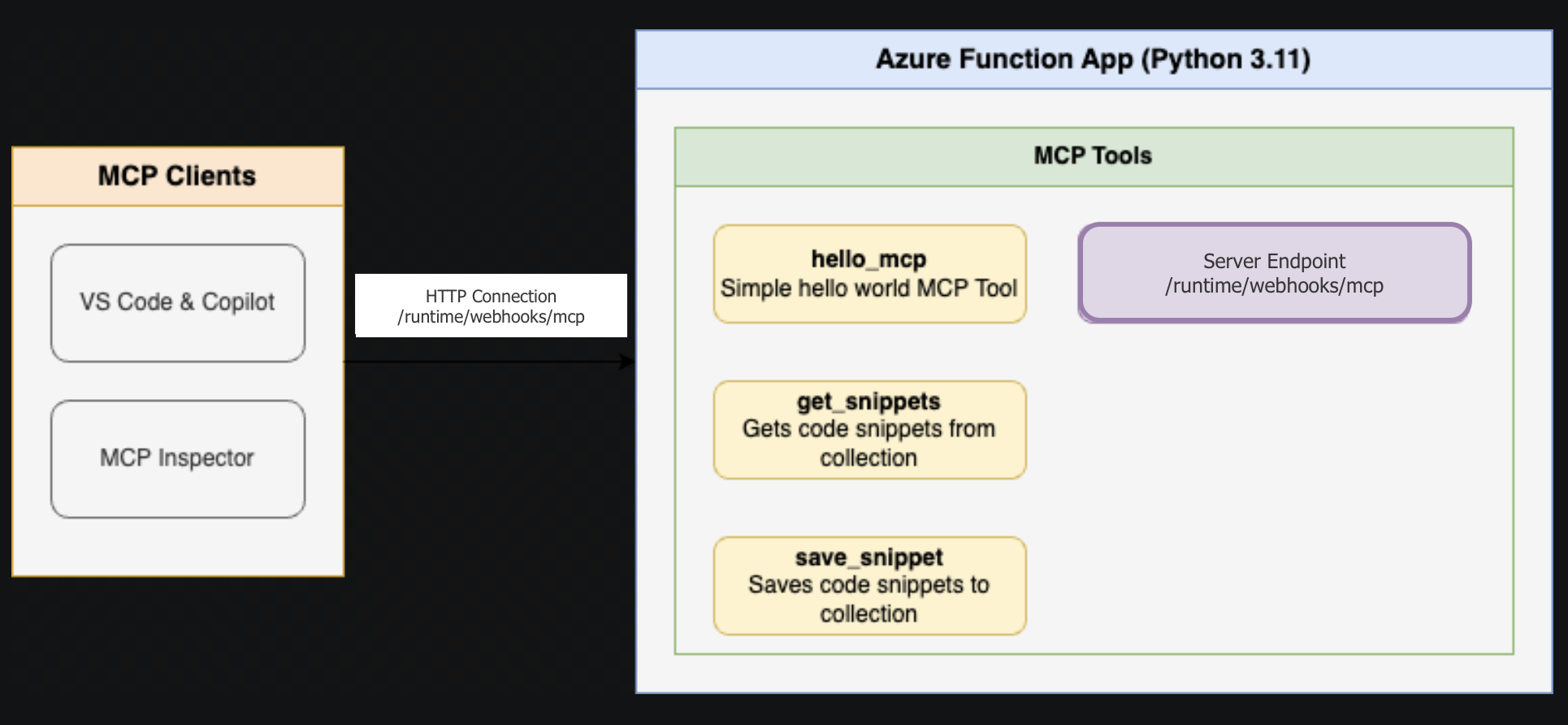
这个仓库提供了一个全面的模板,用于使用 Python 和 Azure Functions 创建远程 MCP 服务器。它包含两个示例应用程序,展示不同的模式:FunctionsMcpTool 演示各种工具模式,McpWeatherApp 显示带有可视化界面的天气信息。该模板支持本地开发和调试功能,并使用 Azure Developer CLI 无缝部署到 Azure。它具有使用 Microsoft Entra 的内置身份验证和可选的 API Management 以增强安全性。
试试问 AI
装完之后,这里有 5 个你可以让 AI 做的事:
你:将自定义 MCP 服务器部署到 Azure 云
你:使用企业身份验证创建安全的 MCP 服务器
你:构建使用 MCP 资源返回交互式界面的工具
你:我可以将此模板用于生产应用程序吗?
你:有哪些身份验证选项可用?
什么时候选它
如果您已经在使用 Azure 服务并希望以企业身份验证和可扩展性在云端部署 MCP 服务器,请选择此模板。
什么时候不要选它
如果您偏好自托管解决方案、需要离线功能或担心对 Azure 服务的供应商锁定,请避免使用此模板。
此 server 暴露的工具
从 README 抽取出 1 个工具hello_worldReturns a hello world message
说明:The README mentions sample tools in FunctionsMcpTool but doesn't provide specific tool names or descriptions. The 'hello_world' tool is inferred from the sample app description.
可对比工具
remote-mcp-functions-dotnetremote-mcp-functions-typescriptserverless-mcp
安装
安装
- 克隆此仓库:
git clone https://github.com/Azure-Samples/remote-mcp-functions-python - 安装先决条件:Python 3.13+、Azure Functions Core Tools >= 4.8.0、Azure Developer CLI
- 选择要运行的示例应用程序(FunctionsMcpTool 或 McpWeatherApp)
- 遵循
src/目录中的特定应用 README - 使用
func start本地运行或使用azd up部署到 Azure
FAQ
- 我可以将此模板用于生产应用程序吗?
- 是的,这是一个生产就绪的模板,具有适当的身份验证、安全选项和通过 Azure Functions 的可扩展性。
- 有哪些身份验证选项可用?
- 该模板支持 Microsoft Entra(以前的 Azure AD)进行内置身份验证,并可选择使用 API Management 进行额外的安全控制。
remote-mcp-functions-python 对比
最后更新于 · 由 README + GitHub 公开数据自动生成。