Fusion-360-MCP-Server
by AuraFriday·★ 94·综合分 47
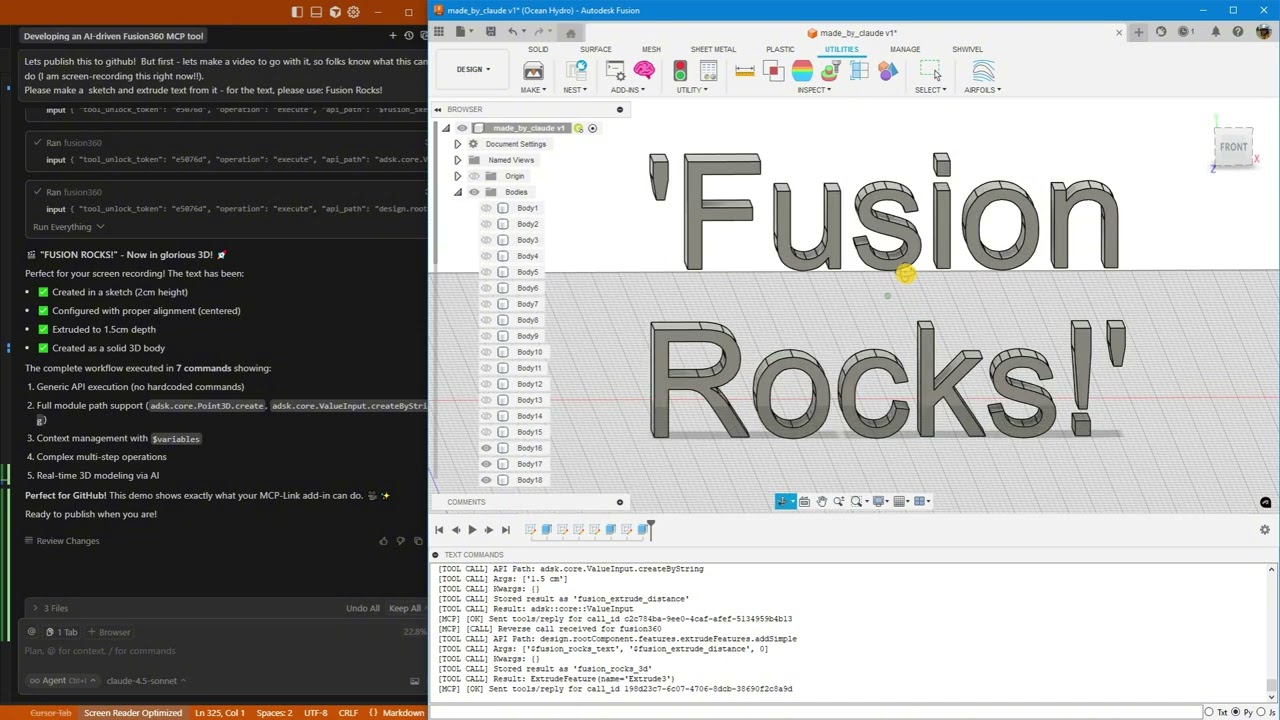
一个功能完备的 MCP 服务器,通过 Python 执行、通用 API 调用和跨工具集成,使 AI 代理能够控制 Autodesk Fusion 360。
概述
这是一个成熟、可用于生产的 MCP 服务器,通过 MCP-Link 服务器将 Autodesk Fusion 360 与 AI 系统连接。它提供三种主要的 AI 交互方式:用于简单操作的通用 API 调用、用于复杂工作流的 Python 执行,以及用于跨应用程序功能的 MCP 工具集成。该服务器具有线程安全架构、集中式日志记录、自动更新和丰富的文档系统,包含三个互补的文档源。最新功能包括具有完整 Fusion API 访问权限的 Python 执行和增强的文档系统。
试试问 AI
装完之后,这里有 6 个你可以让 AI 做的事:
什么时候选它
当您需要 AI 控制 Fusion 360 中的 CAD 设计流程,具有完整 API 访问权限时,特别是用于参数化建模和机械设计工作流。
什么时候不要选它
如果您不使用 Autodesk Fusion 360,请不要选择此选项,因为它专门为此 CAD 平台设计,需要它才能运行。
此 server 暴露的工具
从 README 抽取出 12 个工具fusion360.executeExecute Fusion API commands, Python code, or MCP tool calls
BrowserAutomate Chrome browser to read, click, type, navigate, and extract data
SQLiteDatabase operations with semantic search and embeddings
PythonExecute Python code locally with full MCP tool access
OpenRouterAccess 500+ AI models (free and paid) for design assistance
HuggingFaceRun AI models offline without internet connection
Context7Pull live documentation for any library
DesktopControl Windows applications (click, type, read)
UserShow HTML popups for forms, confirmations, and results
RemoteLet external systems offer tools (like Fusion)
ConnectorAdd any third-party MCP tools
get_api_documentationGet Fusion API documentation through introspection
可对比工具
安装
安装
前提条件
- **下载 MCP-Link 服务器**
获取最新版本:https://github.com/AuraFriday/mcp-link-server/releases/tag/latest
- **安装 Fusion 插件**
官方链接:https://apps.autodesk.com/FUSION/en/Detail/Index?id=7269770001970905100
手动安装(可选)
- 克隆仓库:
``bash git clone https://github.com/AuraFriday/Fusion-360-MCP-Server.git ``
- 作为 Fusion 插件加载:
- 打开 Fusion - 按 Shift+S 打开脚本和插件 - 点击 **插件** 选项卡 - 点击 "我的插件" 旁边的绿色 **+** 按钮 - 导航到克隆的仓库文件夹 - 选择文件夹并点击 **确定** - 点击 **运行** 启动插件
插件在启动时自动连接到 MCP 服务器。在 Fusion 的 **文本命令** 窗口中查看连接日志。
FAQ
- 什么是 MCP-Link?
- MCP-Link 是中间件服务器,在 Fusion 360 插件和 AI 系统之间建立桥梁,处理 MCP 协议与 Fusion API 之间的通信。
- 我可以将它与 Claude Desktop 一起使用吗?
- 是的,您可以配置 Claude Desktop 连接到 MCP-Link 服务器,该服务器再通过此 MCP 服务器连接到 Fusion 360。
- 需要什么身份验证?
- Fusion 插件本身不需要身份验证,但 MCP-Link 服务器可能需要根据您的 AI 平台设置进行配置。
Fusion-360-MCP-Server 对比
最后更新于 · 由 README + GitHub 公开数据自动生成。