mcp_flutter
by Arenukvern·★ 294·综合分 50
Fluter AI 代理的 MCP 服务器,用于检查、交互和控制正在运行的 Flutter 应用。
概述
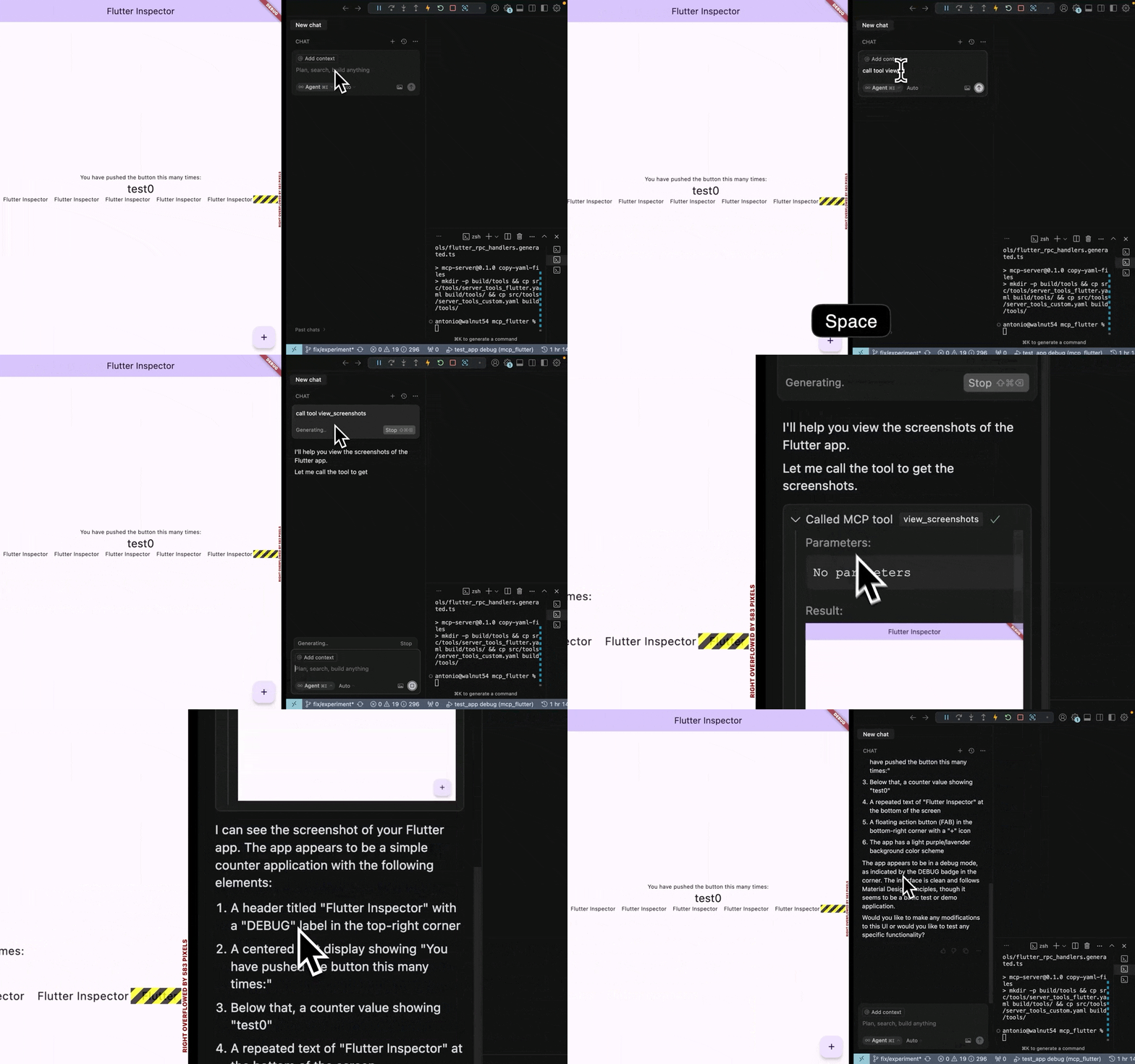
这是一个基于 Dart 的 MCP 服务器和 Flutter 工具包,使 AI 助手能够与正在运行的 Flutter 应用交互。它提供了 27 个以 'fmt_*' 为前缀的 MCP 工具,用于应用检查、交互、调试和生命周期管理。关键功能是在运行时动态注册自定义工具和资源,在 AI 代理和 Flutter 应用之间创建闭环反馈。
试试问 AI
装完之后,这里有 6 个你可以让 AI 做的事:
什么时候选它
当您使用 Flutter 应用并需要 AI 代理与 UI 元素交互、截图或通过封闭反馈循环调试运行中的应用时,选择此工具。
什么时候不要选它
如果您需要直接与原生 iOS/Android 代码交互,或者您的工作流程需要更通用的应用测试工具而非特定于 Flutter 的工具,则避免使用。
此 server 暴露的工具
从 README 抽取出 12 个工具fmt_list_client_tools_and_resourcesList all client tools and resources available in the Flutter app
fmt_hot_reloadTrigger a hot reload of the Flutter app
fmt_hot_restartTrigger a hot restart of the Flutter app
fmt_semantic_snapshotTake a semantic snapshot of the Flutter app's UI
fmt_tap_widgetTap on a specific widget in the Flutter app
fmt_type_into_text_fieldType text into a specific text field in the Flutter app
fmt_scrollScroll the Flutter app view in a specific direction
fmt_screenshotTake a screenshot of the current Flutter app view
fmt_get_recent_logsRetrieve recent logs from the Flutter app
fmt_evaluate_dart_expressionEvaluate a Dart expression in the Flutter app context
fmt_navigate_to_routeNavigate to a specific route in the Flutter app
fmt_wait_for_conditionWait for a specific condition to be met in the Flutter app
可对比工具
安装
安装
- 安装二进制文件:
curl -fsSL https://raw.githubusercontent.com/Arenukvern/mcp_flutter/main/install.sh | bash- 将工具包添加到你的 Flutter 应用:
cd my-flutter-app
flutter-mcp-toolkit codegen-init # 添加 flutter_mcp_toolkit 并生成 main.dart 代码片段- 为你的 AI 代理安装技能:
flutter-mcp-toolkit init claude-code # 或者:cursor | codex | cline | all- 运行你的应用:
flutter run --debugClaude Desktop 配置
添加到 claude_desktop_config.json:
{
  "mcpServers": {
    "flutter-mcp-toolkit": {
      "command": "flutter-mcp-toolkit",
      "args": ["server"]
    }
  }
}
FAQ
- 如何将 MCP 服务器连接到我的 Flutter 应用?
- 确保你的 Flutter 应用以调试模式运行。该工具包提供了一个 WebSocket 连接,MCP 服务器可以连接到它。你可以在 Flutter 应用的调试输出中找到连接 URI。
- 我可以为我的 Flutter 应用创建自定义 MCP 工具吗?
- 是的,该工具包支持在运行时动态工具注册。你可以使用 Flutter 应用中的 `MCPToolkitBinding.instance.addEntries()` 添加自定义工具。
- 支持哪些 AI 助手?
- 该工具包支持 Claude Code、Cursor、Codex、Zed、Intent、Cline 和其他可以连接到 MCP 服务器的兼容 AI 助手。
mcp_flutter 对比
最后更新于 · 由 README + GitHub 公开数据自动生成。