apify-mcp-server
by apify·★ 1,223·综合分 55
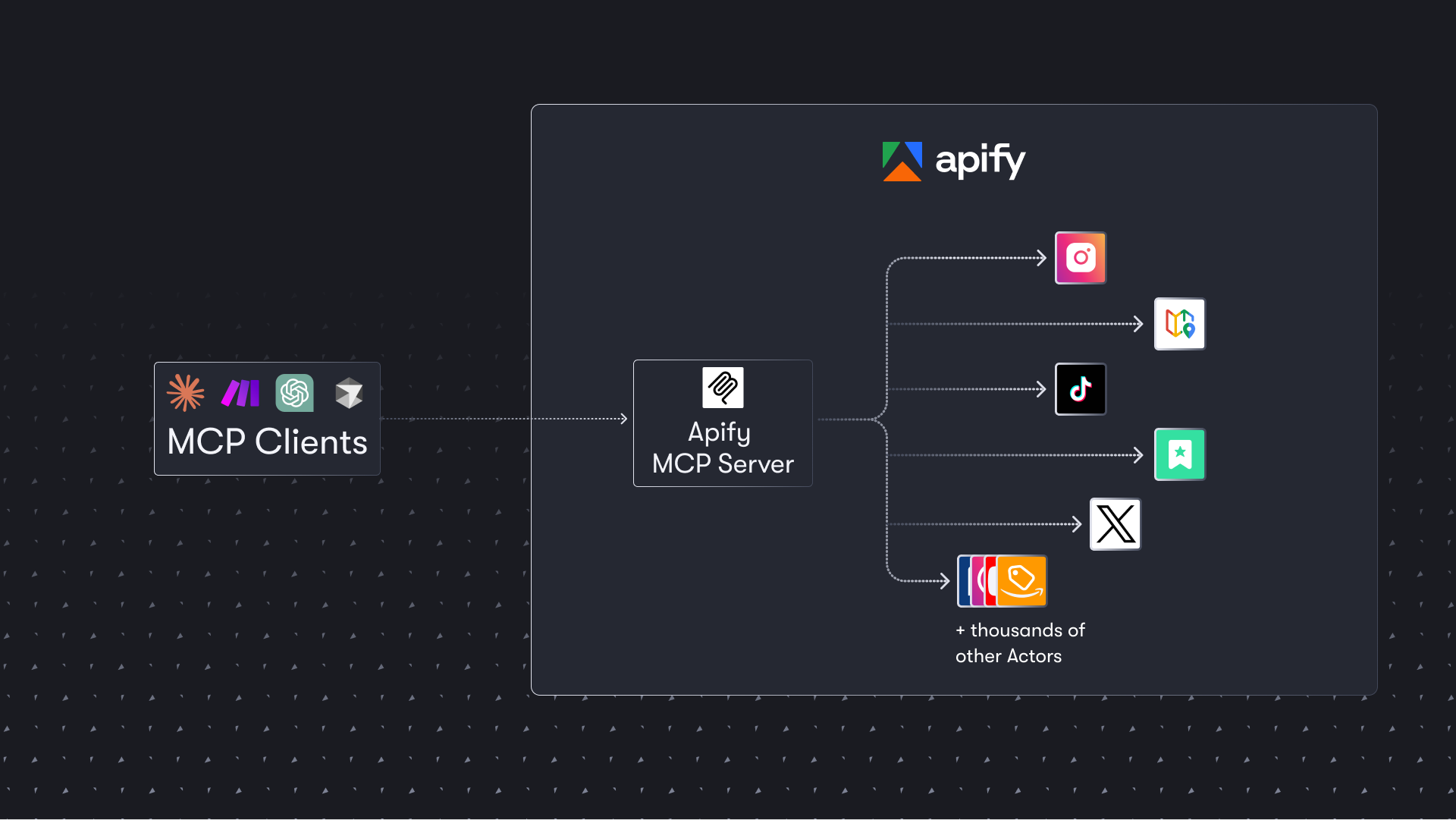
Apify MCP 服务器让 AI 代理使用数千个预构建的爬虫和自动化工具提取网络数据。
概述
Apify MCP 服务器为从网站、社交媒体平台、搜索引擎和电子商务网站提取数据提供了全面的解决方案。它将 AI 代理连接到 Apify 商店中数千个现成的爬虫、爬取和自动化工具。该服务器支持 HTTPS 端点和 stdio 传输方式,通过 OAuth 身份验证可以无缝集成到 Claude.ai 和 VS Code 等客户端。
试试问 AI
装完之后,这里有 5 个你可以让 AI 做的事:
什么时候选它
当您的 AI 代理需要大规模从网站提取结构化数据,并且您倾向于使用现成的爬虫而非构建自定义解决方案时,选择 Apify MCP 服务器。
什么时候不要选它
如果您需要对抓取行为进行精细控制,有严格的数据隐私要求,或者宁愿管理自己的基础设施而非依赖第三方服务,请避免使用。
此 server 暴露的工具
从 README 抽取出 12 个工具call-actorExecute an Apify Actor with specified input parameters
search-actorsSearch for available Actors in the Apify Store
fetch-actor-detailsGet detailed information about a specific Actor
get-actor-runsRetrieve a list of your Actor runs
get-run-detailsGet details about a specific Actor run
get-run-logsRetrieve logs for a specific Actor run
add-actorDynamically add a new Actor as a tool for the current session
search-apify-docsSearch the Apify documentation for specific topics
fetch-apify-docsFetch a specific documentation page from Apify
create-pay-tokenCreate a PAY token for Skyfire payments
apify/rag-web-browserPre-configured Actor for web searching and content extraction
apify/facebook-posts-scraperPre-configured Actor for extracting data from Facebook posts
可对比工具
安装
安装
**HTTPS 端点(推荐)**: 添加到您的 MCP 客户端配置中:
{
  "mcpServers": {
    "apify": {
      "url": "https://mcp.apify.com"
    }
  }
}
**通过 stdio**:
npm install -g @apify/actors-mcp-server**Claude Desktop 配置**:
{
  "mcpServers": {
    "apify": {
      "command": "npx",
      "args": ["@apify/actors-mcp-server"]
    }
  }
}
在 Claude Desktop 中设置 APIFY_TOKEN 环境变量,或在授权头中将其作为 Bearer 令牌包含。
FAQ
- 这个服务器需要 Apify 账户吗?
- 是的,使用大多数功能需要 Apify 账户和 API 令牌,但通过 x402 或 Skyfire 进行的代理支付可以在没有 API 令牌的情况下使用。
- 通过这个服务器可以访问多少个爬虫?
- 该服务器提供对 Apify 商店中数千个预构建的爬虫和自动化工具的访问,涵盖社交媒体、搜索引擎、电子商务和许多其他数据源。
apify-mcp-server 对比
最后更新于 · 由 README + GitHub 公开数据自动生成。