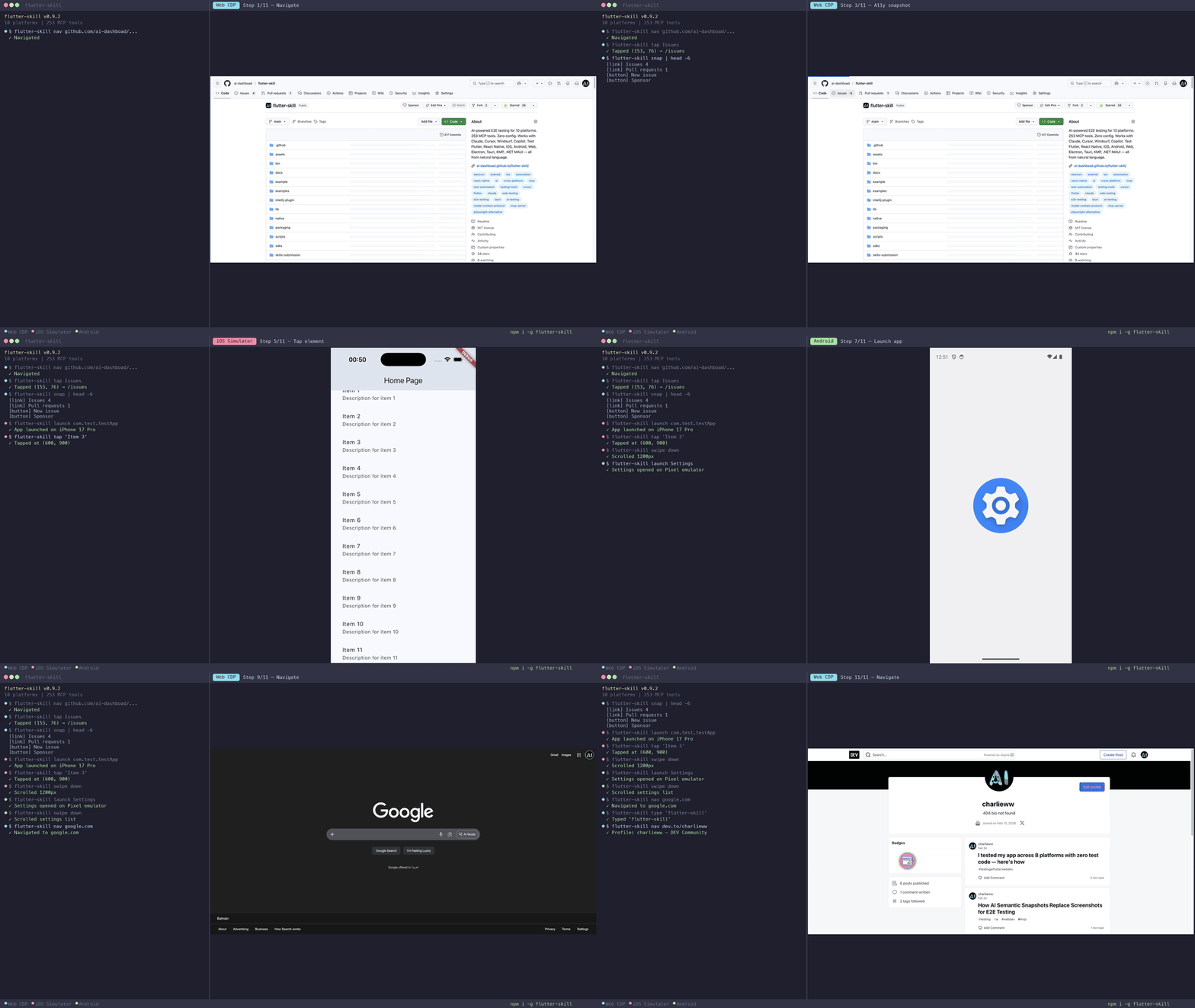
flutter-skill
by ai-dashboad·★ 252·综合分 52
AI 驱动的端到端测试工具,支持 10 个平台,拥有 253 个 MCP 工具,可通过自然语言进行测试而无需编写测试代码。
概述
flutter-skill 通过 MCP 协议将 AI 智能体直接连接到运行中的应用程序,支持 Flutter、React Native、iOS、Android、Web、Electron、Tauri、KMP 和 .NET MAUI 等多个平台上的自动测试。它允许测试人员用简单的英语描述测试场景,无需编写传统测试代码,AI 会将其转化为可执行的操作,如点击按钮、填写表单和导航应用。该工具提供零配置设置,既可以作为 MCP 服务器用于 IDE 集成,也可以作为 HTTP 服务器用于自动化脚本。
试试问 AI
装完之后,这里有 5 个你可以让 AI 做的事:
什么时候选它
当您需要AI驱动的、无需编写测试代码或维护选择器的跨平台端到端测试时,特别是对于Flutter或React Native应用程序,选择flutter-skill。
什么时候不要选它
如果您需要对测试自动化进行精细控制,需要Jest/Cypress等传统测试框架,或需要测试无法修改以包含flutter-skill SDK的应用程序,请不要选择flutter-skill。
此 server 暴露的工具
从 README 抽取出 12 个工具screenshotCapture the screen as an image
tapTap on an element by text, reference, or coordinates
enter_textEnter text into an input field
find_elementFind an element matching a selector
scrollScroll the screen in a direction
page_summaryGet a semantic summary of the current page
explore_actionsPerform multiple actions in a single call
smart_tapTap an element with AI-based understanding
assert_textCheck if specific text is present on the screen
launch_appLaunch the target application
hot_reloadHot reload the application for Flutter apps
snapshotGet a structured accessibility tree of the current screen
可对比工具
安装
安装
- **安装 flutter-skill CLI:**
npm install -g flutter-skill- **添加到 AI 工具的 MCP 配置(以 Claude Desktop 为例):**
{
  "mcpServers": {
    "flutter-skill": {
      "command": "flutter-skill",
      "args": ["server"]
    }
  }
}- **添加到您的 Flutter 应用**(2 行代码):
import 'package:flutter_skill/flutter_skill.dart';

void main() {
  if (kDebugMode) FlutterSkillBinding.ensureInitialized();
  runApp(MyApp());
}
FAQ
- flutter-skill 支持哪些平台?
- flutter-skill 支持 10 个平台:Flutter(iOS/Android/Web)、React Native、Electron、Tauri、Android(Kotlin)、KMP 桌面版、.NET MAUI、iOS(Swift/UIKit)和 Web 应用。
- 这与传统的端到端测试工具有何不同?
- 与 Playwright 或 Appium 等工具不同,flutter-skill 使用能够理解普通英语测试描述的 AI 智能体,无需编写测试代码、选择器或 Page Objects。它还提供比最近竞争对手多 7 倍的 MCP 工具。
Hacker News 讨论
开发者社区最近的相关讨论。
- 帖子 by charlie-w · 2026-02-23
- 帖子 by charlie-w · 2026-02-14
flutter-skill 对比
最后更新于 · 由 README + GitHub 公开数据自动生成。