bitcoin-mcp
by AbdelStark·★ 74·综合分 43
一个MCP服务器,让AI模型通过多种工具与比特币和闪电网络进行交互。
概述
bitcoin-mcp服务器提供了一套全面的工具,使AI模型能够与比特币生态系统交互。它支持密钥生成、地址验证、交易解码、区块链查询以及闪电网络操作(如发票解析)。该服务器得到积极维护,有定期更新,并包含与Claude Desktop和Goose等流行AI客户端集成的详细文档。
试试问 AI
装完之后,这里有 5 个你可以让 AI 做的事:
什么时候选它
当需要 AI 代理与比特币和闪电网络交互但又不想运行完整节点时,选择此 MCP 服务器。
什么时候不要选它
如果您需要企业级区块链集成、高级交易功能或支持除比特币以外的加密货币,请不要选择它。
此 server 暴露的工具
从 README 抽取出 7 个工具generate_key_pairGenerate a new Bitcoin key pair including address, public key, and private key (WIF).
validate_addressValidate the correctness of a Bitcoin address.
decode_transactionParse a raw Bitcoin transaction and display its details in a human-readable format.
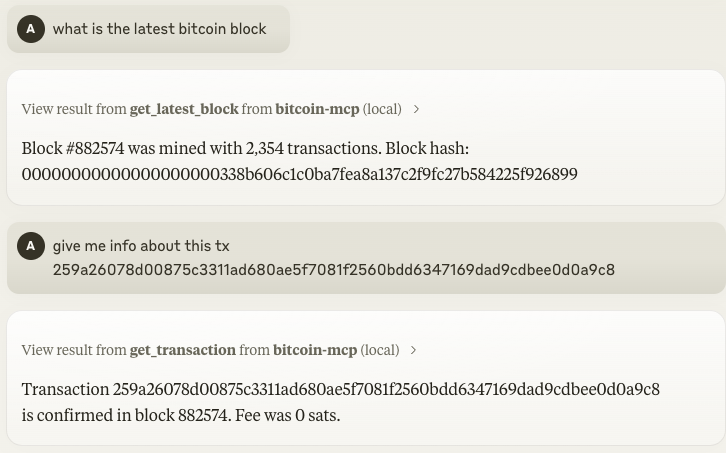
get_latest_blockRetrieve details about the most recent block (hash, height, timestamp, transaction count, etc.).
get_transaction_detailsFetch detailed information about a transaction using its TXID.
decode_invoiceParse a BOLT11 Lightning invoice and display human-readable information.
pay_lightning_invoicePay a Lightning invoice directly from your LNBits wallet.
可对比工具
安装
安装
Claude Desktop集成
将以下内容添加到您的Claude Desktop配置文件(claude_desktop_config.json)中:
{
  "mcpServers": {
    "bitcoin-mcp": {
      "command": "npx",
      "args": ["-y", "bitcoin-mcp@latest"]
    }
  }
}
Goose集成
对于Goose CLI:
goose configure
# 添加命令行扩展:
# 名称:bitcoin
# 命令:npx -y bitcoin-mcp@latest
NPM安装
npm install -g bitcoin-mcp更多详情请参见[文档](https://abdelstark.github.io/bitcoin-mcp/)。
FAQ
- 这个MCP服务器支持哪些比特币操作?
- 该服务器支持密钥生成、地址验证、交易解码、区块链查询(最新区块、交易详情)以及闪电网络操作,包括发票解析和通过LNBits进行支付。
- 除了Claude Desktop和Goose,我能否在其他AI客户端上使用这个MCP服务器?
- 是的,该服务器与任何符合MCP标准的客户端兼容。它提供了与Claude Desktop和Goose集成的文档,但底层的MCP协议使其也能与其他兼容客户端协作。
bitcoin-mcp 对比
最后更新于 · 由 README + GitHub 公开数据自动生成。