mmx-mcp-server
by zth0828·★ 31·Score 44
MCP server providing MiniMax's multi-modal capabilities including text, search, image processing, voice synthesis and more.
Overview
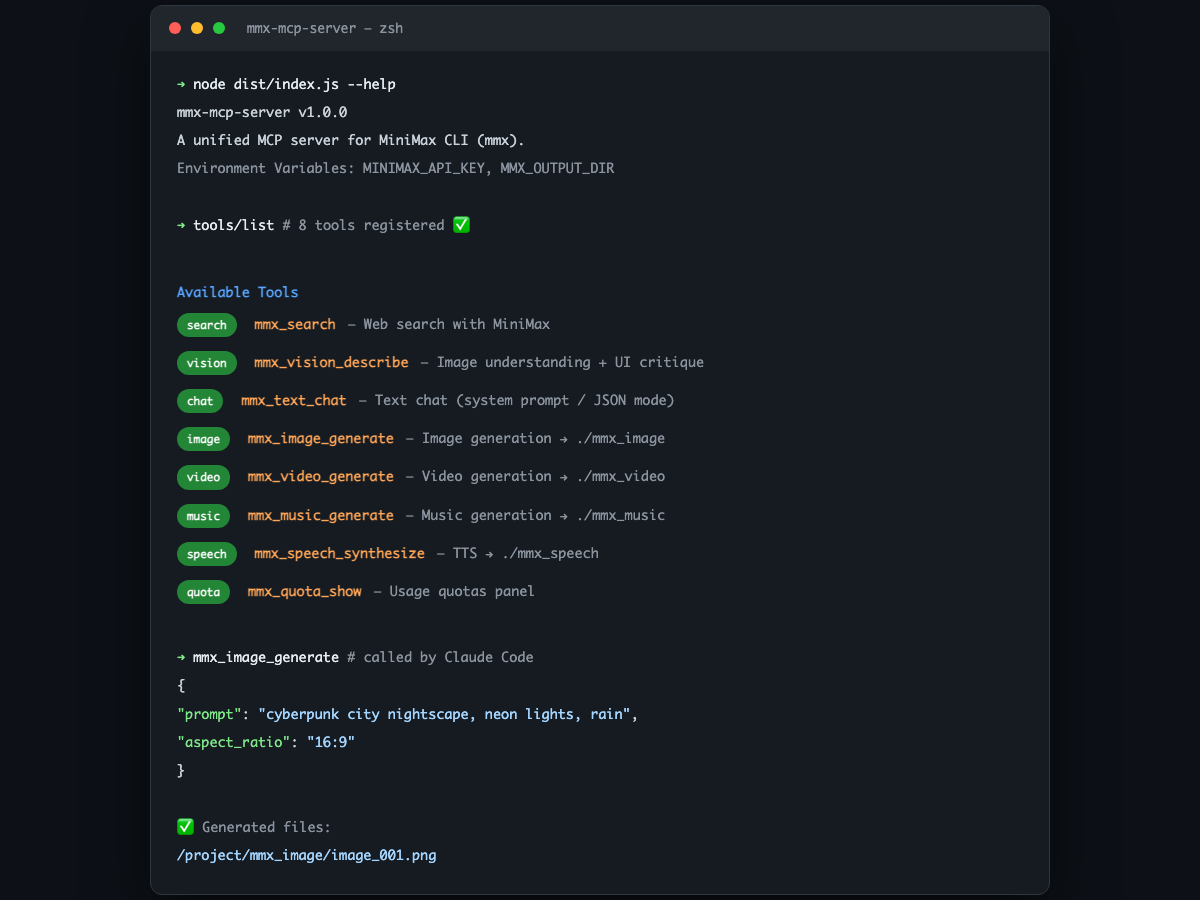
mmx-mcp-server is a unified Model Context Protocol server that wraps MiniMax's comprehensive AI capabilities into MCP tools. It supports text generation, web search, image understanding, image generation, speech synthesis, video creation, music generation, and quota checking. The server provides a clean interface to access MiniMax's API through MCP, with clear configuration options for API keys and output directories.
Try asking AI
After installing, here are 5 things you can ask your AI assistant:
When to choose this
Choose this MCP server if you need to integrate MiniMax's multi-modal AI capabilities (text, images, audio, video) into your MCP-enabled AI workflows, especially if you're already using MiniMax's services.
When NOT to choose this
Avoid this if you need access to MiniMax models outside of MCP, require features not available in mmx CLI, or need to minimize vendor lock-in to MiniMax's ecosystem.
Tools this server exposes
8 tools extracted from the READMEmmx_search网页搜索
mmx_vision_describe图像理解(支持自定义分析指令,如 UI critique)
mmx_text_chat文本对话(支持 system prompt、JSON 模式)
mmx_image_generate图像生成(支持 out 指定路径)
mmx_speech_synthesize语音合成 TTS(支持 out 指定路径)
mmx_video_generate视频生成(支持 out 指定路径)
mmx_music_generate音乐生成(支持 out 指定路径)
mmx_quota_show查看配额
Comparable tools
Installation
npm install -g mmx-cli
git clone https://github.com/zth0828/mmx-mcp-server.git
cd mmx-mcp-server
npm install
npm run build
Add to your Claude Desktop settings.json:
{
  "mcpServers": {
    "mmx": {
      "command": "node",
      "args": ["/path/to/mmx-mcp-server/dist/index.js"],
      "env": {
        "MINIMAX_API_KEY": "sk-xxxxx"
      }
    }
  }
}
FAQ
- How do I configure the API key?
- You can set the MINIMAX_API_KEY environment variable in your MCP server configuration, pass it as a command line argument, or authenticate through the mmx CLI with 'mmx auth login --api-key'.
- Where are generated files saved?
- By default, files are saved in subdirectories of the current working directory (mmx_image, mmx_video, etc.). You can customize this with the MMX_OUTPUT_DIR environment variable.
Compare mmx-mcp-server with
Last updated · Auto-generated from public README + GitHub signals.