pfc-mcp
by yusong652·★ 37·Score 44
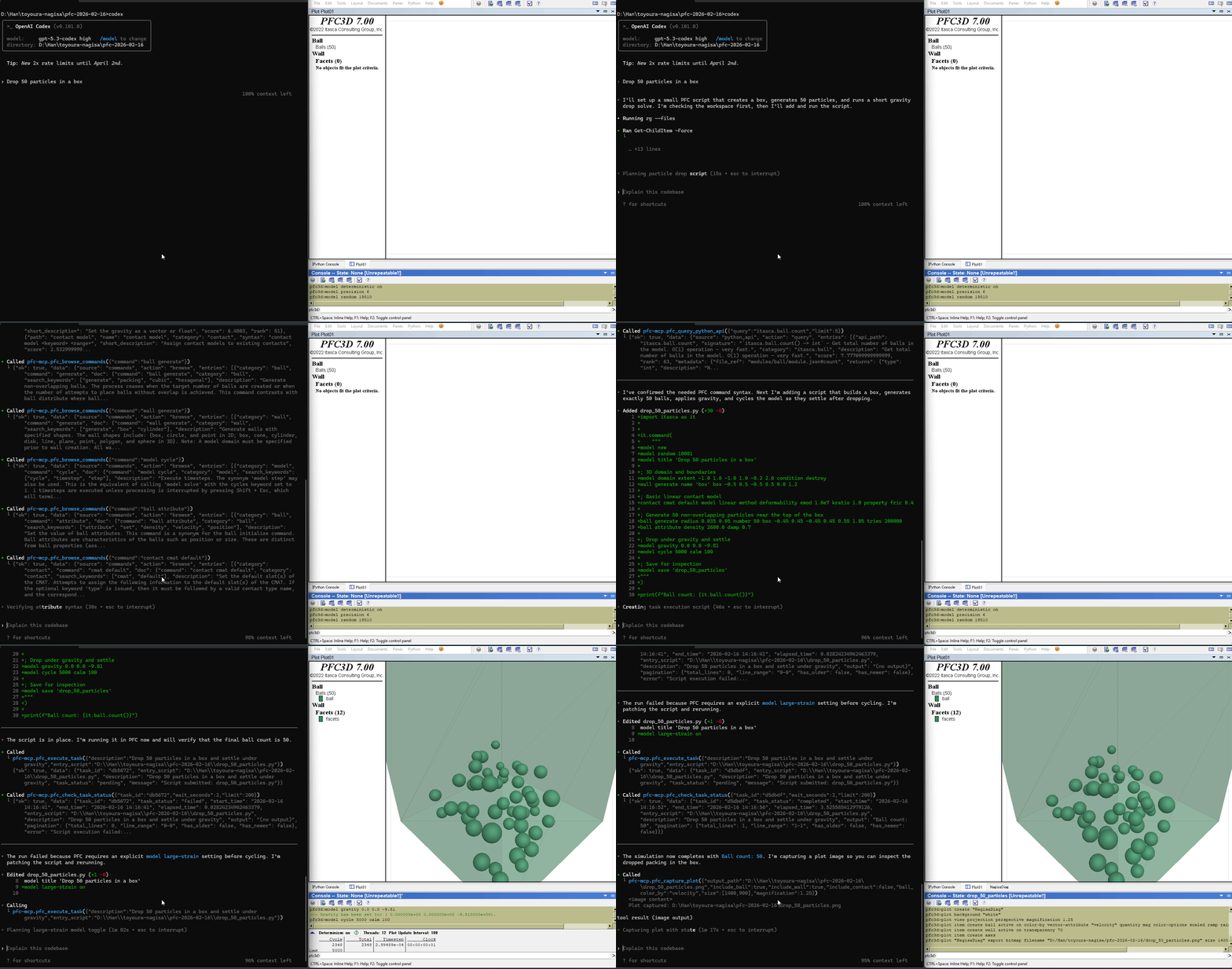
MCP server connecting AI agents to ITASCA PFC for running DEM simulations through natural conversation.
Overview
pfc-mcp is a specialized MCP server that bridges AI agents with ITASCA's Particle Flow Code (PFC), a discrete element method simulation software. It provides both documentation tools for browsing PFC commands and execution tools for running simulations directly through natural language. The server supports multiple PFC versions and offers features like interactive REPL, task management, and progress monitoring.
Try asking AI
After installing, here are 5 things you can ask your AI assistant:
When to choose this
Choose pfc-mcp when working with ITASCA PFC simulations and want to leverage AI agents for documentation browsing, code execution, and simulation management through natural conversation.
When NOT to choose this
Not suitable if you don't have access to ITASCA PFC software, or need a solution for non-PFC DEM simulation tools.
Tools this server exposes
7 tools extracted from the READMEbrowse_pfc_docsBrowse PFC documentation and command references
search_pfc_docsSearch for specific PFC commands or topics
pfc_execute_codeExecute code directly in PFC interactive REPL
pfc_submit_taskSubmit a long-running simulation task to PFC
pfc_monitor_taskMonitor the progress of a submitted PFC task
pfc_interrupt_taskInterrupt a running PFC simulation task
pfc_task_historyView history of previously executed PFC tasks
Comparable tools
Installation
Prerequisites
- ITASCA PFC 6.0, 7.0, or 9.0 installed
- [uv](https://docs.astral.sh/uv/getting-started/installation/) installed
Setup
- Register the MCP server in your client config:
{
  "mcpServers": {
    "pfc-mcp": {
      "command": "uvx",
      "args": ["pfc-mcp"]
    }
  }
}- Start the bridge from inside PFC by downloading and running [addon.py](addon.py)
FAQ
- What PFC versions are supported?
- PFC 6.0, 7.0, and 9.0 are supported through the version parameter.
- Does it work with MCP clients?
- Yes, it's compatible with Claude Code, Codex CLI, Gemini CLI, GitHub Copilot CLI, and other MCP clients.
Compare pfc-mcp with
Last updated · Auto-generated from public README + GitHub signals.