time-mcp
by yokingma·★ 66·Score 45
Time MCP server providing time awareness tools to LLMs with timezone conversion, current time, and date calculations.
Overview
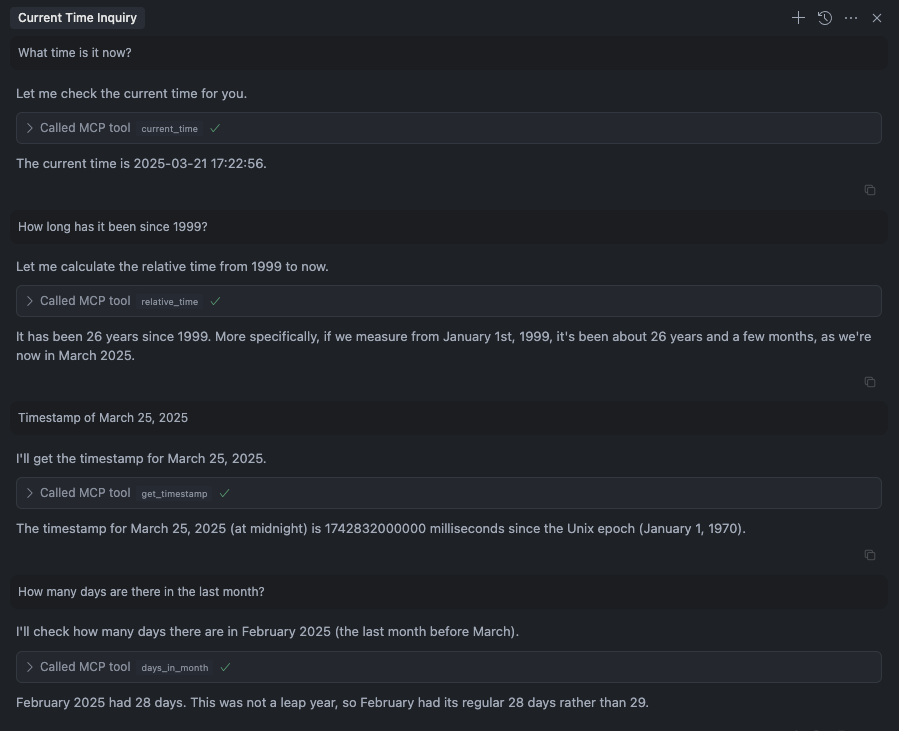
Time MCP Server is a JavaScript implementation that extends LLM capabilities with time awareness functionality. The server provides multiple tools including current time display (UTC and local), relative time calculations, timestamp generation, days in month queries, timezone conversions, and week/year information. This implementation supports multiple LLM clients including Claude Desktop, Claude Code, Cursor, and Windsurf, making it highly versatile for different AI development environments.
Try asking AI
After installing, here are 5 things you can ask your AI assistant:
When to choose this
Choose this server when your application needs precise time calculations and timezone conversions, especially when working with scheduling applications or systems that operate across multiple time zones.
When NOT to choose this
Don't choose this if you need historical time data, calendar management features, or complex date arithmetic beyond what's listed in the tools.
Tools this server exposes
6 tools extracted from the READMEcurrent_timeGet current time (UTC and local time)
relative_timeGet relative time
get_timestampGet timestamp for the time
days_in_monthGet days in month
convert_timeConvert time between timezones
get_week_yearGet week and isoWeek of the year
Comparable tools
Installation
Installation
Smithery (Recommended)
npx -y @smithery/cli install @yokingma/time-mcp --client claudeManual Installation
npm install -g time-mcpClaude Desktop
Add to your Claude Desktop configuration:
{
  "mcpServers": {
    "time-mcp": {
      "command": "npx",
      "args": ["-y", "time-mcp"]
    }
  }
}
Cursor
Add to your mcp.json file:
{
  "mcpServers": {
    "time-mcp": {
      "command": "npx",
      "args": ["-y", "time-mcp"]
    }
  }
}
FAQ
- What time zones does the time-mcp server support?
- The server supports timezone conversion between any time zones through the 'convert_time' tool, using the system's available timezone data.
- How frequently is the time data updated?
- The time data is retrieved in real-time each time a tool is called, ensuring accurate and current time information.
Compare time-mcp with
Last updated · Auto-generated from public README + GitHub signals.