ableton-copilot-mcp
by xiaolaa2·★ 78·Score 46
MCP server for AI assistants to control Ableton Live with song management, track control, MIDI editing, and audio recording capabilities.
Overview
This MCP server provides real-time interaction with Ableton Live through the ableton-js library. It offers comprehensive control over Arrangement View operations including song information retrieval, track management, MIDI clip editing, audio recording, and device parameter adjustment. The server maintains operation history and supports rollback functionality for note operations, making it a practical tool for music producers looking to automate tedious production tasks.
Try asking AI
After installing, here are 5 things you can ask your AI assistant:
When to choose this
Music producers who want to automate repetitive tasks in Ableton Live and integrate AI assistants into their workflow for MIDI editing, track management, and device parameter control.
When NOT to choose this
Users needing write access to Ableton Live features beyond what the ableton-js library supports, or those requiring multi-version compatibility across different Ableton releases.
Tools this server exposes
12 tools extracted from the READMEget_song_infoGet basic song information like root note, scale name, tempo, and song length.
get_all_tracksRetrieve a list of all tracks in the current Ableton Live project.
create_midi_trackCreate a new MIDI track in the Ableton Live project.
get_track_clipsGet all clips in a specified track.
create_midi_clipCreate an empty MIDI clip in a specified track.
manage_notes_in_clipAdd, delete, or replace notes in a MIDI clip.
set_track_propertiesModify track properties such as mute, color, name, arm, and solo.
duplicate_midi_clipDuplicate a MIDI clip to a specified track.
record_track_contentRecord track content within a specified time range.
load_deviceLoad audio effects, instruments, or plugins onto a track.
modify_device_parametersAdjust parameters of loaded devices or effects.
rollback_note_operationsUndo or restore previous note operations in a clip.
Comparable tools
Installation
Installation
Prerequisites
- Node.js v20+
- Ableton Live
Steps
- **Install AbletonJS MIDI Remote Scripts** (one of these methods):
``bash npx @xiaolaa2/ableton-copilot-mcp --install-scripts # OR npx @xiaolaa2/ableton-copilot-mcp -is ``
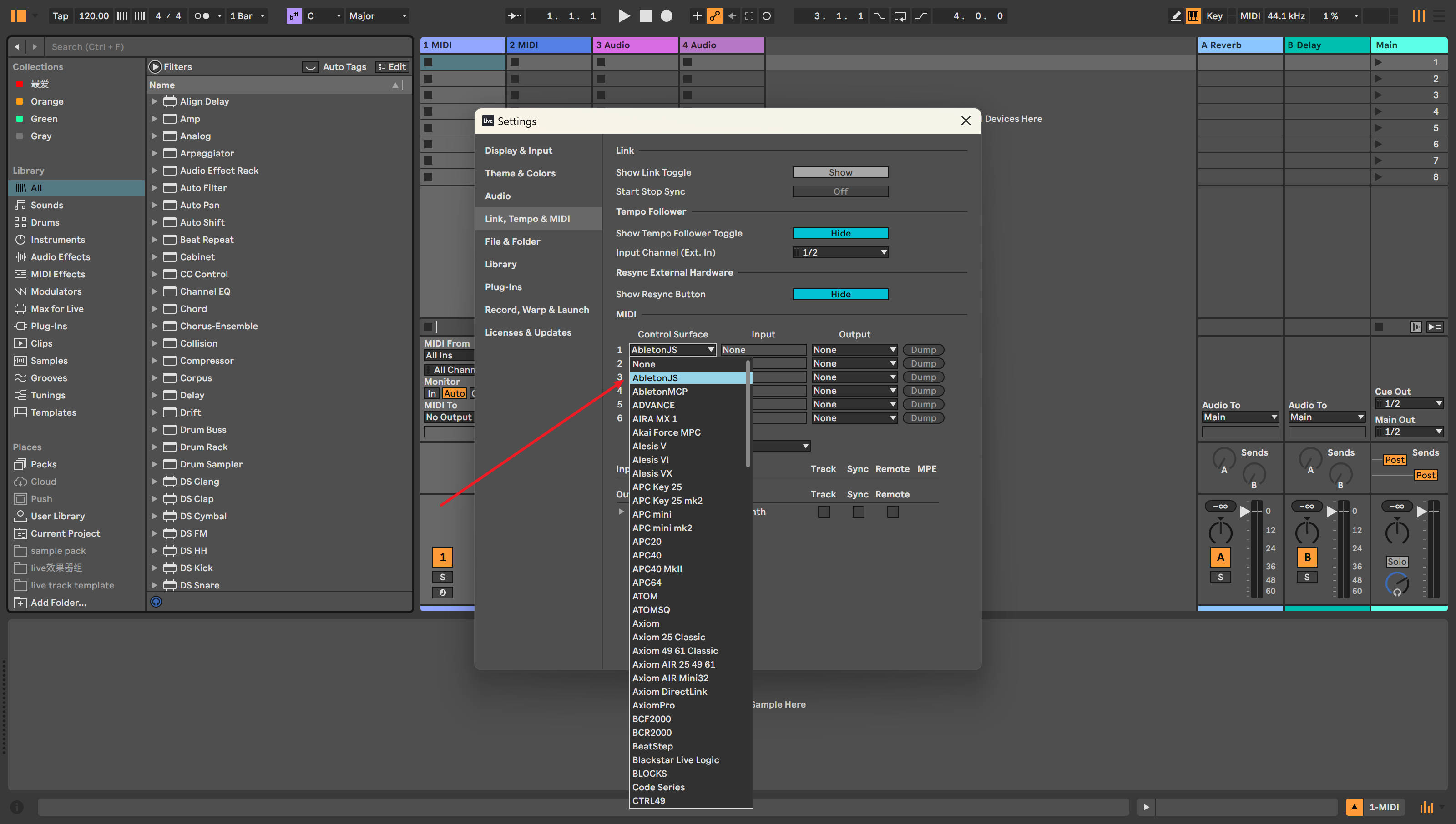
- **Enable AbletonJS Control Surface** in Ableton Live:
- Open Preferences → Link/MIDI - Select "AbletonJS" from Control Surface dropdown
- **Configure your MCP client** (example for Claude Desktop):
``json { "mcpServers": { "ableton-js-mcp": { "command": "npx", "args": ["-y", "@xiaolaa2/ableton-copilot-mcp"] } } } ``
FAQ
- Which versions of Ableton Live are supported?
- Version 12.1.10 has been tested and confirmed working. Versions 11.x and 10.x have not been tested yet.
- Can I undo MIDI operations made by AI?
- The server supports operation rollback for note operations. You can ask the AI to help roll back note operations, but note that direct manipulation of MIDI clips may result in loss of original notes that cannot be undone with Ctrl+Z.
Compare ableton-copilot-mcp with
Last updated · Auto-generated from public README + GitHub signals.