sysplant
by x42en·★ 130·Score 48
SysPlant is a syscall hooking factory that provides multiple syscall retrieval methods with MCP server integration for AI coding assistants.
Overview
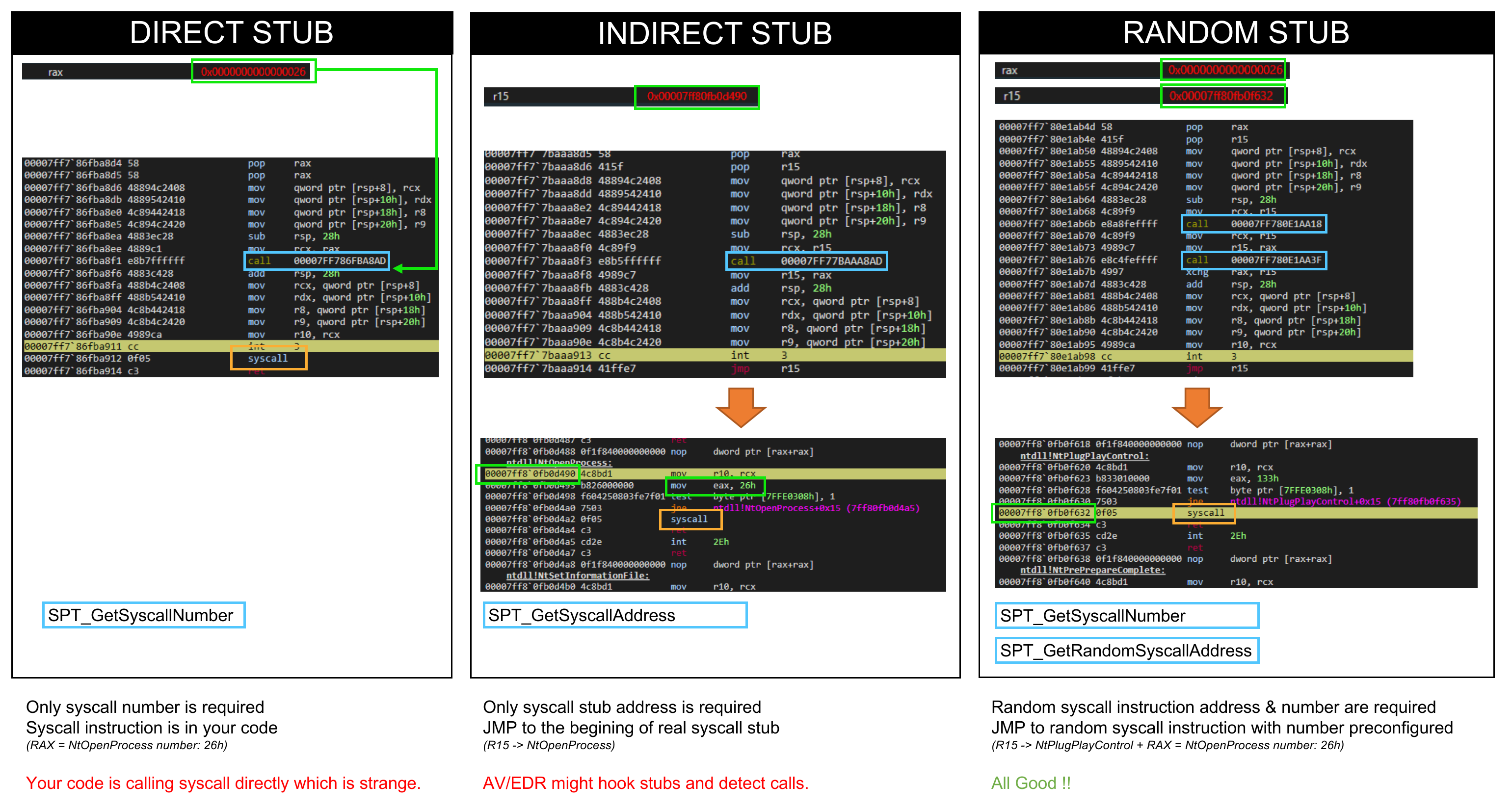
SysPlant is a Python tool for generating syscall hooking methods with multiple gates including Hell's Gate, Halo's Gate, Tartarus' Gate, FreshyCalls, SysWhispers2/3, and Canterlot's Gate. The project exposes an MCP server allowing AI coding assistants like Claude Code, Cursor, and Windsurf to generate syscall code directly from their chat interfaces. It supports multiple programming languages including NIM, C, C++, and Rust, with options for different syscall invocation methods like direct, indirect, random, and egg hunter.
Try asking AI
After installing, here are 3 things you can ask your AI assistant:
When to choose this
Choose SysPlant when you need to generate Windows syscall code with stealth capabilities for security research or penetration testing, and want to leverage MCP integration for direct generation within AI coding assistants.
When NOT to choose this
Don't use SysPlant for non-Windows systems, if you need support for languages other than NIM/C/C++/Rust, or if you're looking for a stable production tool with official support (it's research-focused with educational purposes only).
Tools this server exposes
5 tools extracted from the READMEgenerate_syscallgenerate_syscall(iterator, language, architecture, method, functions, scramble, output)Generate syscall code for a specific iterator, language, architecture, and method
list_iteratorsList all available syscall iterators (gates) supported by SysPlant
list_methodsList all available syscall calling methods supported by SysPlant
list_functionsList all available Windows syscall functions that can be generated
list_languagesList all programming languages for which SysPlant can generate syscall code
Note: Tool names inferred from CLI usage patterns and MCP server documentation. SysPlant primarily acts as a syscall code generator with various configuration options, but the exact MCP tool names aren't explicitly defined in the provided README.
Comparable tools
Installation
# Install SysPlant
pip install sysplant

# Run the MCP server
python bridge_mcp_sysplant.py

# For web-based clients (SSE or Streamable HTTP)
python bridge_mcp_sysplant.py --transport sse --port 9090
For Claude Desktop, add this to your claude_desktop_config.json:
{
  "mcpServers": {
    "sysplant": {
      "command": "python",
      "args": ["/path/to/bridge_mcp_sysplant.py"]
    }
  }
}
Compare sysplant with
Last updated · Auto-generated from public README + GitHub signals.