open-computer-use
by Wide-Moat·★ 74·Score 49
MCP server providing Docker workspaces with browser, terminal, code execution and document skills for any LLM.
Overview
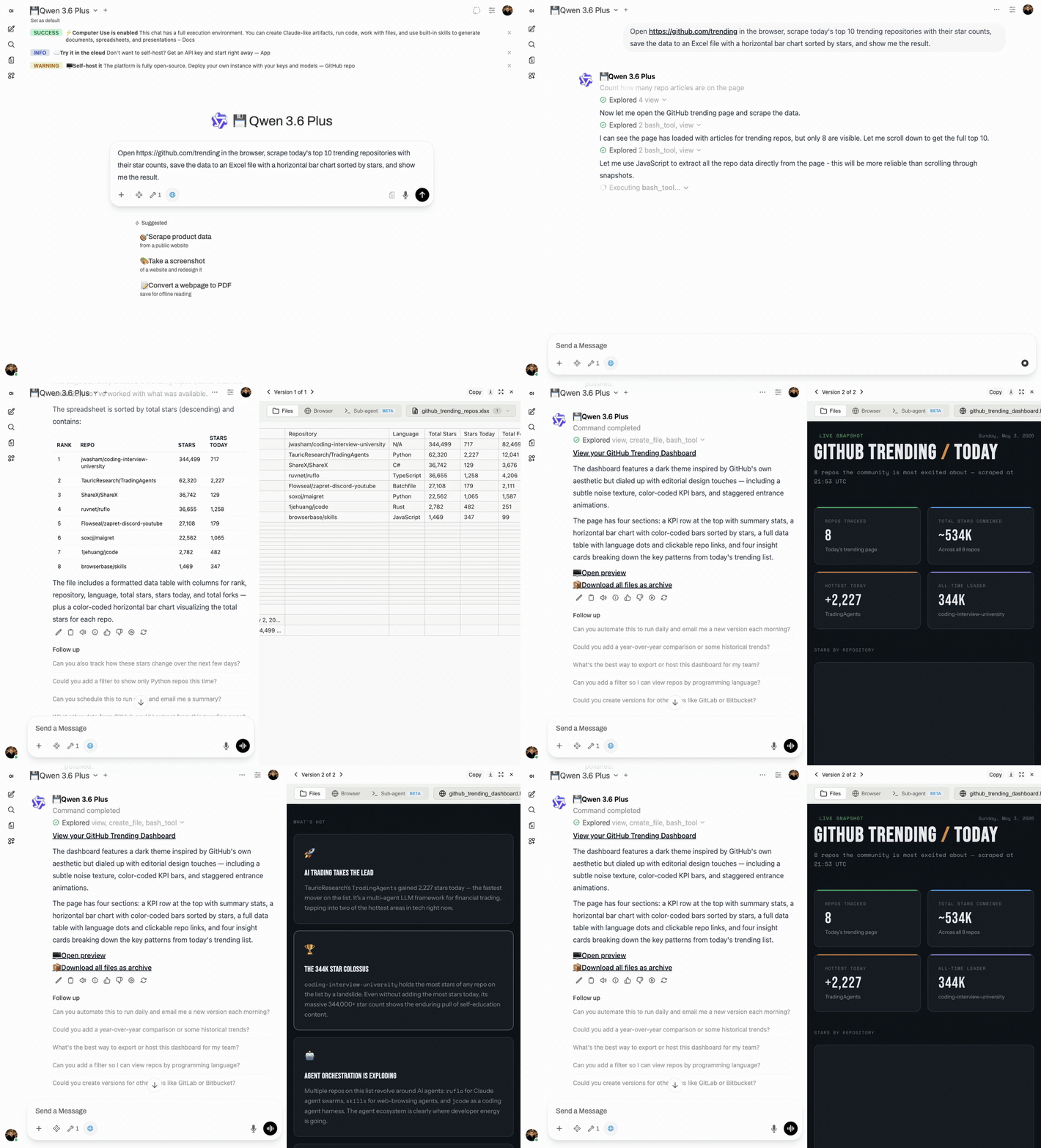
Open Computer Use is a comprehensive MCP server that gives LLMs access to a fully-equipped Ubuntu sandbox environment running in isolated Docker containers. It enables AI agents to execute code, create documents, browse the web with real-time streaming, and run autonomous sub-agents through Claude Code. The solution is designed for production multi-user deployments with proper container isolation between chat sessions. It integrates seamlessly with any MCP-compatible client including Open WebUI, Claude Desktop, LiteLLM, and n8n.
Try asking AI
After installing, here are 6 things you can ask your AI assistant:
When to choose this
Choose this when you need a self-hosted, production-ready computer environment for any LLM with strong isolation, multi-user support, and rich document creation capabilities.
When NOT to choose this
Avoid if you need simpler solutions, minimal resource usage, or are not comfortable with Docker-based architectures and complex setup processes.
Tools this server exposes
12 tools extracted from the READMEexecute_commandExecute commands in the sandbox terminal
create_documentCreate documents using various document skills
create_spreadsheetCreate Excel spreadsheets with formulas
create_pdfCreate, fill forms, extract, or merge PDFs
playwright_cliBrowser automation and web scraping using Playwright
describe_imageAnalyze images using vision API
frontend_designBuild production-grade user interfaces
webapp_testingTest web applications with Playwright
sub_agentDelegate complex tasks to Claude Code sub-agent
skill_creatorCreate custom skills for repetitive tasks
gitlab_explorerExplore GitLab repositories
build_chartCreate data visualizations from datasets
Comparable tools
Installation
Installation
git clone https://github.com/Wide-Moat/open-computer-use.git
cd open-computer-use
cp .env.example .env
# Edit .env — set OPENAI_API_KEY (or any OpenAI-compatible provider)

# 1. Start Computer Use Server (builds workspace image on first run, ~15 min)
docker compose up --build

# 2. Start Open WebUI (in another terminal)
docker compose -f docker-compose.webui.yml up --build
For MCP client integration, connect to http://localhost:8081/mcp for self-hosted or https://api.yambr.com/mcp/computer_use with API key for hosted version.
FAQ
- Which LLM providers are supported?
- Any OpenAI-compatible provider including OpenAI, Anthropic, OpenRouter, qwen, DeepSeek, and 75+ others.
- How is user data isolated between sessions?
- Each chat session runs in its own isolated Docker container with no data leakage between users.
- Can I customize the tools available in the sandbox?
- Yes, you can customize the Docker image or create custom skills using the built-in skill creator.
Compare open-computer-use with
Last updated · Auto-generated from public README + GitHub signals.