cloudsword
by wgpsec·★ 604·Score 49
CloudSword is a Chinese cloud security tool that provides MCP protocol support since v0.0.2.
Overview
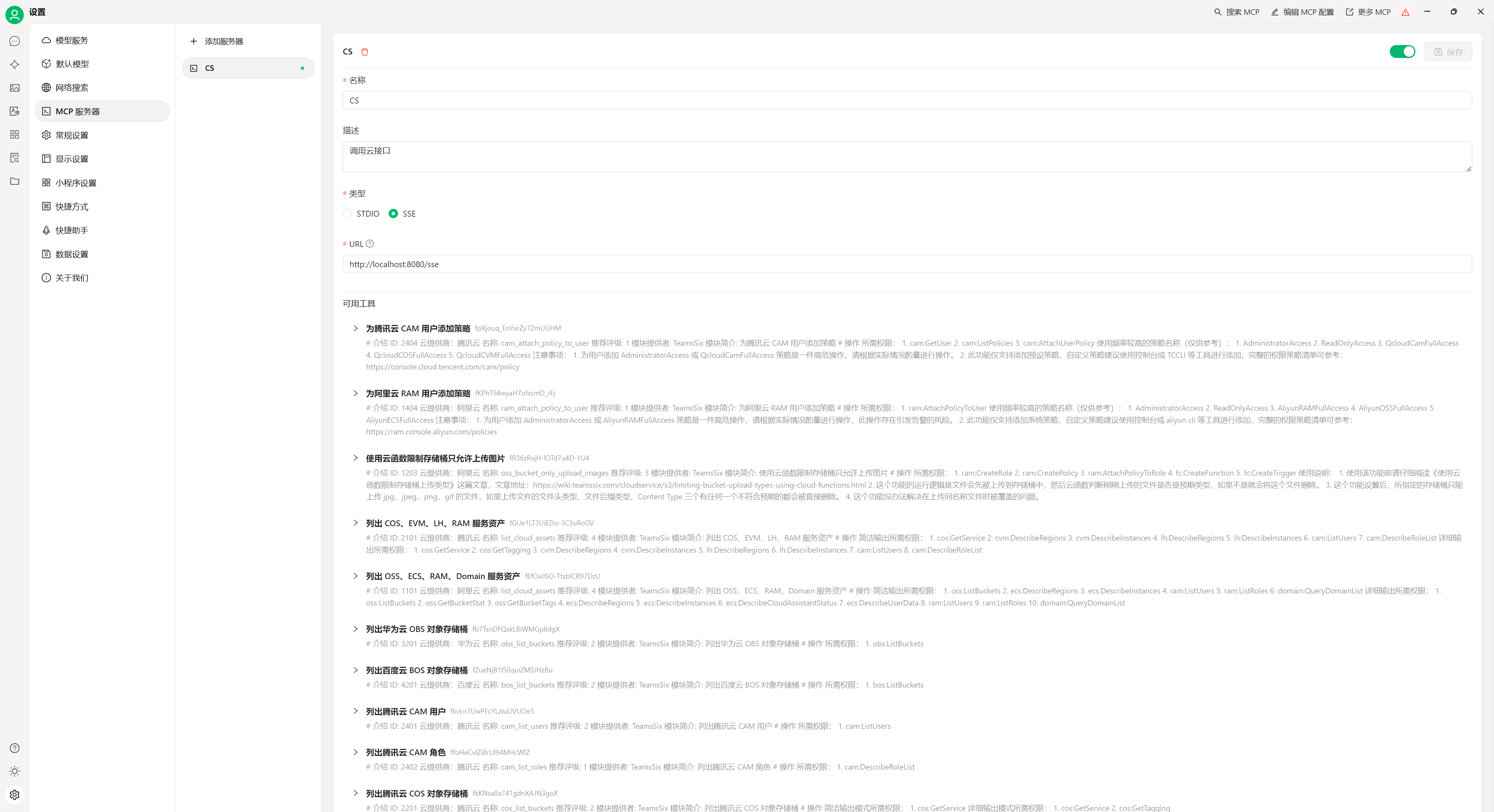
CloudSword (云鉴) is a comprehensive open-source security tool designed for cloud tenants to discover and test risks in cloud environments. It supports multiple Chinese cloud providers including Alibaba Cloud, Tencent Cloud, Huawei Cloud, Baidu Cloud, and Qiniu Cloud. The tool offers modules for scanning cloud assets, storage buckets, compute instances, identity management, and more. Since version 0.0.2, it has supported MCP protocol through both SSE and STDIO methods, making it accessible to MCP-enabled clients.
Try asking AI
After installing, here are 5 things you can ask your AI assistant:
When to choose this
Choose CloudSword when you need a comprehensive cloud security assessment tool with MCP integration across multiple Chinese cloud providers.
When NOT to choose this
Avoid if you primarily work with non-Chinese cloud providers or need more specialized compliance frameworks not covered by this tool.
Tools this server exposes
12 tools extracted from the READMElist_cloud_assetsList cloud assets from multiple cloud providers
oss_list_bucketsList Alibaba Cloud OSS storage buckets
oss_search_objectsSearch Alibaba Cloud OSS objects
ecs_list_instancesList Alibaba Cloud ECS instances
ram_list_usersList Alibaba Cloud RAM users
ram_list_rolesList Alibaba Cloud RAM roles
ram_create_userCreate an Alibaba Cloud RAM user
ram_attach_policy_to_userAttach a policy to an Alibaba Cloud RAM user
cos_list_bucketsList Tencent Cloud COS storage buckets
cvm_list_instancesList Tencent Cloud CVM instances
cam_list_usersList Tencent Cloud CAM users
create_honey_tokenCreate a honey token in Tencent Cloud
Comparable tools
Installation
Installation
Homebrew
brew tap wgpsec/tap
brew install wgpsec/tap/cloudsword
Binary Download
Download from: https://github.com/wgpsec/cloudsword/releases
MCP Setup
- Start CloudSword in SSE mode:
./cloudsword sse http://localhost:8080- In Claude Desktop, add the following to your config.json:
{
  "mcpServers": {
    "cloudsword": {
      "command": "http",
      "args": ["localhost", 8080]
    }
  }
}
FAQ
- What MCP modes does CloudSword support?
- CloudSword supports both SSE (Server-Sent Events) and STDIO modes for MCP protocol communication since v0.0.2.
- Which cloud providers are supported?
- Currently supports Alibaba Cloud, Tencent Cloud, Huawei Cloud, Baidu Cloud, and Qiniu Cloud with modules for various services like storage, compute, and identity management.
Compare cloudsword with
Last updated · Auto-generated from public README + GitHub signals.