gsd-task-manager
by vscarpenter·★ 18·Score 43
A privacy-first Eisenhower Matrix task manager with MCP server integration for AI-powered task management.
Overview
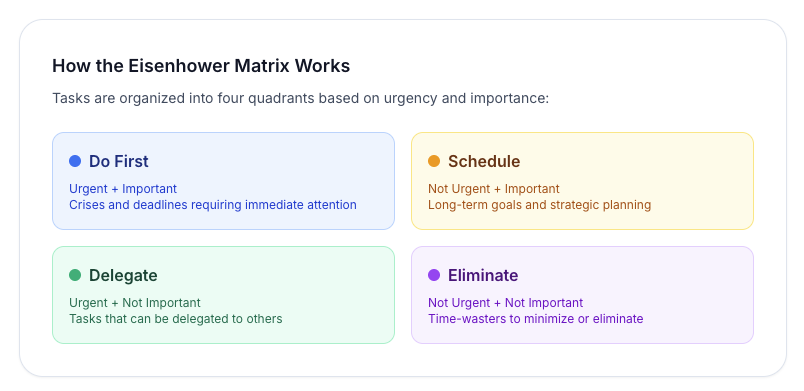
GSD Task Manager is a privacy-first task manager based on the Eisenhower Matrix that organizes tasks by urgency and importance. It's a completely offline application that stores data locally in IndexedDB, with optional cloud sync capabilities. The MCP server integration enables AI-powered task management through Claude Desktop, allowing users to leverage AI for task prioritization, organization, and insights. The application features a clean, intuitive interface with drag-and-drop functionality, keyboard shortcuts, batch operations, and detailed analytics to track productivity patterns.
Try asking AI
After installing, here are 5 things you can ask your AI assistant:
When to choose this
Choose GSD if you're looking for a privacy-first task manager that implements the Eisenhower Matrix methodology and want AI assistance through MCP integration.
When NOT to choose this
Don't choose GSD if you need advanced team collaboration features, as it's primarily designed for individual productivity with limited multi-user support.
Tools this server exposes
12 tools extracted from the READMEquery_tasksSearch and retrieve tasks based on various criteria
create_taskCreate a new task with title, description, and priority
update_taskModify an existing task's properties
delete_taskRemove a task from the system
move_task_quadrantChange a task's urgency and importance priority
add_dependencySet up a blocking relationship between tasks
export_tasksExport tasks as a JSON file for backup
import_tasksImport tasks from a JSON backup file
create_tagCreate a new tag for categorizing tasks
add_subtaskAdd a subtask to an existing task
set_notificationConfigure reminder notifications for a task
create_recurring_taskCreate a task that will automatically recreate on completion
Comparable tools
Installation
Installation
Via npm
npm install gsd-mcp-serverClaude Desktop Configuration
Add to Claude Desktop's claude_desktop_config.json:
{
  "mcpServers": {
    "gsd": {
      "command": "npx",
      "args": ["gsd-mcp-server"]
    }
  }
}
FAQ
- Is GSD completely private?
- Yes, by default GSD stores all data locally in your browser's IndexedDB. Optional cloud sync is available through a self-hosted PocketBase instance at your own expense.
- What does the MCP server integration provide?
- The MCP server enables AI-powered task management through Claude Desktop, allowing users to leverage AI for task prioritization, organization, and insights directly within the chat interface.
On Hacker News
Recent discussion from the developer community.
- Story by vscarpenter · 2026-10-11
Compare gsd-task-manager with
Last updated · Auto-generated from public README + GitHub signals.