django-ai-boost
by vintasoftware·★ 88·Score 48
Django AI Boost is a production-ready MCP server for Django application introspection and analysis.
Overview
Django AI Boost exposes Django project information through MCP tools, enabling AI assistants to better understand and interact with Django codebases. It provides features like project discovery, database introspection, configuration access, and log reading with robust authentication for secure production deployments.
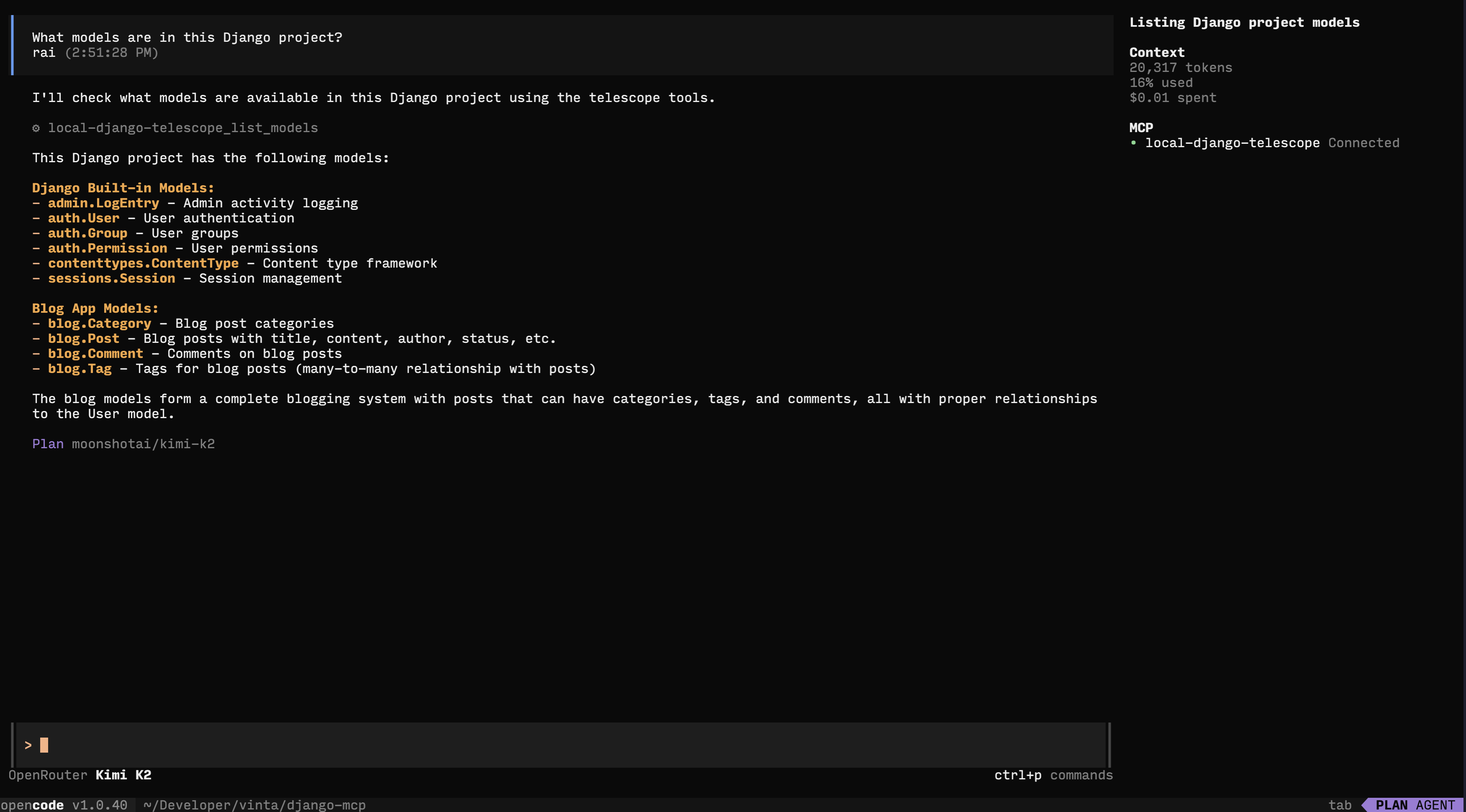
Try asking AI
After installing, here are 5 things you can ask your AI assistant:
When to choose this
Choose Django AI Boost if you work with Django applications and want AI assistants to understand your project structure, models, and configurations.
When NOT to choose this
Don't choose this if you need write access to your Django project or are working with a non-Django Python framework.
Tools this server exposes
10 tools extracted from the READMEapplication_infoGet Django and Python versions, installed apps, middleware, database engine, and debug mode status.
get_settingRetrieve any Django setting using dot notation.
list_modelsList all Django models with fields, types, max_length, null/blank status, and relationships.
list_urlsShow all URL patterns with names, patterns, and view handlers.
database_schemaGet complete database schema including tables, columns, types, indexes, and foreign keys.
list_migrationsView all migrations per app with their applied/unapplied status.
list_management_commandsList all available manage.py commands with their source apps.
get_absolute_urlGet the absolute URL for a specific model instance.
reverse_urlReverse a named URL pattern to get its actual URL path.
query_modelQuery a Django model with read-only operations using the Django ORM manager.
Comparable tools
Installation
Installation
# Using uv (recommended)
uv pip install django-ai-boost

# Or with pip
pip install django-ai-boost
Claude Desktop Configuration
Add to your Claude Desktop configuration:
- **macOS**:
~/Library/Application Support/Claude/claude_desktop_config.json - **Windows**:
%APPDATA%\Claude\claude_desktop_config.json - **Linux**:
~/.config/claude/claude_desktop_config.json
{
  "mcpServers": {
    "django": {
      "command": "django-ai-boost",
      "args": ["--settings", "myproject.settings"],
      "env": {
        "DJANGO_SETTINGS_MODULE": "myproject.settings"
      }
    }
  }
}
FAQ
- How do I authenticate in production mode?
- Set the DJANGO_MCP_AUTH_TOKEN environment variable or use the --auth-token argument when using SSE transport.
- What transport modes are available?
- Django AI Boost supports stdio transport (default) and SSE transport. SSE transport is required for authentication and production deployments.
Compare django-ai-boost with
Last updated · Auto-generated from public README + GitHub signals.