adaptive-cards-mcp
by VikrantSingh01·★ 26·Score 46
AI-powered Adaptive Card MCP server with 9 tools for generating, validating, and optimizing cards for Teams, Outlook, Copilot, and ChatGPT.
Overview
Adaptive Cards MCP is a specialized server that enables AI assistants to create valid, accessible Adaptive Cards for Microsoft platforms. It provides 9 tools covering card generation, validation, optimization, and transformation across different hosts and versions. The server supports natural language interactions, slash commands for guided workflows, and programmatic usage through an npm library. With comprehensive documentation and integration examples for multiple AI assistants, it simplifies the complex process of creating Adaptive Cards that work consistently across different Microsoft surfaces.
Try asking AI
After installing, here are 6 things you can ask your AI assistant:
When to choose this
Choose this server when working with Microsoft Teams, Outlook, or other Microsoft platforms and need to generate or optimize Adaptive Cards with proper validation and accessibility features.
When NOT to choose this
Avoid this if you're primarily working with non-Microsoft platforms that don't support Adaptive Cards, or if you need more extensive customization beyond Microsoft's ecosystem constraints.
Tools this server exposes
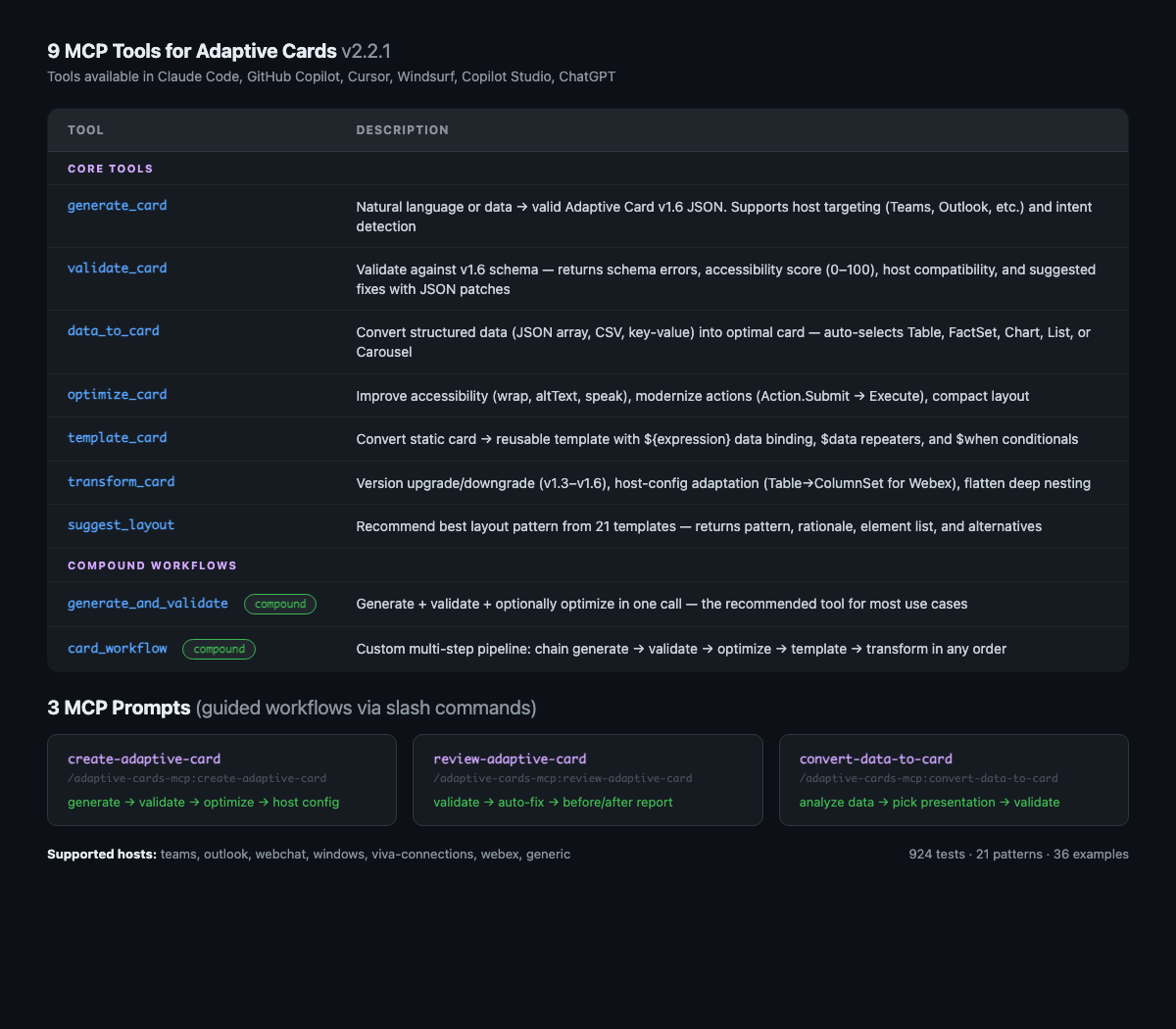
9 tools extracted from the READMEgenerate_cardNatural language / data → valid Adaptive Card v1.6 JSON
validate_cardSchema validation + accessibility score + host compatibility + suggested fixes
data_to_cardAuto-select Table / FactSet / Chart / List from data shape
optimize_cardImprove accessibility, performance, modernize actions
template_cardStatic card → ${expression} data-bound template
transform_cardVersion upgrade/downgrade, host-config adaptation
suggest_layoutRecommend best layout pattern for a description
generate_and_validateGenerate + validate + optionally optimize in one call
card_workflowMulti-step pipeline: generate → optimize → template → transform
Comparable tools
Installation
Installation
No install needed — npx downloads and runs it automatically.
Claude Desktop
Add to Claude Desktop configuration:
{
  "mcpServers": {
    "adaptive-cards-mcp": {
      "command": "npx",
      "args": ["adaptive-cards-mcp"]
    }
  }
}
GitHub Copilot (VS Code)
Add to .vscode/mcp.json:
{
  "servers": {
    "adaptive-cards-mcp": {
      "command": "npx",
      "args": ["adaptive-cards-mcp"]
    }
  }
}
Cursor
Add to .cursor/mcp.json:
{
  "mcpServers": {
    "adaptive-cards-mcp": {
      "command": "npx",
      "args": ["adaptive-cards-mcp"]
    }
  }
}
FAQ
- What Adaptive Card versions does this support?
- The server supports Adaptive Cards v1.6 and can transform cards between different versions (v1.3, v1.4, v1.5, v1.6) to ensure compatibility with different hosts.
- Can I use this with non-Microsoft platforms?
- Yes, while optimized for Microsoft platforms (Teams, Outlook, Copilot), it can generate cards for any platform that supports Adaptive Cards, with validation for specific host constraints.
Compare adaptive-cards-mcp with
Last updated · Auto-generated from public README + GitHub signals.