streamdeck-mcp
by verygoodplugins·★ 13·Score 44
MCP server for Elgato Stream Deck control, letting AI create custom profiles with buttons, icons, and scripts.
Overview
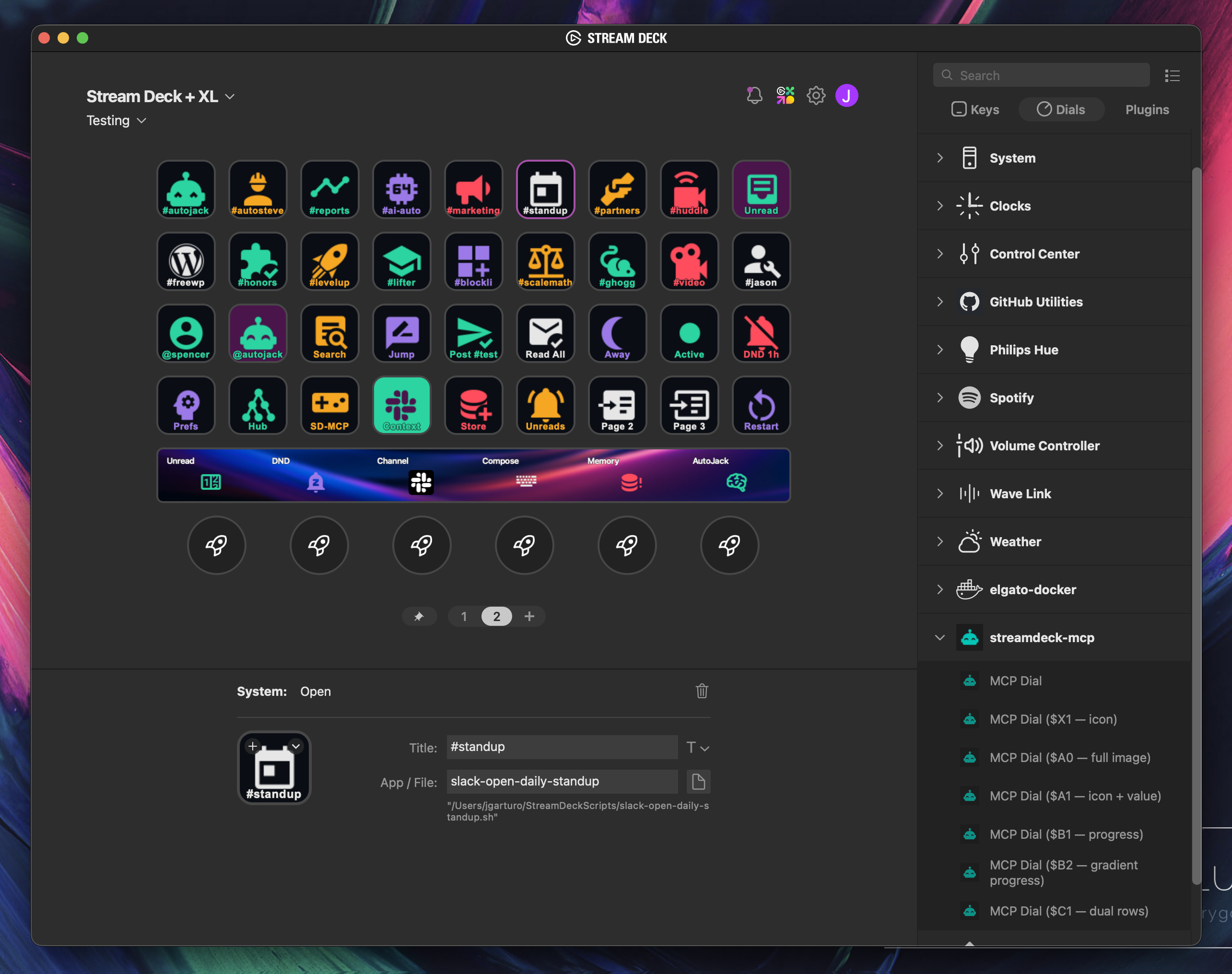
StreamDeck MCP is a specialized MCP server that bridges AI capabilities with Elgato Stream Deck hardware. It reads and writes Stream Deck profiles directly in the desktop app's native format, enabling users to generate complete deck configurations through natural language prompts. The server integrates with other MCP tools like Slack, Home Assistant, OBS, and GitHub to create contextual, personalized control boards that match actual hardware and software environments. Installation is straightforward via uvx with configuration options for Claude Desktop, Claude Code, Cursor, and other MCP clients.
Try asking AI
After installing, here are 5 things you can ask your AI assistant:
When to choose this
Choose this if you want to automate Stream Deck configuration through AI and need integration with other MCP services like Slack or Home Assistant.
When NOT to choose this
Don't choose this if you need direct hardware control without the Elgato desktop app, or if you're on Linux and prefer the legacy USB mode.
Tools this server exposes
8 tools extracted from the READMEstreamdeck_read_profilesLists desktop profiles and page directories from the active ProfilesV3 or ProfilesV2 store
streamdeck_read_pageReads a page manifest and returns simplified button details plus the raw manifest
streamdeck_write_pageCreates a new page or rewrites an existing page manifest
streamdeck_create_iconGenerates a PNG icon from a Material Design Icons name or from text
streamdeck_create_actionCreates an executable shell script in ~/StreamDeckScripts/ and returns an Open action block
streamdeck_restart_appRestarts the Stream Deck desktop app after profile changes (macOS only)
streamdeck_install_mcp_pluginInstalls the bundled streamdeck-mcp Stream Deck plugin into the Elgato Plugins directory
design_streamdeck_deckCreates a complete Stream Deck profile with buttons, icons, and actions based on user intent
Comparable tools
Installation
Installation
Install with uvx and configure in your MCP client:
Claude Desktop
Add to ~/Library/Application Support/Claude/claude_desktop_config.json (macOS) or %APPDATA%\Claude\claude_desktop_config.json (Windows):
{
  "mcpServers": {
    "streamdeck": {
      "command": "uvx",
      "args": ["streamdeck-mcp"]
    }
  }
}
Claude Code
claude mcp add streamdeck -- uvx streamdeck-mcpOther clients
Add to your MCP configuration:
{
  "mcpServers": {
    "streamdeck": {
      "command": "uvx",
      "args": ["streamdeck-mcp"]
    }
  }
}
FAQ
- Which MCP clients are supported?
- StreamDeck MCP works with Claude Desktop, Claude Code, Cursor, Codex, and any MCP-compatible client that can run over stdio.
- What about Linux compatibility?
- On Linux, use the legacy USB mode via 'uvx --from streamdeck-mcp streamdeck-mcp-usb' since the Elgato desktop app is macOS/Windows only.
Compare streamdeck-mcp with
Last updated · Auto-generated from public README + GitHub signals.