mcp-toggl
by verygoodplugins·★ 17·Score 45
MCP server for Toggl Track integration with intelligent caching, time tracking, and activity reporting tools.
Overview
MCP Toggl provides a comprehensive interface between Toggl Track time tracking and MCP-compatible clients. It offers structured data retrieval with hydrated entries including project, workspace, client, and tag information. The server implements smart caching to reduce API calls and supports timeline analysis from Toggl Track Desktop, allowing users to analyze how their tracked time actually maps to application usage patterns.
Try asking AI
After installing, here are 5 things you can ask your AI assistant:
When to choose this
Choose this server if you use Toggl Track for time tracking and want to integrate AI-powered insights directly into your workflow without manual report generation.
When NOT to choose this
Avoid this if you need time tracking solutions outside Toggl, require write access to time tracking data, or have privacy concerns about sharing desktop activity with AI systems.
Tools this server exposes
12 tools extracted from the READMEtoggl_daily_reportHours by project and workspace for a date
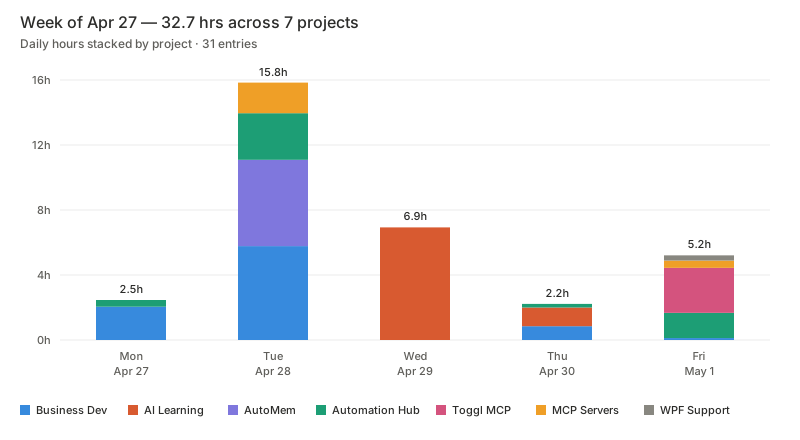
toggl_weekly_report7-day breakdown with daily totals and project rollups
toggl_get_time_entriesRaw hydrated entries by period, date range, workspace, or project
toggl_get_timelineToggl Track Desktop app usage summary with optional raw events
toggl_get_current_entryReturns the running timer, elapsed seconds, and hydrated project/workspace context
toggl_start_timerStarts a timer with description, optional project/task, and tags
toggl_stop_timerStops the currently running timer
toggl_check_authVerifies token access and lists available workspaces without exposing the token
toggl_list_workspacesLists all accessible workspaces
toggl_list_projectsLists projects for a workspace using cache-backed reads after first fetch
toggl_warm_cachePre-fetches workspace, project, client, and tag data before a heavy reporting session
toggl_project_summaryTotal hours per project for a period or date range
Comparable tools
Installation
Claude Desktop Installation
Add this to ~/Library/Application Support/Claude/claude_desktop_config.json:
{
  "mcpServers": {
    "mcp-toggl": {
      "command": "npx",
      "args": ["-y", "@verygoodplugins/mcp-toggl@latest"],
      "env": {
        "TOGGL_API_KEY": "your_api_key_here",
        "TOGGL_DEFAULT_WORKSPACE_ID": "123456"
      }
    }
  }
}
Global install:
npm install -g @verygoodplugins/mcp-toggl
mcp-toggl --help
FAQ
- What makes this MCP server different from using Toggl directly?
- This server enriches raw time entries with project, client, and workspace data in a single API call, implements smart caching to reduce API requests, provides timeline analysis of actual desktop activity, and delivers structured data in a format optimized for AI consumption and reporting.
- How does the timeline privacy feature work?
- The timeline feature supports three modes: summary-only (no raw events), events with redacted titles (preserving duration but removing sensitive information), and full event mode. Users can control privacy by setting include_events: false or redact_titles: true.
Compare mcp-toggl with
Last updated · Auto-generated from public README + GitHub signals.